
Stop losing buyers to questions your store never answers.
A shopper wants the right size, a compatible model, an in-stock variant or a straight answer about delivery. If your store leaves that doubt sitting there, the sale can die in the same tab. Niwa uses your WooCommerce store context to answer, recommend and keep the buying conversation moving.
The sale often dies before the cart.
Most product pages make the buyer do all the work: read every tab, compare similar items, decode variation names and hunt for a policy. Niwa gives that hesitation somewhere to go.
Answer the question blocking the click
Handle pre-sale questions about products, variations, availability and store policies using the context available in WooCommerce.
Guide the buyer toward a better fit
Ask what matters, narrow the choice and explain why a product matches the request.
Work with your rules
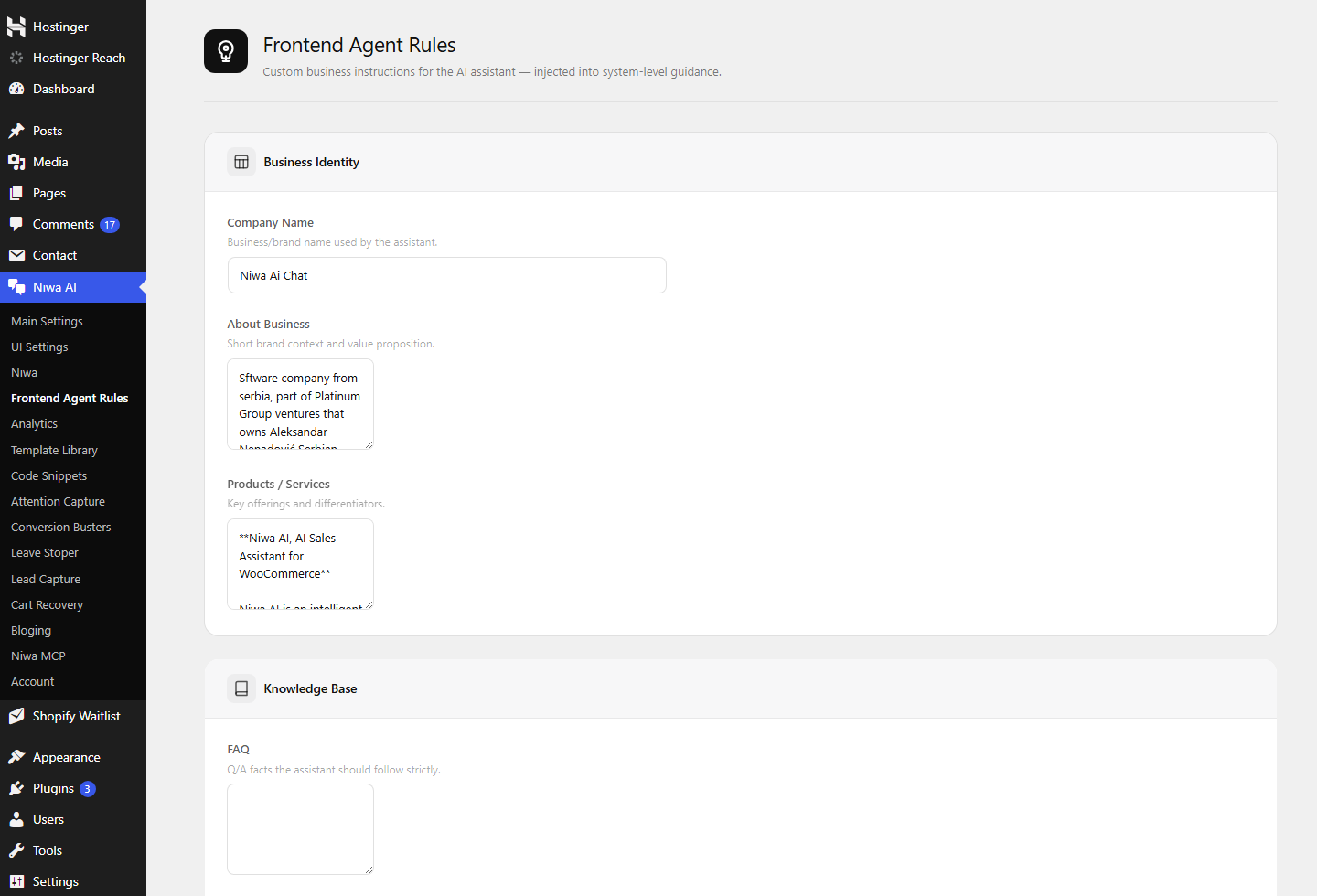
Set business details, product guidance and FAQ facts in Frontend Agent Rules.
Keep risky cases out of autopilot
When a request needs judgment or missing information, give the buyer a clear handoff instead of a confident guess.
From hesitation to a sensible next step.
This is a product scenario, not a customer transcript. It shows the boundary between a useful recommendation and an invented answer.
Buyer
Niwa checks
Niwa
The buyer stays on the product page. The recommendation comes from store context, and the limit of that context stays visible.
Buying intent does not end when the tab closes.
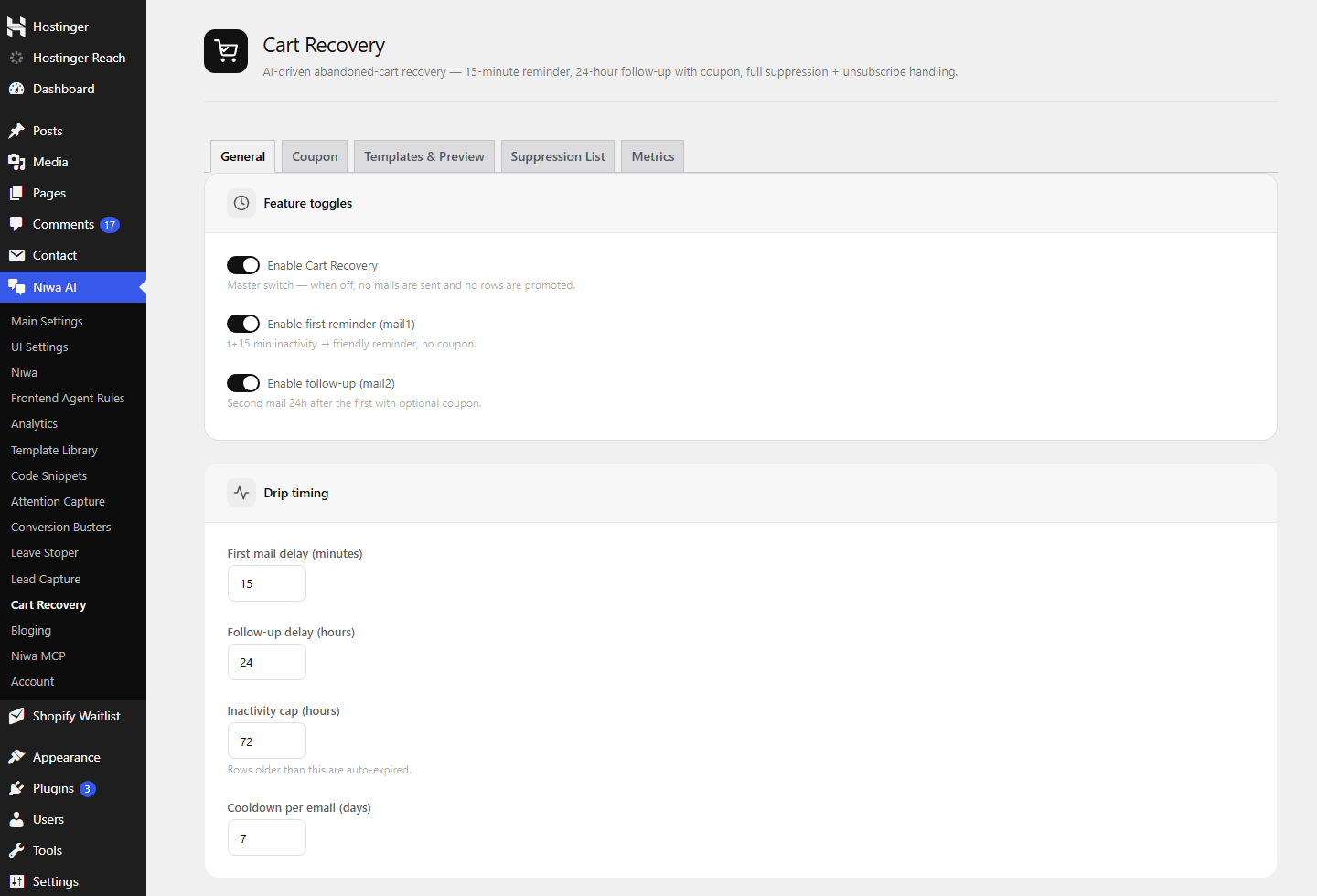
Niwa includes cart-recovery controls inside WordPress. Enable the flow, set the first reminder timing, configure a later follow-up, prepare message templates, and manage suppression and unsubscribe handling.
- Timing and follow-up rules stay under your control.
- Coupon use is deliberate, not automatic.
- The goal is to reopen a real buying conversation, not spray every cart with the same message.
Know what the sales agent is doing.
Niwa’s analytics dashboard tracks customer interaction and recommendation activity. Available views cover chat opens, messages, product-card clicks, add-to-cart actions, checkout clicks and influenced-order reporting.
- Filter activity by time period and page.
- Spot product pages that trigger repeated questions.
- Use attribution as reporting context, not a promise that every sale came from one chat.

The hidden objections still need an answer.
Price is rarely the only question. Buyers worry about fit, compatibility, delivery, returns, setup and whether the product will do the job they have in mind.
Use product details, variants and the fit guidance your store supplies.
Surface relevant compatibility facts without pretending missing information exists.
Bring delivery and stock context into the same buying conversation.
Send exceptions and sensitive decisions to a person instead of forcing a conversion.
Start with the facts. Improve from real questions.
Connect the store
Connect Niwa to WooCommerce and choose where the frontend assistant appears.
Give it the facts
Set business identity, product context, FAQs and the rules the assistant should follow.
Review conversations
Check questions and interactions. Tighten weak product guidance when hesitation repeats.
Turn on recovery deliberately
Configure timing, templates, coupons and suppression rules to fit the way your store sells.
What to know before installing.
Does Niwa replace my product pages?
No. Strong product pages still matter. Niwa works with the product information and store context around them, then handles questions and comparison work that static copy cannot predict cleanly.
Can it recommend a product or variation?
Yes, when the relevant product, variation and guidance are available in store context. It can narrow a choice and explain the recommendation. If facts are missing, it should ask for more detail or hand the case over.
Will it claim an item is available when it is not?
The sales flow is designed to use current WooCommerce product and stock context. Your store data still needs to be accurate, and live behavior should be checked after setup.
How does cart recovery work?
Niwa provides WordPress controls for a first reminder, a later follow-up, optional coupon use, templates, suppression and unsubscribe handling. You control whether the feature is enabled and how the timing is configured.
What can I measure?
The dashboard includes tracked events, sessions, chat activity, product-card clicks, add-to-cart actions, checkout clicks and recommendation performance views. Reporting depends on the interactions and events available on your store.
What happens when a question needs a person?
Niwa should hand off unclear, sensitive or exception-based requests instead of filling the gap with a guess. The exact route depends on the channels and process you configure.
Find the sales your store is making buyers fight for.
The free audit looks at missed-conversion points across product discovery, unanswered questions, cart friction and the places where a WooCommerce AI sales agent can earn its place.
No invented uplift numbers. Just a clear look at where buyers are getting stuck.

