

How Does SEO Work?
See how discovery, crawling, indexing and ranking connect to SEO, with a practical business example and a way to check each stage in Search Console.
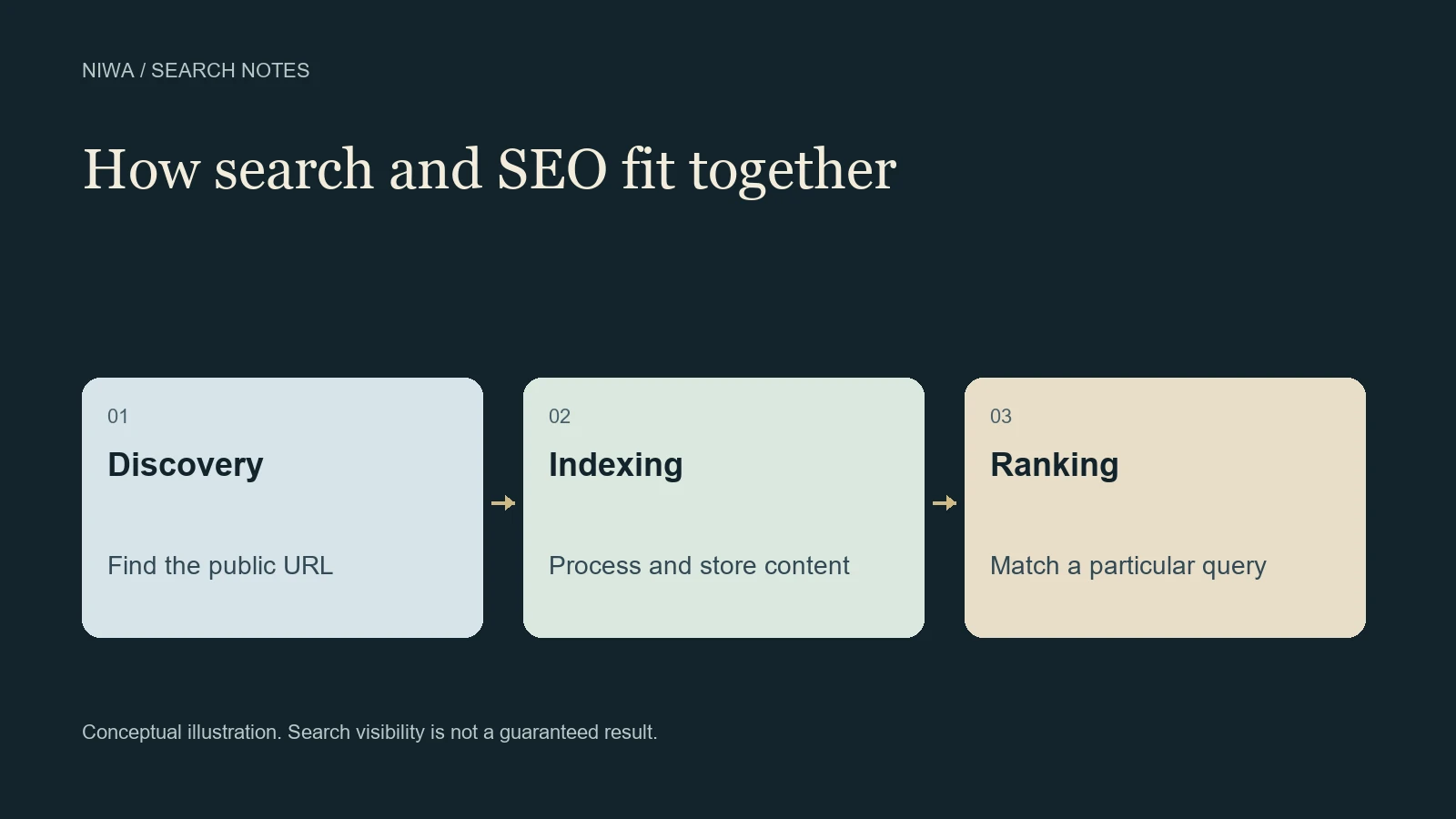
SEO works by improving the pages a search engine can discover and understand, and making those pages useful for the searches your customers make. Search engines retrieve and process content, then select results for a particular query. Your work can improve the inputs to that process, but you do not control its final decisions.
It helps to separate the process into stages. If a page is not discoverable, rewriting its description will not solve that problem. If it is already indexed, submitting the same URL repeatedly will not answer why it attracts irrelevant visits.
Niwa's WordPress maintenance assistant can help an owner implement supported page improvements once the task is clear. The useful question is what needs to change at the stage where the problem actually occurs.
Discovery gives a search engine a URL
A search engine can find a new page through links from other pages or a sitemap. That is why a public service page should be reachable from a useful part of your site, rather than existing only as an address nobody can find.
Imagine a fictional tutoring business adding a maths tuition page. A link from its services page helps a visitor reach it and gives a crawler a route to discover it. The link text should explain the destination. A sitemap can also identify the URL, but discovery alone does not mean the search engine has indexed it.
Google's documentation on crawlable links explains why the actual link implementation matters. A navigation element that looks clickable to a person may require a different inspection from an ordinary HTML link.
Crawling retrieves the page
After discovering a URL, a search engine may fetch it. That request must be allowed, and the server must provide the intended public content. A password screen, repeated server failure or a crawling restriction can stop the process before the copy is evaluated.
JavaScript can also be involved in rendering a page. The owner needs the important service information available in the rendered page, rather than assuming a visually impressive loading screen proves that a crawler received the details.
The technical requirements for Google Search provide a useful distinction: meeting minimum conditions creates eligibility for indexing. It does not force indexing or earn a particular position.
Indexing processes the content
During indexing, Google analyzes content and other information about the page. It may identify equivalent pages and choose a canonical version. Some discovered or crawled URLs never enter the searchable index.
For the tutoring example, the maths page should explain a real, distinct service. Making several copies with only the town name changed creates a different issue from an inaccessible server. The owner must understand whether a missing URL represents an access problem, a deliberate exclusion, a duplicate or a page Google has not selected for indexing.
The URL Inspection tool helps examine one specific URL. Its stored index information and live test answer different questions, so read the labels carefully. A successful live test does not certify that the page is currently indexed.
Ranking matches a page to a search
When someone searches, Google evaluates relevant indexed content using several signals. The meaning of the query, relevance, quality, usability and context can affect what appears. Results can differ with the searcher's location and settings.
A page about the history of mathematics could be useful for a school project. Someone seeking a local tutor needs service information and a way to arrange tuition. Even well-written content can be a poor match for the second task.
Google's explanation of ranking results describes this matching process. There is no public formula in which a fixed number of repetitions or links buys a fixed position.
What changes can an owner make?
Start by locating the stage that needs attention, then choose a limited change:
- If the page is hard to find, give it a relevant internal link and check the site's sitemap.
- If access fails, investigate the returned page, server response and applicable restrictions.
- If indexing differs from expectations, inspect the exact URL and its canonical and exclusion information.
- If the page gets impressions for the wrong task, review what the page actually explains and who it serves.
- If relevant visitors arrive but cannot enquire, improve the customer route and measure that outcome separately.
These are diagnostic examples, rather than a reason to change every setting at once. Preserve intentional exclusions for private or duplicate material.
On WordPress, the Niwa help guide covers the assistant's setup. Connect the supported provider and authorized owner account, identify the page, supply approved business details and request a scoped change. For the tutor, that could mean replacing a vague introduction with accurate age groups, lesson format and enquiry details. Review the result before assuming the work has affected search.
What proves that the work had an effect?
Saving a page proves that a change was saved. A later crawl may show that the search engine retrieved the new version. Search Console performance data can then show impressions and clicks for particular pages and queries.
Google's Performance report guide explains the metrics and reporting behavior. Compare suitable time periods and note other changes, such as seasonality, promotions or a new service. A change in average position across many queries is not a precise rank for one phrase.
Keep a separate record of actual enquiries or purchases. That lets you decide whether visibility is bringing the right people, rather than treating every click as a customer.
If you need help translating a finding into a specific WordPress edit, send Niwa the page and the observed issue. Bring the evidence you have, such as an inspection result or an inaccurate service description. A precise task makes the work and its verification easier to review.

