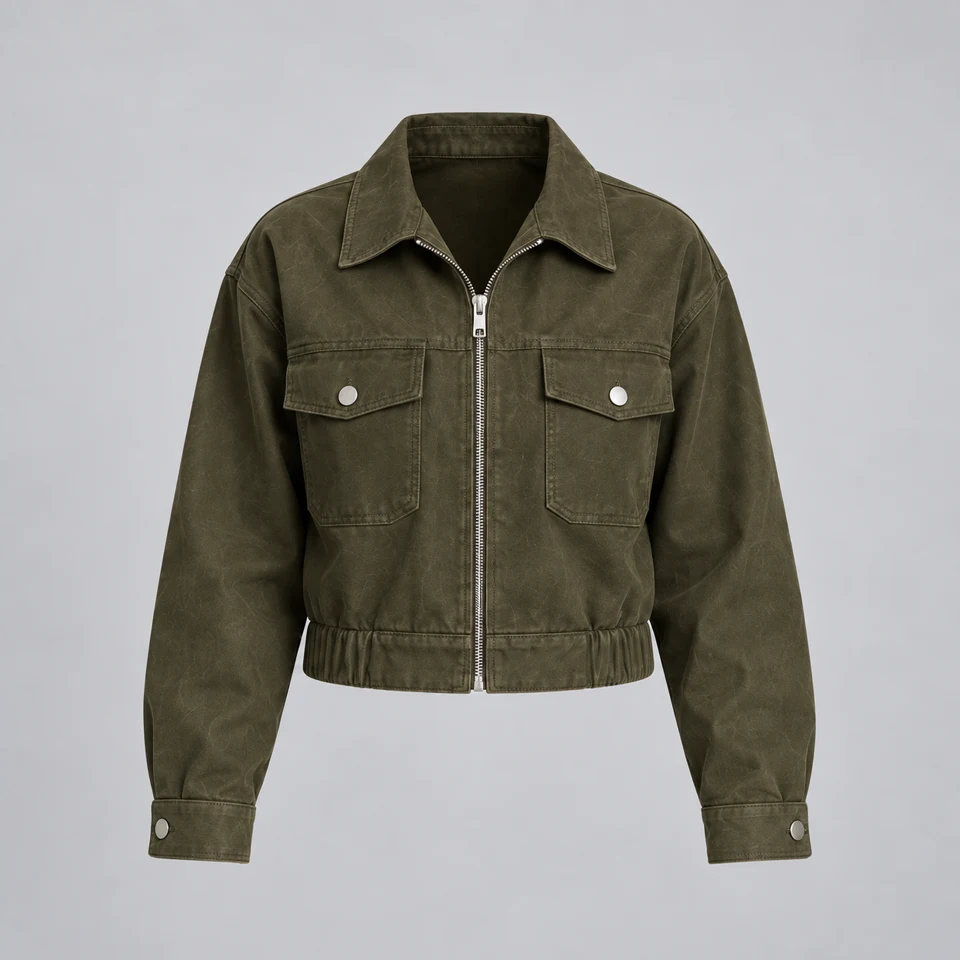
Someone sees your latest post and sends a message. Niwa helps turn that first spark of interest into a conversation about the right product, the right service or the right time to visit.
Hi! Yes, the olive jacket is in stock in medium. Are you checking the fit or ready to choose your size?
The fit, mostly. Can I see it from the side?
Here you go. It has a relaxed fit. The product page includes measurements and the available sizes.
Olive jacketView sizes and measurements
That helps, thank you! I’ll check the measurements.
Of course. Message me if you need a hand.
◎Message…♡ ⊕
Be useful while the interest is fresh.
A photograph gets someone’s attention. Their next question is often practical: does it come in their size, can it be delivered, is the consultation available this week? Those messages can arrive while you are busy making the very thing people want to buy.
With an eligible Instagram account connected through Niwa Channels, the agent can receive supported messages and respond using the business information you have configured. The connection needs the relevant Meta permissions. Your account and the platform’s messaging rules determine which interactions are available.
Help them choose, one detail at a time.
Niwa can find the relevant product or explain a service from your site. A short question can narrow an inquiry: which item, which size, which location or what kind of appointment? That gives the conversation a direction without making the customer work through a long questionnaire.
The product still needs to be identified correctly. A vague reference to ‘that one’ may require a link or a clarifying question. Niwa should use the context the integration actually receives, then consult the catalog or business content. She should not assume that every message contains the full context of the post someone saw.
Keep the journey connected.
Once the question is answered, Niwa can guide the customer to the appropriate product page or the booking flow you have enabled. Someone comparing sizes needs a different next step from someone asking about a wholesale order. Your instructions help set those priorities.
You can spend your attention on the inquiries that need it: unusual requests, custom work or a conversation where your own experience makes the difference. Reviewing the questions also tells you what your posts and product pages leave unexplained. The next improvement may be a clearer size guide rather than another campaign.
Your next customer may already be in your inbox.
The work between ‘I like this’ and ‘I know what to do next’ is often a handful of useful answers. Niwa helps you handle that part of the relationship with the product knowledge you have already built into your website.
Give social conversations the depth of your website.
A social profile has limited room for delivery conditions, specifications and service details. Your WordPress site can hold that information in a form Niwa can use. Accurate pages give the agent a stronger basis for answering, and useful links let the customer inspect the detail for themselves.
For a studio, that might mean explaining the difference between two appointments. For a store, it may mean helping someone find the right variant. For a business taking inquiries, Niwa can ask for the relevant details and explain the next step. Each conversation should stay within the knowledge and access you have provided.
Set the tone before the inbox gets busy.
Tell Niwa how your business speaks, what information to collect and which requests need a person. Supply the conditions customers need to make a decision. Avoid instructions that encourage pressure, made-up urgency or promises about stock and delivery that the store cannot support.
Then connect the correct account and test real incoming DMs, including a follow-up message. Check account permissions and delivery status. Instagram access does not automatically grant ad management, and replying to an inbound inquiry does not authorize unlimited future outreach. Keep the connection appropriate to the job you want it to do.
Before you get started
Will this work with any Instagram account?+
The account must be eligible for the supported Meta connection and grant the required permissions. Account type, platform review and messaging restrictions can affect availability. Setup should include an actual send-and-receive test.
Can Niwa also run my Instagram ads?+
Paid advertising is a separate workflow with its own account access, creative, spending limits and authorization. The Meta Ads Agent page explains that process. Connecting customer messages alone does not authorize advertising spend.
How do I know whether it is helping?+
Review the conversations and the next steps they produce. Look for questions resolved, relevant product visits and useful inquiries. Sales attribution depends on the tracking available; a reply by itself is not proof of a sale.
Make the first message the beginning of something useful.
Bring one real task from your business. We’ll walk through the setup, the work and the result together.