

What Is Technical SEO?
Understand technical SEO: crawl access, indexability, canonical URLs, mobile usability and performance. Learn which checks matter before changing your site.
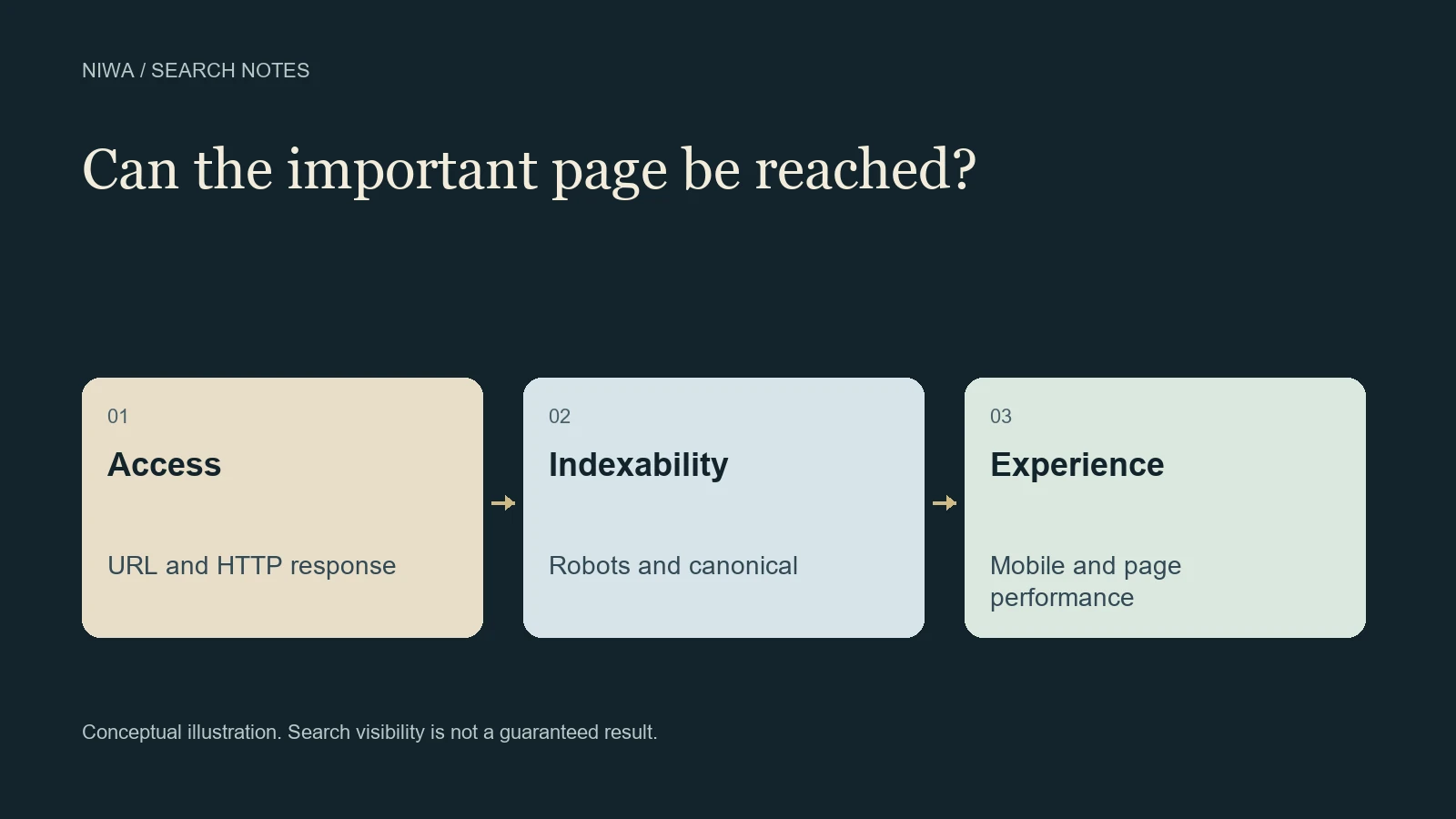
Technical SEO is the work of making a website accessible and understandable to search engines through its underlying configuration and implementation. It covers areas such as crawl access, indexing instructions, URL handling, internal navigation and page performance. Its purpose is to remove avoidable technical obstacles to discovering and using useful content.
A strong service description cannot help in search if the public page returns an error or accidentally tells search engines not to index it. At the same time, passing a technical check does not prove the content deserves a particular position.
On WordPress, Niwa's maintenance assistant can inspect and work on supported site structures with the configured tools and permissions. Give it a specific observed problem so the repair addresses the cause.
Access comes before optimization
For an important public page, a search engine needs a route to its URL and a usable response when it requests that URL. That can fail because of a login screen, server errors, crawling restrictions or navigation that does not expose a crawlable link.
Google's technical requirements describe the minimum conditions for eligibility. Start here when a page appears unavailable. A performance score or a new meta description does not repair a server returning the wrong content.
Consider a fictional furniture shop that launches a new category page. Customers can reach it from a menu, but a server protection rule blocks Googlebot. The initial issue is access. Rewriting all product descriptions would leave that issue in place.
Crawling and indexing restrictions differ
The robots.txt file gives crawling instructions. A noindex directive tells a supported search engine not to include a page in its index. These controls serve different purposes.
Google's robots.txt introduction explains that a robots restriction is not a reliable way to hide a URL from search results. If Google cannot crawl a page, it cannot read a noindex directive on that page. The noindex documentation makes that requirement explicit.
Some pages should stay out of search. Private account pages, internal search results or a duplicate archive may have intentional restrictions. A technical review asks whether the instruction matches the purpose of the particular URL. Removing every restriction is not a sensible repair.
For the furniture shop, an accidental noindex on a useful public category could be relevant. A noindex on an internal account page could be entirely appropriate. Inspect the actual output and the configuration responsible for it before changing anything.
URL handling keeps versions understandable
One piece of content can appear under more than one URL. A canonical annotation helps indicate the preferred version, while a redirect sends a request to a different address. Neither is a substitute for understanding which page should remain available.
The canonical URL guidance describes signals Google uses to select a canonical. Your declared preference can differ from Google's selection, so inspect both when troubleshooting.
After a migration, an old service URL may need a relevant redirect to its replacement. Sending every removed page to the homepage can leave users without the information they expected. Record the old and new addresses, preserve unrelated routes and test the real result.
Page experience affects people too
Technical work also includes making a page usable on a phone, reducing unnecessary loading delays and preventing unstable layouts. Google's Core Web Vitals documentation describes measurements of loading, interaction and visual stability.
A good score is not a promise of a top ranking. It is also important to distinguish field data from laboratory tests. Real visitor experience and a single controlled test can describe different conditions.
For a small shop, investigate a specific complaint: a category image loads slowly, the purchase button shifts after loading or the menu becomes unusable at a narrow width. Match the change and the verification to that behavior. An image compression task does not need a site-wide redesign.
How to read a technical finding
A useful finding includes the URL, the observed behavior, the evidence and the consequence. Compare these two requests:
The site needs better technical SEO is too broad to identify a fix. The public category URL returns a login page to an anonymous request is something a maintainer can investigate.
Search Console's URL Inspection guide explains the available index and live-test information. Combine it with the returned page and server evidence where access permits. A live test is a diagnostic tool, not proof of a current ranking.
Write down what should be different after the change. For example, an anonymous visitor should receive the correct public category, and an inspection should be able to retrieve that content. Keep a recovery path for changes affecting shared templates, hosting rules or many URLs.
Using Niwa for a scoped WordPress task
Install and configure the standalone plugin on an existing WordPress website using the Niwa help guide. Connect the supported provider and authorized owner access. Then provide the URL, observed problem and intended behavior.
Niwa can work through supported content, styles and code routes when those tools are available. Hosting configuration or a vendor-controlled integration may need a different specialist. The task should finish with a report of what changed and what was checked, including any part the available tools could not verify.
That makes technical SEO reviewable: a defined problem, a limited repair and evidence of the resulting behavior. It does not mean a chat assistant independently controls crawling or indexing decisions.
If you have a technical finding but are unsure where it belongs, send Niwa the affected URL and the evidence. Start with the page that matters to customers, and avoid paying for broad changes before anyone has identified the actual obstacle.

