

Why Did My Average Order Value Drop?
Diagnose an AOV drop through report settings, refunds, discounts, product mix and customer segments before changing prices or adding another promotion.
Average order value drops when included revenue grows more slowly than included orders, or when a reporting change alters either figure. Common causes include more inexpensive purchases, heavier discounts, refunds, a different customer mix or mismatched report settings. The average alone cannot tell you which cause applies.
Start by verifying the data. Then identify the orders responsible for the change before adjusting prices or offers.
If customers struggle with selection or compatibility, Niwa can help explain the catalog. That is a useful response to a documented buying problem, rather than an automatic response to every decline in a dashboard.
1. Confirm that you are comparing the same thing
Check the date range, timezone, currency, revenue definition and eligible statuses. Compare complete periods with similar weekday coverage and note seasonal differences.
In WooCommerce, review Analytics > Settings for the date type and excluded statuses. Inspect update or import status if recent orders appear to be missing. WooCommerce's documentation describes how these controls affect reports.
Changing from total checkout sales to net product sales can produce a lower number without any change in purchases. A stale report can also make a comparison premature.
2. Split the average into revenue and order count
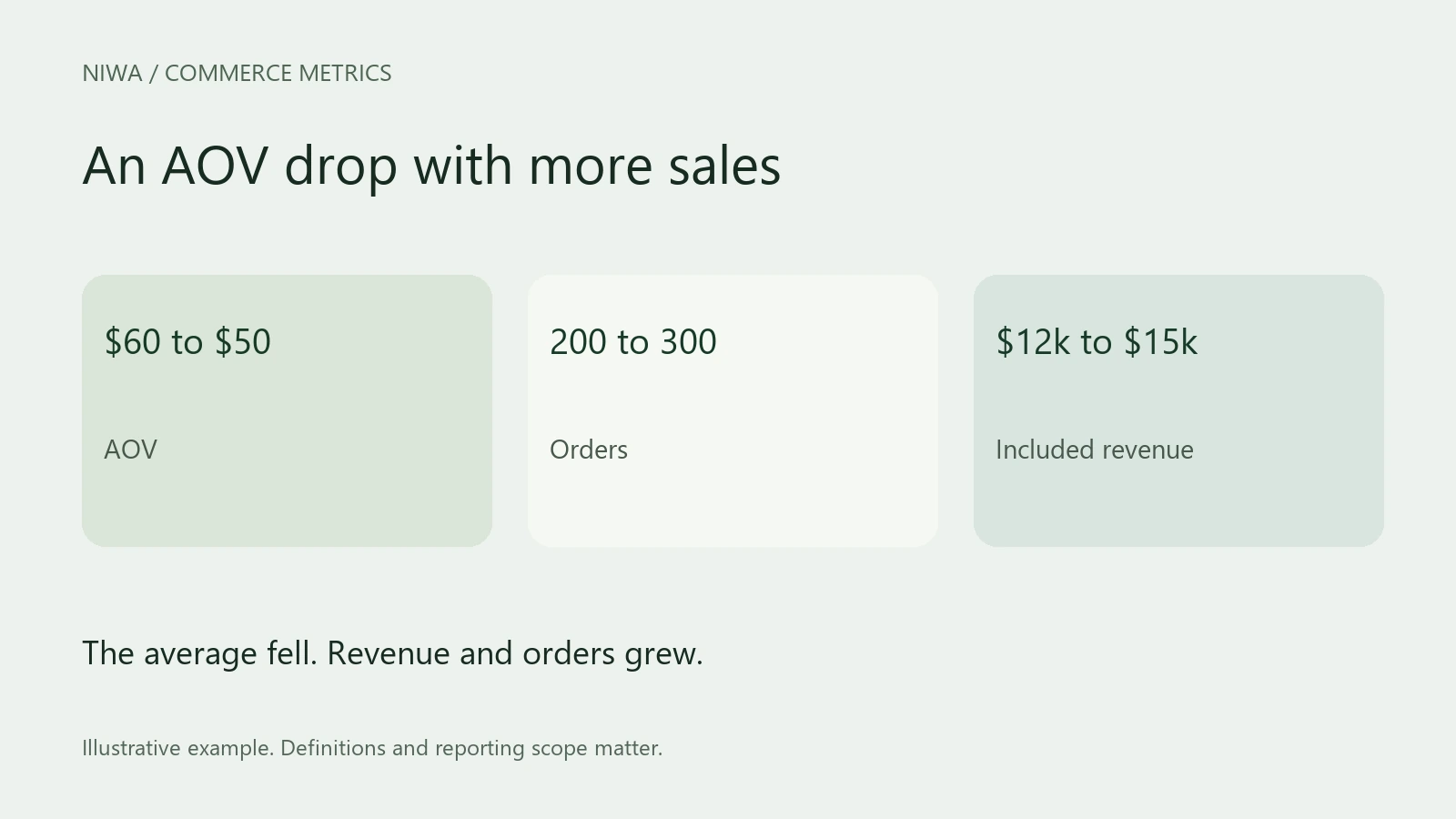
Suppose the previous period produced $12,000 from 200 orders, or $60 AOV. The current period produces $15,000 from 300 orders, or $50 AOV.
AOV fell, but revenue and order count rose. This may be a healthy increase in smaller purchases, depending on costs and returns.
Now imagine $10,000 from 200 orders. That is also $50 AOV, but the order count did not grow and revenue fell. The same average points to a different commercial situation.
Write the three figures together before deciding whether the drop is a problem.
3. Inspect discounts and refunds
Compare gross product sales, coupon deductions and returns. More discounting can lower net-sales AOV even if customers choose the same products.
Look at when refunds occurred. A cluster of refunds for older orders can depress the current period. Separate that event from the value of new baskets.
Also identify free samples, replacement orders and unusual service adjustments. Keep legitimate orders intact, but distinguish these groups in an additional analysis so you can see how much they affect the average.
4. Review product and customer mix
Compare categories and the number of items per order. If customers buy the same number of items at lower average prices, product mix may be driving the change. If item prices are stable but baskets contain fewer products, investigate the purchase journey.
Check whether a high-priced product was unavailable or whether a large wholesale order lifted the previous period. Review new and returning customers separately where the data allows.
A blended average can fall because a lower-value segment becomes larger, even when each segment's own AOV is unchanged. Do not interpret that as a deterioration in every customer group.
5. Match the response to the cause
For an unavailable product, solve stock or substitute information. For unclear product relationships, correct the catalog and test Niwa's explanation of a compatible companion item. For a discount-driven decline, inspect the offer's economics before adding another coupon.
Give Niwa accurate prices, variants and business rules. Test a specific conversation through to the appropriate product page or supported basket action. A random add-on recommendation will not fix a reporting error or a stock problem.
Decide whether the change needs fixing
Review conversion, refunds and contribution alongside AOV. More small profitable orders can be welcome. Larger orders with poor margins can be harmful. Record your diagnosis and change one relevant part of the journey so that the next result is easier to interpret.
Ask about Niwa for that customer task. Existing WordPress owners can use the standalone plugin without replacing their website.

