

AI No-Results Assistant for Ecommerce: Recover Sales From Failed Searches
Learn how an AI no-results assistant turns failed site searches into product discovery, policy answers, CRM handoffs, and recoverable ecommerce revenue.
Search is where high-intent shoppers tell you exactly what they want. A buyer who types “black waterproof hiking boot size 42,” “return policy,” or a specific model number is not browsing for entertainment. They are trying to move forward.
The problem is that many ecommerce search experiences still behave like a rigid database lookup. If the query is slightly messy, too specific, non-product related, or phrased in a customer’s own words, the store returns weak results or a dead “no results found” page. That is a conversion leak.
Baymard’s 2026 ecommerce search research shows why this matters. Their research notes that 12% of sites have issues with exact searches, and that 66% of sites have issues with non-product searches such as shipping, returns, or policy questions. Add that to Baymard’s broader cart research, where the average documented online cart abandonment rate is 70.22%, and failed search stops looking like a small UX problem. It becomes a sales problem.
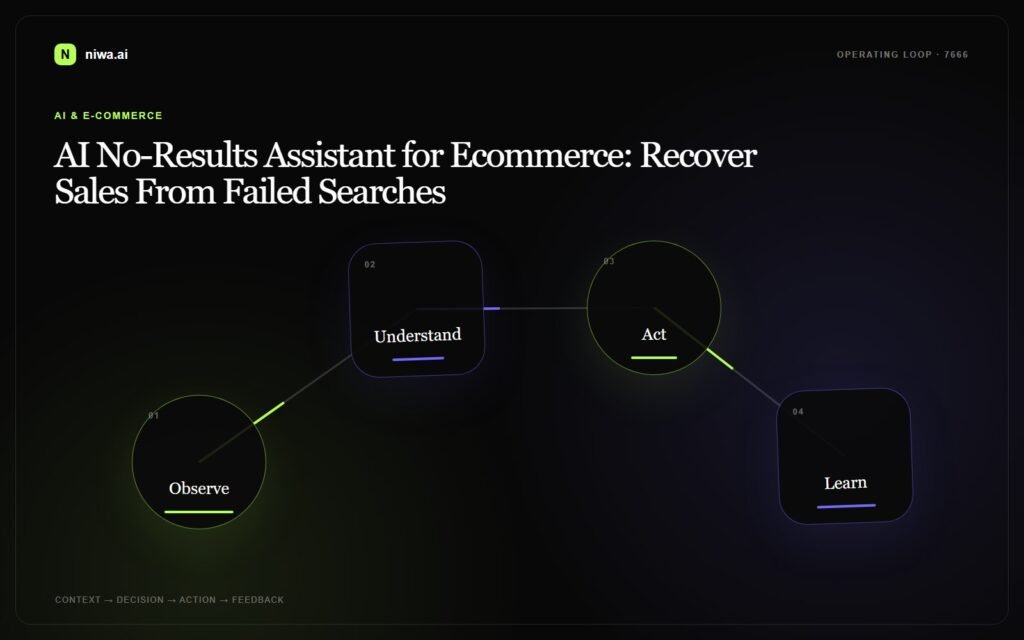
An AI no-results assistant gives shoppers a second path before they leave. Instead of ending the session, it interprets the intent, asks one useful follow-up question, suggests the closest product category, answers policy questions, or hands the query to sales when a human response is needed.
What is an AI no-results assistant?
An AI no-results assistant is a chat or guided search layer that appears when a store search does not produce a confident answer. It can also help when results technically exist but are obviously weak: irrelevant products, zero stock, wrong category, or no answer to the real question behind the query.
The assistant does not replace your search engine. It works around the moments where search is too literal.
Example: a shopper searches for “chair for lower back pain.” A basic search might show every chair with the word “back” in the description. A better assistant asks whether the customer needs an office chair, dining chair, or gaming chair, then recommends products with lumbar support and explains the difference.
Example: a shopper searches for “does this fit iPhone 15 Pro with MagSafe case.” A rigid search may return accessories that happen to contain “iPhone 15.” A useful assistant treats it as a compatibility question and routes the shopper to compatible products or a sales handoff.
Example: a shopper searches for “return policy for opened box.” Baymard calls these non-product searches, and they are common buying-decision moments. The assistant should answer the policy question directly and then guide the customer back to the relevant product or checkout step.
Why failed searches cost more than they look like
A “no results” event is not just one unsuccessful query. It often means the buyer has moved from curiosity into evaluation. They know a use case, model, size, compatibility requirement, budget, or objection. If the store cannot respond, the customer assumes the store does not have the product or cannot support the purchase.
That creates three expensive outcomes.
First: qualified shoppers leave without adding anything to cart. This is the cleanest loss and the easiest one to miss in analytics, because it often appears as a normal exit.
Second: shoppers add the wrong item and later create return, exchange, or support pressure. The sale happens, but the margin disappears after the team fixes avoidable confusion.
Third: the shopper contacts support with a question that could have been handled instantly. Zendesk’s CX Trends 2026 report says 74% of consumers now expect customer service to be available 24/7, and 88% expect faster response times than they did a year ago. If the team answers tomorrow, the buyer may already be gone.
Where AI should intervene in ecommerce search
The best no-results assistant is selective. It should not interrupt every query or pretend that every product is available. It should step in when the store has enough context to help.
Exact product searches: model numbers, SKU fragments, product names, manufacturer names, or copied text from another site. The assistant can suggest the closest match, identify discontinued products, or offer a compatible alternative.
Compatibility searches: “fits iPhone 15 Pro,” “works with Bosch Serie 6,” “compatible with Shopify POS,” or “for sensitive skin.” The assistant can ask a clarifying question and narrow the catalog.
Symptom and use-case searches: “for knee pain,” “gift for new mom,” “small apartment air purifier,” or “quiet keyboard for office.” These buyers describe the outcome they want, not the product taxonomy your store uses.
Policy and trust searches: shipping time, return policy, warranty, payment options, size exchange, invoice requests, and delivery restrictions. These queries are not product searches, but they often decide whether the buyer continues.
Out-of-stock searches: when the right product exists but cannot be bought today. The assistant can capture intent, recommend substitutes, or offer a restock notification instead of ending the journey.
What the assistant should say instead of “no results”
A good AI no-results assistant is short, honest, and commercially useful. The goal is not to write a long explanation. The goal is to keep the buyer moving.
Weak response: “No results found.”
Better response: “I could not find that exact model, but I found two compatible alternatives. Do you need it for iPhone 15 Pro, iPhone 15 Pro Max, or another device?”
Weak response: “Try another search term.”
Better response: “Are you looking for shipping time, return policy, or warranty information? I can answer that and show the products that match.”
Weak response: “This item is unavailable.”
Better response: “That product is currently out of stock. The closest in-stock alternative is this model, because it has the same size range and material. Do you want the alternative or a restock alert?”
How to connect no-results recovery to sales and CRM
Not every failed search should become a support ticket. But the high-value ones should not disappear.
Use the assistant to capture structured context: the query, product category, budget, size or compatibility requirement, urgency, and whether the shopper wants a human follow-up. Then push qualified conversations into your CRM or sales workflow. HubSpot describes CRM software as a way to organize customer relationships on a centralized platform and track leads and customer activity. That is exactly where serious failed-search intent belongs.
Retail example: a shopper searches for a discontinued product and asks for a replacement. The assistant recommends an alternative and logs the original request so merchandising can see repeated demand.
B2B ecommerce example: a buyer searches for “bulk order 500 units with invoice.” The assistant should not show random products. It should qualify the request, collect company details, and send it to sales.
Service business example: a visitor searches the site for pricing, implementation time, or integration details. The assistant can answer common questions and then offer a demo booking when the visitor is ready.
Metrics to watch after launch
Do not judge the assistant only by chat volume. Track whether it changes buyer behavior.
No-results recovery rate: the percentage of failed searches that lead to a product view, category view, policy answer, email capture, or demo request.
Assisted product views: how often the assistant sends shoppers to relevant products after weak search results.
Qualified handoffs: how many conversations include enough information for sales or support to act without asking the same questions again.
Return and support themes: repeated compatibility, sizing, warranty, and shipping questions that should be fixed in product pages, FAQ content, or catalog data.
Revenue influenced: purchases or pipeline created after a no-results interaction. This is where the assistant moves from “nice chat widget” to measurable conversion infrastructure.
What Niwa AI can do here
Niwa AI is built for the gap between static website content and real buyer questions. On ecommerce and business sites, it can help shoppers clarify what they want, recommend the next best step, answer repetitive buying questions, and hand serious conversations to the right team.
For no-results recovery, that means Niwa can:
- turn failed searches into guided product discovery;
- answer policy and trust questions without waiting for a support agent;
- capture buyer intent when the right product is unavailable;
- route high-value requests to sales or CRM with context;
- show which search terms reveal missing products, unclear pages, or catalog gaps.
The win is not only fewer dead ends. The win is a store that learns from buyer language and responds before the shopper leaves.
Final takeaway
Search failure is one of the clearest signals a buyer can give you. They typed the problem, product, policy, or compatibility concern into your site. If the answer is “no results,” the conversation ends too early.
An AI no-results assistant keeps that conversation alive. It helps buyers reformulate, choose, compare, and ask for help without starting over. For stores with large catalogs, technical products, frequent policy questions, or B2B inquiries, that can turn invisible exits into recoverable revenue.
Book a Niwa AI demo to see how Niwa can turn failed searches, repetitive questions, and high-intent buyer conversations into clearer paths to purchase.

