

LolaCore vs Niwa AI: Which WordPress AI Agent Should You Choose?
Compare LolaCore and Niwa AI for WordPress administration, WooCommerce, Telegram, WhatsApp, publishing, reporting, leads, and conversion workflows.
The search for a WordPress AI agent is moving beyond content generators and support chatbots. Site owners now want an agent that can inspect a real WordPress installation, make approved changes, manage WooCommerce, publish content, explain business data, and reduce the time spent navigating wp-admin.
LolaCore and Niwa AI are both credible answers to that demand, but they are built around different operating environments. LolaCore is an admin-native AI agent that lives inside WordPress and exposes a large set of site-management abilities through a chat window. Niwa AI is designed as a broader owner-facing WordPress operator that can receive assignments through Telegram or WhatsApp and connect administration with research, reporting, customer intent, and conversion work.
This comparison reflects publicly documented LolaCore capabilities reviewed on July 16, 2026. Where its official documentation does not establish a feature, this article describes it as undocumented rather than claiming it is impossible.
Quick verdict
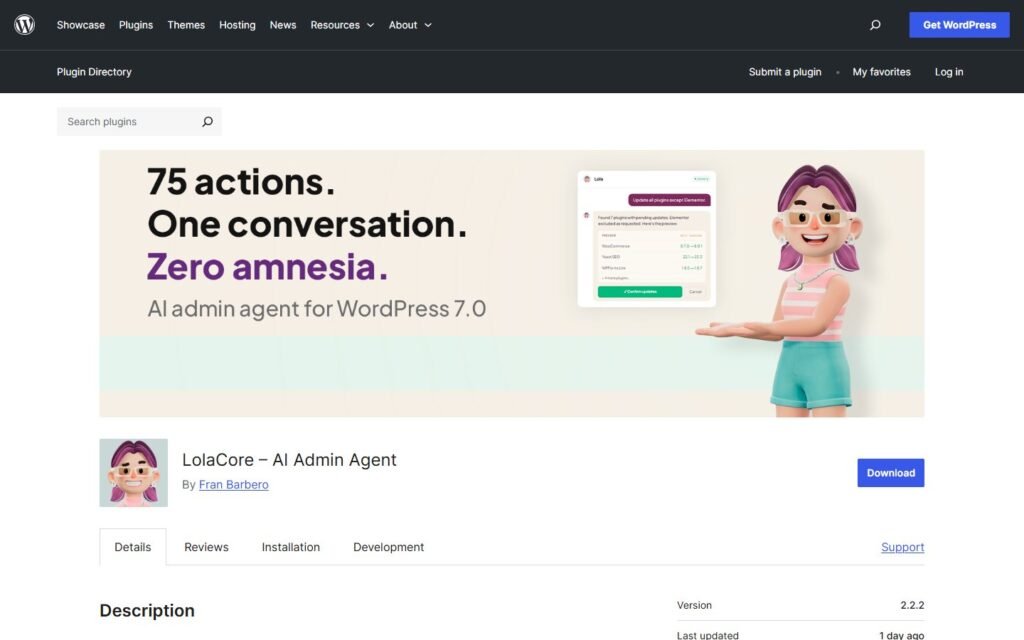
Choose LolaCore if you want a capable AI agent inside wp-admin, value local WordPress data storage and bring-your-own-model flexibility, and need strong native administration across plugins, content, users, settings, diagnostics, and WooCommerce.
Choose Niwa AI if you want to delegate WordPress and WooCommerce work from Telegram or WhatsApp, combine administration with current research and competitor monitoring, and connect owner-side operations with customer-facing lead and conversion workflows.
The simplest distinction is:
LolaCore turns wp-admin into a conversational operating console. Niwa AI turns the owner’s messaging conversation into a wider website and business workflow.
Neither product is universally better. LolaCore is especially compelling for hands-on administrators who want a broad toolset where they already work. Niwa is a stronger fit for founders and store owners who want outcomes completed without living inside the dashboard.
What is LolaCore?
LolaCore is an AI administration plugin that lives inside the WordPress dashboard. The owner or administrator opens its chat, describes a task, reviews the proposed action, and confirms before LolaCore changes the site.
Its current WordPress.org listing documents a broad set of abilities across areas such as:
- site diagnostics and security checks;
- plugin installation, activation, updates, deactivation, and rollback;
- post, page, metadata, taxonomy, comment, and media management;
- users, roles, themes, menus, settings, cron jobs, database cleanup, and cache-related work;
- WooCommerce products, orders, customers, coupons, categories, and sales reports;
- persistent memory stored in the site’s WordPress database;
- custom skills and playbooks that shape how the agent handles recurring work;
- plugin and Gutenberg block builders with safety checks and WordPress Playground testing;
- an MCP server that can expose its abilities to compatible external AI clients and developer tools.
LolaCore’s free core has meaningful WooCommerce coverage. When WooCommerce is active, it enables dedicated abilities for products, orders, customers, coupons, categories, and reports. Its premium WooCommerce Pro addon expands into areas such as refunds, bulk store operations, deeper analytics, customer intelligence, tax configuration, and shipping zones.
The plugin also has extensions for Elementor, ACF, Yoast SEO, WPForms, WP Statistics, FluentCRM, Fluent Support, Full Site Editing, and other specialized workflows. That makes LolaCore more than a writing assistant. It is a serious attempt to place conversational control over a large part of the WordPress administration layer.
What is Niwa AI?
Niwa AI is designed as a WordPress and business operator that the owner can message through Telegram or WhatsApp. The operating model is delegation-first: the founder describes the desired result, Niwa uses the available website and research tools, performs approved actions, verifies the result, and reports what happened.
Typical owner-side assignments can include:
- updating WordPress posts, pages, settings, menus, and site content;
- managing WooCommerce products, prices, inventory, coupons, and store information;
- researching search intent and publishing supported SEO content;
- checking existing content before creating new posts or pages;
- reviewing business activity and preparing founder-friendly reports;
- researching competitors and turning findings into website, offer, or content action;
- investigating website problems and applying approved repairs safely;
- running recurring monitoring and operational workflows;
- connecting customer conversations with lead context and conversion improvements.
The wider model is explained on How Niwa Works: the goal is to connect the owner’s instruction, the website action, and the business result rather than stop at an answer generated in a chat window.
LolaCore vs Niwa AI comparison table
| Capability | LolaCore | Niwa AI |
|—|—|—|
| Primary operating environment | Chat inside wp-admin; abilities can also be exposed through MCP | Owner conversation through Telegram, WhatsApp, and connected website interfaces |
| Natural-language WordPress administration | Yes | Yes |
| Posts, pages, media, taxonomies, and metadata | Broadly documented | Supported as delegated publishing and site work |
| Plugins, themes, users, settings, and diagnostics | Major documented strengths | Supported through approved administration and repair workflows |
| WooCommerce products and orders | Yes; 13 core WooCommerce abilities are documented | Core operational use case |
| Advanced WooCommerce work | Premium addon adds refunds, bulk operations, analytics, tax, shipping, and customer intelligence | Store operations can be combined with reporting, research, customer context, and conversion action |
| Telegram administration | Not documented as the native wp-admin chat interface | Core owner communication channel |
| WhatsApp administration | Not documented as the native wp-admin chat interface | Core owner communication channel |
| Persistent site memory | Yes; stored locally in WordPress | Yes; used across the owner’s ongoing operating relationship |
| Bring your own AI provider | Yes; provider is configured through WordPress’s AI infrastructure | Product experience centers on the Niwa operator rather than provider selection |
| Content creation and publishing | Yes | Yes |
| SEO field administration | Supported through its SEO addon for Yoast | Supported within research, content, publishing, and site workflows |
| Current search-intent and competitor research | A packaged external competitor-monitoring workflow is not established in the reviewed documentation | Explicit research and monitoring use case |
| Business reporting | WooCommerce reports and optional statistics, CRM, support, and analytics addons are documented | Founder-facing commercial and operational reporting is a core use case |
| Form and CRM administration | Supported through WPForms and FluentCRM addons | Lead context can connect customer conversations with owner follow-up |
| Customer-facing storefront sales assistant | Official documentation says LolaCore lives inside wp-admin and does not see the frontend | Customer assistance, intent capture, objection handling, and conversion workflows are supported use cases |
| Safety model | Preview, confirm, execute; action logging and before/after records | Approval, verification, guarded implementation, and result reporting |
| Best fit | Administrators wanting a broad AI control layer inside WordPress | Owners wanting to delegate website and business outcomes through messaging |
Where LolaCore is stronger
A fair LolaCore alternative comparison should begin with what the plugin does particularly well.
1. A broad, explicit WordPress administration toolkit
LolaCore’s clearest advantage is the scope of its documented wp-admin abilities. It can work across plugins, themes, content, metadata, media, users, database maintenance, settings, menus, cron jobs, diagnostics, security, and WooCommerce.
That breadth gives technically confident users a conversational shortcut over many separate WordPress screens. Instead of opening the Plugins page, checking updates, reading a changelog, running an update, and reviewing the result manually, the administrator can ask LolaCore to prepare the operation and present a confirmation.
For agencies, developers, and WordPress professionals, this is a compelling value proposition. LolaCore is not hiding its administrative depth behind vague language. Its official documentation describes concrete abilities and their limits.
2. Strong WooCommerce administration inside wp-admin
LolaCore deserves credit for treating WooCommerce as a core operating domain rather than an afterthought. Its free plugin documents conversational access to products, orders, customers, coupons, categories, and sales reports.
The WooCommerce Pro addon deepens that proposition with refunds, bulk pricing and product operations, customer analysis, tax checks, payment-gateway management through WooCommerce, and shipping-zone configuration. This makes LolaCore relevant to searches such as WordPress AI agent for WooCommerce, AI WooCommerce administration plugin, and manage WooCommerce with AI.
Niwa should not be positioned as the only AI agent capable of meaningful store administration. LolaCore has a serious and increasingly detailed WooCommerce toolset.
3. Local storage and provider flexibility
LolaCore stores memory, chat history, configuration, and action logs in the site’s WordPress database. According to its official listing, chat requests go from the site to the AI provider selected by the owner rather than through a LolaCore-hosted AI service.
It also uses WordPress’s native AI infrastructure and lets the administrator choose from compatible providers and models. That will appeal to users who want control over model choice, API billing, data architecture, and provider switching.
Niwa’s value is different. The founder is buying into a consistent operator relationship and execution workflow, not primarily a model-selection workbench.
4. A visible confirmation and audit model
Every LolaCore write action is designed to show a preview and wait for confirmation. Its public materials also describe action logs, before-and-after snapshots, safety restrictions, and warnings around destructive changes.
This is an important strength. AI administration becomes more useful when the user can see what will change and review what already changed. LolaCore makes that governance layer part of the product’s main story.
5. Extensibility for technical WordPress stacks
LolaCore’s addons give it meaningful depth in common WordPress ecosystems. Elementor, ACF, Yoast, WPForms, WP Statistics, FluentCRM, and Fluent Support can become conversational domains instead of isolated dashboards.
Its MCP integration is also attractive for developers and agencies that want to connect a code editor or compatible AI client to WordPress abilities. A technically mature team may value this open, composable architecture more than a tightly packaged owner experience.
Where Niwa AI is stronger
Niwa’s advantage becomes clearer when the desired outcome extends outside the wp-admin chat window.
1. Telegram and WhatsApp as owner command channels
LolaCore’s native experience is inside wp-admin. Niwa is designed so the owner can delegate work through Telegram or WhatsApp.
That changes the practical relationship with WordPress. A founder can request a price change, ask for a sales explanation, approve an article, investigate a competitor, or report a broken page from a phone without first signing into the dashboard.
This is not merely a notification integration. The messaging conversation is the operating interface. For owners comparing WordPress AI agent Telegram, manage WordPress through WhatsApp, or WooCommerce Telegram administration, this is one of the most important differences.
For another product that uses Telegram in a different WordPress context, see WordPress Agent vs Niwa AI.
2. Delegation beyond a single WordPress installation
LolaCore is deliberately centered on the WordPress site where it is installed. Its official documentation says the wp-admin agent works on one site at a time, although MCP clients can connect a wider fleet.
Niwa’s owner relationship can include WordPress actions, current web research, business questions, competitor checks, content planning, troubleshooting, and follow-up. The website remains central, but the assignment does not need to begin and end with a WordPress database operation.
That is useful when a founder asks a connected question such as:
- What changed in a competitor’s offer?
- Does the site already cover that topic?
- Which search intent is still open?
- Can we publish a supported comparison?
- Did the post actually go live?
LolaCore provides strong tools inside WordPress. Niwa is designed to carry a wider assignment across research, decision, execution, and verification.
3. Customer-facing lead and conversion workflows
LolaCore can manage forms and entries through its WPForms addon and can work with contacts, campaigns, and sequences through its FluentCRM addon. Those are valuable back-office capabilities and can support lead operations.
However, LolaCore’s own official listing states that the core agent lives inside wp-admin and does not see the frontend. Its documented product is therefore not the same thing as an on-site sales assistant that talks directly with shoppers.
Niwa’s broader model includes the customer-facing layer: answering buying questions, capturing intent, understanding objections, recommending a next step, and turning repeated conversations into website improvements. The goal is not only to administer the form or CRM record after submission, but to improve the interaction that creates the lead.
That distinction is explored in AI Lead Capture for Ecommerce and AI Sales Agent for WooCommerce: 7 Objections to Handle.
4. Competitor monitoring connected to execution
LolaCore can inspect the installed WordPress site and use selected external services for documented functions such as plugin information and vulnerability checking. Its reviewed materials do not establish a packaged competitor-monitoring workflow that routinely watches outside businesses, compares changes, and turns findings into site action.
Niwa explicitly treats competitor research and monitoring as an owner-side workflow. A finding can lead to a comparison post, a pricing review, an offer revision, a product-page change, or a recurring monitoring task.
The difference is not whether an AI model can discuss a competitor. The difference is whether the operating system connects current research with verified WordPress execution.
5. Research-led SEO publishing
LolaCore can create and edit content, manage taxonomies and metadata, and use its Yoast addon to audit or update SEO fields. That makes it a capable publishing and SEO administration tool.
Niwa’s publishing workflow is more assignment-oriented. The founder can request a current comparison article, while Niwa checks existing posts and pages, identifies uncovered intent, researches the current search landscape, verifies product claims, writes the article, adds internal links and metadata, publishes it, and confirms the final WordPress status.
LolaCore gives an administrator powerful publishing tools. Niwa is designed to own the full research-to-publication workflow. For another admin-native comparison, read Agenistrator vs Niwa AI.
Which is better for WordPress administration?
LolaCore may be the stronger choice for a hands-on WordPress administrator. Its broad documented ability catalog, native dashboard chat, provider choice, local memory, technical diagnostics, plugin management, site maintenance, addons, builders, and MCP access create a powerful administration console.
Niwa may be the stronger choice for a delegation-first owner. The founder can stay in Telegram or WhatsApp, describe the outcome, approve sensitive work when required, and receive a verified report without personally operating each WordPress screen.
The user role matters:
- A developer or agency technician may prefer LolaCore’s detailed wp-admin control.
- A founder or store owner may prefer Niwa’s messaging-based delegation.
- A team could use LolaCore for internal technical administration and Niwa for owner communication, current research, publishing assignments, reporting, and conversion work.
Which is better for WooCommerce?
This is a closer comparison than it may first appear.
LolaCore has explicit WooCommerce functionality in its free core and a substantial premium expansion. It can be a strong choice for store administrators who want to query sales, manage records, create coupons, update orders, perform bulk work, process refunds, inspect customers, and configure store settings through wp-admin chat.
Niwa is a better fit when WooCommerce administration must connect with owner messaging and customer conversion. A request can move from a sales question to a product update, competitor check, content action, shopper-support improvement, or lead follow-up workflow.
Choose based on the operating pattern:
- Choose LolaCore for a deep conversational WooCommerce console inside WordPress.
- Choose Niwa for WooCommerce delegation through Telegram or WhatsApp plus broader research, reporting, lead, and conversion work.
Which is better for business reporting?
LolaCore can report directly from WooCommerce data and can expand through WP Statistics, FluentCRM, Fluent Support, forms, and other addons. Its ability to cross-reference installed systems may produce useful operational answers without opening several dashboards.
Niwa’s reporting proposition is founder-oriented. The goal is to explain what changed, why it matters, what needs attention, and what action should follow. Reporting can connect store activity with content, competitor movement, customer objections, leads, operational problems, and planned work.
LolaCore is strong at conversational access to data inside the WordPress stack. Niwa is designed to turn business signals into an owner briefing and next action.
Which is better for lead capture and conversion workflows?
LolaCore can build and inspect forms, review submissions, work with CRM contacts, create campaigns, and combine WooCommerce data with support or CRM information when the appropriate addons are installed. That gives it real back-office lead and retention capabilities.
Niwa focuses more directly on the customer interaction that comes before and around those records. She can help answer questions, capture the reason behind the inquiry, identify the relevant product or service, record the objection, and route the next step.
For stores, that customer-side context matters. A lead with an email address is useful. A lead with an email address, product interest, urgency, objection, and recommended follow-up is more actionable.
For a broader view of customer conversations across channels, see AI Website Chat and WhatsApp for Ecommerce.
Can LolaCore and Niwa AI be used together?
Potentially, yes. Their strengths are complementary rather than identical.
A technical team could use LolaCore as an internal WordPress administration layer for plugins, diagnostics, users, settings, WooCommerce records, Elementor, ACF, SEO fields, forms, and CRM operations. The owner could use Niwa as the Telegram or WhatsApp operator for wider assignments involving research, reporting, content, monitoring, website changes, and customer conversion.
The main requirement would be governance. If two agents can modify the same website, the business should define:
- which tool owns which type of task;
- which operations require human confirmation;
- how changes are logged and verified;
- who is responsible when workflows overlap;
- which system is the source of truth for recurring work.
More AI control is only useful when accountability remains clear.
Frequently asked questions
Is LolaCore a WordPress AI agent or only a chatbot?
LolaCore is an AI agent with documented tools connected to the installed WordPress site. It can read real site data and execute approved actions across administration, content, maintenance, and WooCommerce rather than only provide instructions.
Is LolaCore free?
The LolaCore core plugin is free on WordPress.org, while the user pays their selected AI provider directly. Some specialized addons, including WooCommerce Pro, FluentCRM, Fluent Support, and WPCode integrations, require paid annual licenses. Several other addons are free.
Does LolaCore work with WooCommerce?
Yes. Its free core documents 13 WooCommerce abilities for products, orders, customers, coupons, categories, and reports. A paid WooCommerce Pro addon adds deeper store operations such as refunds, bulk actions, analytics, tax, shipping, and customer intelligence.
Can LolaCore manage WordPress through Telegram or WhatsApp?
The reviewed official documentation presents LolaCore’s native agent as a chat inside wp-admin. Telegram and WhatsApp are not documented as its primary owner administration interfaces. Its MCP server can connect compatible external AI clients, but that is a different workflow from Niwa’s Telegram and WhatsApp owner channels.
Can LolaCore publish blog posts and pages?
Yes. Its content abilities include creating and editing posts and pages, changing status, updating slugs, assigning categories and tags, and managing metadata. Its SEO addon can also work with Yoast fields.
Can LolaCore capture leads?
LolaCore can create and manage forms through its WPForms addon and can work with contacts and campaigns through its FluentCRM addon. The documented core agent lives inside wp-admin and does not see the frontend, so it should not be confused with a customer-facing storefront sales assistant.
Can LolaCore monitor competitors?
A dedicated competitor-monitoring workflow is not established in the official materials reviewed for this article. LolaCore is primarily documented around the installed WordPress site and connected WordPress plugins. Buyers needing recurring external competitor intelligence should verify how they would implement that workflow.
What is the biggest LolaCore requirement?
The current WordPress.org listing requires WordPress 7.0 or later and a compatible AI provider configured through WordPress’s AI infrastructure. This makes LolaCore a forward-looking option, but owners on older WordPress versions will need to evaluate upgrade compatibility first.
Which tool is better for a developer or agency?
LolaCore may be more immediately attractive to developers and agencies that want detailed administration inside wp-admin, provider flexibility, addons, technical diagnostics, custom builders, and MCP access. Niwa may be more useful for owner communication and wider assignments that cross research, business reporting, publishing, monitoring, and conversion.
Which tool is better for a WooCommerce founder?
Choose LolaCore when you want a powerful store-administration chat inside WordPress. Choose Niwa when you want to delegate store work from Telegram or WhatsApp and connect it with competitor research, founder reporting, lead context, and customer conversion workflows.
Final verdict
LolaCore is one of the strongest emerging admin-native competitors in the WordPress AI agent category. Its explicit ability catalog, WooCommerce depth, persistent local memory, confirmation model, provider flexibility, WordPress-native architecture, addon ecosystem, plugin builders, and MCP support make it a credible choice for serious WordPress administrators.
Niwa AI solves a different problem. It is designed for an owner who wants to send a message, delegate an outcome, approve sensitive work, and receive a verified result. Its advantage is the wider operating scope around WordPress: Telegram and WhatsApp administration, current research, competitor monitoring, end-to-end publishing, founder-facing reporting, lead context, and customer conversion work.
Choose LolaCore when you want an AI operating console inside wp-admin. Choose Niwa when you want a WordPress business operator that can work with you through the messaging channels you already use.
If the delegation-first model fits your business, book a Niwa demo and test it with a real WordPress or WooCommerce assignment.

