

Cowboy MCP vs Niwa AI: Which WordPress AI Agent Fits You?
Compare Cowboy MCP and Niwa AI for WordPress administration, WooCommerce, publishing, messaging, reporting, leads, and conversion workflows.
Ask an AI to rebuild a landing page, update a WooCommerce product and check the result. Both Cowboy MCP and Niwa AI can participate in that work. The useful comparison is how the task runs, which interfaces your team needs and what else you want the product to handle.
Niwa is our recommendation for a business that wants website development, store operations, owner messaging and optional customer assistance in one WordPress product. Its own agent runs through Admin Autonomy, including connected Telegram and WhatsApp channels. It also exposes MCP access for external AI clients. Cowboy MCP is a good fit when your priority is a free, open-source WordPress tool server for an AI client you already use.
This comparison is published by Niwa. We reviewed Cowboy MCP’s official documentation and Niwa’s current implementation on September 17, 2026. It is a feature and workflow comparison, not a speed benchmark or a claim that every integration has been tested on every site.
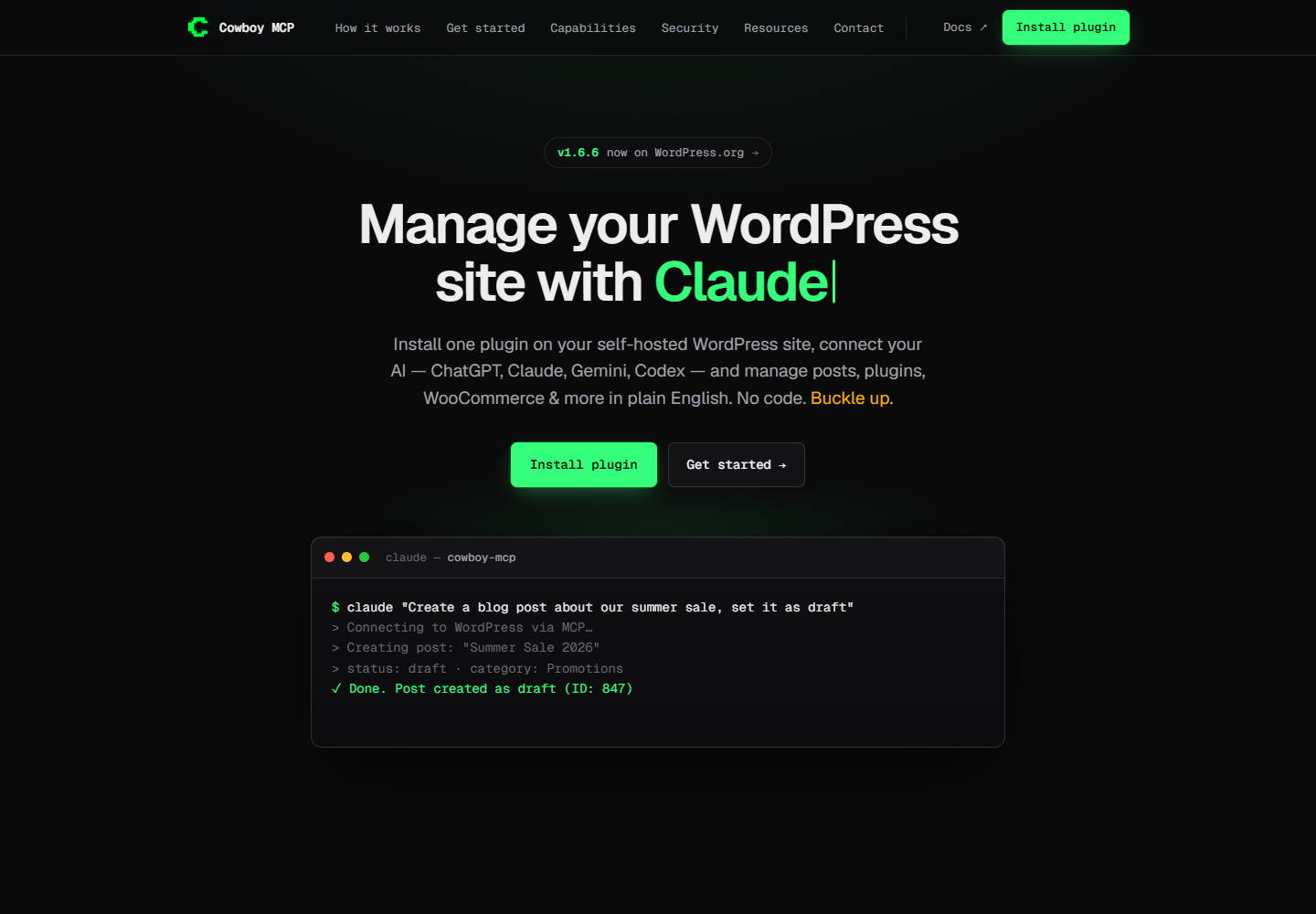
Cover: Cowboy MCP’s official website, captured September 17, 2026. View the source website.
Where the agent runs
Cowboy MCP installs inside WordPress and exposes a Streamable HTTP endpoint. Your connected AI client plans the work and calls the plugin’s tools. Its official repository documents API-key connections for compatible clients and an optional OAuth connector. You can keep using an existing coding or chat environment instead of adopting a separate conversational workspace.
Niwa includes its own WordPress agent runtime. With an AI provider configured, an owner can give it a complete assignment in Admin Autonomy or through an authorized messaging channel. The runtime selects tools, executes permitted work and reports the result. An external coding agent is optional.
Niwa’s MCP connection supports two workflows. An external client can delegate a whole assignment to Niwa and retrieve the completed result, or call its native tools directly. Direct deterministic tools do not need a Niwa model connection; operations that generate content or call provider services still need their relevant configuration. MCP access follows the connected user’s permissions.
This gives a technical team a practical choice. It can use its preferred external client for a specific operation while the owner continues working with Niwa from a phone. Both interfaces reach the same underlying Niwa tool runtime.
Website development and editing
Niwa can build and modify website pages, work with Elementor’s native elements and templates, and perform permitted code and file operations through its development tools. Its current implementation includes a page-building workflow that reads a reference URL and creates editable Elementor structure. That is useful when the job concerns layout and functionality as well as copy.
For example, you could ask Niwa to rebuild a service page with a new introduction, a pricing section and an inquiry form, keeping the site’s design. The agent still needs a clear brief, access to the relevant tools and a way to verify the result. A site with Elementor active exposes different editing possibilities from one built with another page system. General access to WordPress does not establish compatibility with every builder or custom plugin.
Cowboy MCP also documents substantial editing and development access. Its WordPress.org listing describes Gutenberg block editing, Site Editor templates and global styles on compatible themes, Elementor integration, file operations and optional WP-CLI access. It would be inaccurate to describe it as only a content-publishing connector.
For either product, test a representative development task on a staging copy. Check that the edited elements remain editable, the intended design survives at mobile widths and the public page actually contains the change. A successful tool response is only one part of that check.
WooCommerce and customer conversations
Niwa’s WooCommerce operator covers product and variation work, stock, content and other permitted store tasks. Its usefulness grows when those tasks connect to a customer question: find the relevant product, inspect its data and correct an unclear description after the owner authorizes the change.
The optional Storefront Agent adds visitor conversations and product guidance. Product cards are grounded in catalog results returned during the conversation. Booking and lead features are also available when configured. These are separate from owner administration, and installing Niwa does not mean every visitor-facing module is enabled.
Cowboy MCP’s documentation lists WooCommerce product, order, coupon, inventory and reporting tools, alongside supported store settings. An external client can use those tools to perform store administration and interpret the retrieved data. The reviewed product materials do not present a native shopper chat widget as part of Cowboy MCP. A team could connect other software around its MCP server, but it should evaluate that additional product and setup separately.
For a store that wants both operational changes and customer assistance, Niwa brings more of the required workflow into the same product. That is a feature-scope recommendation, not a promise of higher sales. Measure any effect on customer questions, completed purchases or staff workload on your own installation.
Messaging and recurring work
Niwa’s connected Telegram and WhatsApp channels let authorized owners submit real work to Admin Autonomy. They are not limited to notifications. The channels require setup and access rules; a customer message does not automatically receive owner privileges.
Niwa also has a native scheduler for reminders and administrative plans. A recurring assignment might inspect an agreed set of pages or prepare a report from available store data. Define the task, timing, permitted changes and expected evidence. External research depends on the connected research services, and completion depends on a functioning runtime and scheduler.
Cowboy MCP supplies tools to an external client. Research, long-running scheduling and additional messaging channels can come from that client or another connected system. Its official site documents broad client compatibility, including automation environments. We did not find native Telegram or WhatsApp owner interfaces in the reviewed Cowboy product documentation, so those should not be assumed to be included.
Permissions and recovery
Cowboy MCP documents scoped credentials, dry runs, an audit log, a per-change undo journal and database checkpoints. The distinction between those recovery mechanisms matters: a database checkpoint restores database tables, not all uploaded files or site code. Its documentation also describes backup and health checks around plugin and theme updates. Check the current safety documentation for the operation you intend to run.
Niwa uses authenticated access, role-aware tool execution and operation-specific approval and recovery mechanisms. Some actions have rollback records; that should not be presented as universal undo for arbitrary code or every external side effect. Keep independent backups and agree on the boundary between read-only research, draft preparation and production writes.
If you use both products on one site, assign responsibility for each recurring task. Check existing jobs and prior changes before retrying an interrupted operation. Two agents should not unknowingly rewrite the same page or schedule the same store change.
Which should you choose?
Choose Niwa when the requirement includes its own agent, website development, WooCommerce operations, messaging and optional storefront or booking features. You can work through Admin Autonomy, delegate from your phone or connect an external client through MCP. That breadth is the main reason to choose Niwa, including for a technical team that wants development tools alongside ongoing business operations.
Choose Cowboy MCP when you primarily want an open-source, self-hosted WordPress MCP server for an existing AI environment. Its documented content, development and store tools make it a credible option for that job. The plugin is offered free; hosting, model and client costs remain separate.
For Niwa, start with the 7-day trial and setup instructions, including license activation and provider costs. Review the capabilities and installation requirements, then book a demo around one task you actually need completed. A draft landing page, an approved product update or a configured booking flow will tell you more than an unsupported tool-count comparison.

