

AI Connector vs Niwa AI: WordPress MCP Server or Business Operator?
Compare AI Connector and Niwa AI for WordPress MCP tools, WooCommerce operations, messaging administration, reporting, leads, and conversion workflows.
AI Connector and Niwa AI both move WordPress beyond ordinary text generation. Each can help an AI system take real action on a website, but they solve the problem from different directions.
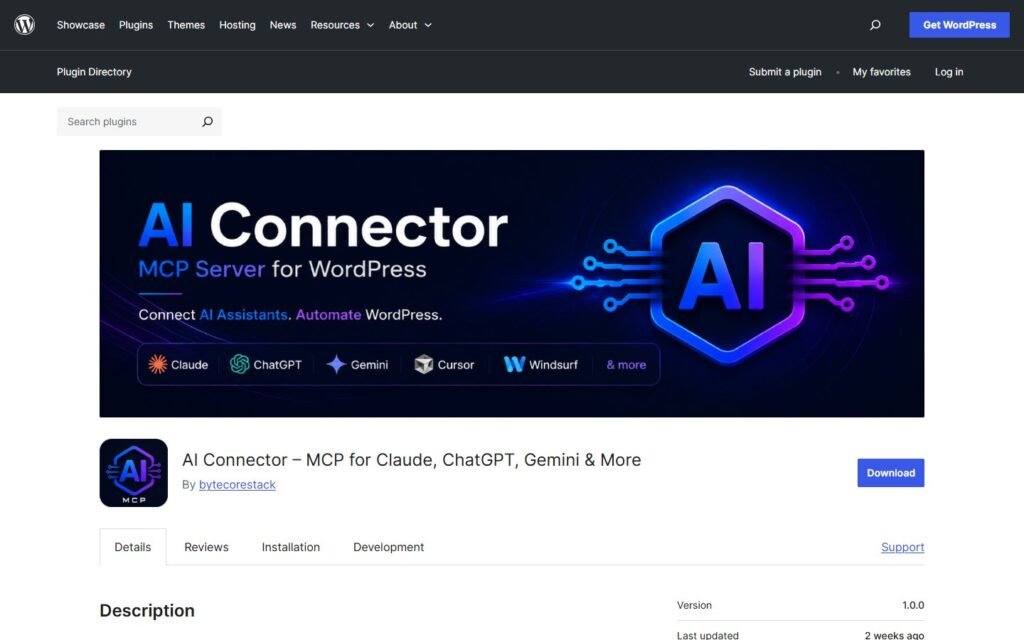
AI Connector is an open-protocol bridge. It turns WordPress into a Model Context Protocol (MCP) server so compatible clients such as Claude, ChatGPT, Cursor, Windsurf, and other MCP tools can access approved WordPress actions.
Niwa AI is positioned as a ready-to-use WordPress business operator. It combines site and WooCommerce administration with owner messaging, content workflows, reporting, monitoring, lead capture, and conversion-focused customer experiences.
This comparison uses publicly documented AI Connector capabilities available on July 18, 2026 and verified Niwa AI pages on niwachat.com. Features can change, so buyers should confirm any critical requirement before deployment.
Quick verdict
Choose AI Connector if you want a free, extensible MCP server with broad WordPress tool coverage, strong permission controls, and the freedom to bring your own compatible AI client.
Choose Niwa AI if you want a more productized operator that connects WordPress work with the commercial side of the business: Telegram or WhatsApp administration, WooCommerce operations, publishing, business reporting, competitor research, lead capture, and conversion workflows.
The simplest distinction is:
AI Connector gives an external AI client a secure toolset for WordPress. Niwa AI gives the owner a business-focused agent designed to use WordPress tools as part of larger operating workflows.
What is AI Connector?
AI Connector on WordPress.org is a plugin by ByteCoreStack that turns a WordPress website into an authenticated MCP endpoint.
Its official listing describes 159 verified tools across 20 categories at launch. Those tools cover posts, pages, media, taxonomies, comments, users, menus, plugins, themes, SEO metadata, site information, revisions, cache, widgets, developer utilities, and supported third-party plugins.
The WooCommerce integration is especially substantial. The official documentation lists 33 WooCommerce tools for products, variations, attributes, coupons, orders, refunds, customers, shipping zones, tax rates, payment gateways, and store statistics.
AI Connector also documents integrations for Elementor, Advanced Custom Fields, and Gravity Forms. These tools activate when the relevant plugin is installed.
Security is a central part of the product. AI Connector uses OAuth 2.0 with PKCE, checks actions against the connected WordPress user’s real capabilities, keeps an activity log in the site’s own database, supports an IP allowlist, and says it includes no external telemetry. Its MCP server is disabled until the administrator explicitly enables it.
That makes AI Connector a credible option for technical owners, agencies, developers, and teams that already know which AI client they want to use.
What is Niwa AI?
Niwa AI approaches the same category from the perspective of a founder or operator who wants outcomes rather than only an API-style connection.
Niwa is designed to help the owner manage WordPress and WooCommerce through natural-language requests, including through Telegram and WhatsApp workflows. Depending on the connected tools and permissions, those requests can include product and stock changes, pricing, coupons, content creation, publishing, site investigation, reporting, and operational follow-up.
The broader difference is that Niwa connects back-office work with customer and revenue workflows. The goal is not only to change a WordPress field, but to help the business understand why a change matters and what should happen next.
For example, Niwa can support a workflow that researches an opportunity, creates an English SEO article, publishes it, verifies the live result, and reports completion to the owner. On the customer side, Niwa can help turn visitor questions into structured buyer intent, useful leads, product guidance, and conversion actions.
See how Niwa works for the product overview, or explore the practical guide to AI lead capture for ecommerce for a closer look at the conversion layer.
AI Connector vs Niwa AI comparison table
| Capability | AI Connector | Niwa AI |
|---|---|---|
| Natural-language WordPress actions | Yes, through a compatible MCP client | Yes, through Niwa’s operator workflows |
| Open MCP server | Core product purpose | Not the primary product positioning |
| Choice of AI client | Claude, ChatGPT, Cursor, Windsurf, and other compatible clients | Niwa provides the operating experience |
| WordPress posts and pages | Broad read/write tool coverage | Content research, creation, updating, and publishing workflows |
| WooCommerce administration | 33 officially documented tools | Product, stock, price, coupon, order, and commercial workflows where configured |
| SEO metadata operations | Officially documented | SEO research, article creation, publishing, and monitoring workflows |
| Elementor, ACF, and Gravity Forms | Officially documented integrations | Depends on the Niwa installation and available site tools |
| OAuth and permission controls | Major documented strength | Permissioned tools and approval-aware workflows |
| Local activity log | Officially documented | Execution and verification reporting are part of the operator workflow |
| Telegram administration | Not presented as a built-in product channel | Core owner-access use case |
| WhatsApp administration | Not presented as a built-in product channel | Supported owner and business messaging workflows where configured |
| Customer-facing lead capture | Not presented as a built-in storefront feature | Part of Niwa’s conversion-focused positioning |
| Storefront product guidance | Not presented as a built-in storefront feature | Supported through customer-facing assistant workflows |
| Business reporting | Store statistics can be accessed through tools | Designed to turn site and commerce data into founder-facing reports |
| Competitor monitoring | Not presented as a built-in workflow | Supported through research and scheduled monitoring workflows |
| Conversion workflows | Can be custom-built by an AI client or developer | Productized focus, including buyer intent and checkout opportunities |
| Pricing | Official listing says the plugin is free | Depends on the Niwa plan or deployment |
Where AI Connector is stronger
A fair comparison should recognize that AI Connector does several things exceptionally well.
Open, client-independent architecture
AI Connector is not tied to one proprietary chat interface. Teams can connect supported MCP clients and choose the model or working environment they prefer. This is attractive to developers and agencies that already operate in Claude, ChatGPT, Cursor, or Windsurf.
Broad, clearly enumerated WordPress tooling
The official plugin page publishes a detailed tool inventory. That makes technical evaluation easier. A team can see the categories covered before installing the plugin and can extend the system with custom MCP tools.
Strong security documentation
OAuth 2.0 with PKCE, WordPress capability checks, local activity logging, token hashing, IP restrictions, and zero-telemetry claims are meaningful strengths. AI Connector also deliberately prevents its MCP tools from creating new WordPress users.
A strong foundation for custom systems
If a company has developers and wants to build its own agentic WordPress workflows, AI Connector provides a capable infrastructure layer. It exposes actions without dictating exactly how the business should combine them.
Where Niwa AI is different
Niwa’s advantage is not simply having another list of WordPress actions. It is the operating layer around those actions.
Telegram and WhatsApp as owner interfaces
AI Connector’s documentation focuses on MCP clients. It does not present Telegram or WhatsApp administration as built-in owner channels.
Niwa is designed for owners who want to send a practical request from a messaging app and receive a verified result without assembling an MCP client, prompt framework, scheduling layer, and reporting system themselves.
From WordPress action to business outcome
AI Connector can expose store statistics, content tools, and WooCommerce actions. Turning those tools into a useful morning report, a competitor-monitoring routine, a content pipeline, or a conversion recovery process is generally the responsibility of the connected client and whoever designs the workflow.
Niwa is built around those complete workflows. The value is the chain: inspect the current state, decide what matters, act through approved tools, verify the result, and explain it to the owner.
Customer-side conversion work
AI Connector is primarily an administrative MCP server. Its official listing does not position it as a storefront assistant for qualifying visitors, capturing leads, handling buying objections, or activating conversion interventions.
Niwa’s customer-facing direction includes product guidance, objection handling, lead capture, and commercial follow-up. The Niwa AI Conversion Booster shows how cart context can be used to trigger a relevant checkout incentive rather than relying only on static site rules.
Niwa can also turn repeated shopper questions into business insight. The guide to AI conversation intelligence for ecommerce explains how recurring delivery, compatibility, payment, and product questions can become concrete product-page or checkout improvements.
Which is better for WooCommerce?
AI Connector is a strong choice for tool-level WooCommerce control. Its published toolset covers products, variations, coupons, orders, refunds, customers, shipping, taxes, gateways, and statistics. A capable MCP client can combine those tools into powerful administrative sequences.
Niwa is the stronger fit when the desired outcome crosses several business layers. A store owner may want to identify a stock issue, update a product, publish supporting content, notify the team, prepare a report, monitor a competitor’s offer, and help shoppers understand the product. That is broader than exposing WooCommerce endpoints.
The decision therefore depends on whether you want to build the operator or install one.
Which should agencies choose?
AI Connector can be attractive to technically capable agencies because it is free, extensible, client-independent, and supports per-site MCP endpoints on WordPress multisite. It can become a foundation for customized maintenance and content workflows.
Niwa can be more suitable for agencies or operators that want a packaged founder-facing experience, especially when clients expect Telegram or WhatsApp access, recurring reporting, researched content publishing, and conversion-focused workflows rather than a raw tool bridge.
Final recommendation
Choose AI Connector when your priorities are open MCP architecture, a large published WordPress toolset, local control, extensibility, and freedom to select your own AI client.
Choose Niwa AI when your priorities are operational convenience and business context: managing WordPress and WooCommerce from messaging apps, publishing researched content, receiving useful reports, monitoring competitors, capturing buyer intent, and connecting site administration with conversion work.
Neither product needs to be dismissed for the other to make sense. AI Connector is strong infrastructure. Niwa is a business-operator product. The better choice depends on whether your team wants to engineer workflows around an MCP server or use an agent designed to carry those workflows from instruction to verified outcome.
To evaluate the operator approach on your own store, book a Niwa AI demo.
Frequently asked questions
Is AI Connector a chatbot?
Not in the usual storefront sense. AI Connector is a WordPress MCP server that lets compatible external AI clients call authenticated WordPress tools. The conversation normally happens in the connected client.
Can AI Connector manage WooCommerce?
Yes. Its official documentation lists 33 WooCommerce tools covering products, variations, coupons, orders, refunds, customers, shipping zones, tax rates, payment gateways, and store statistics.
Is AI Connector free?
Its WordPress.org listing states that the plugin is free, with no premium tiers, license keys, usage caps, or feature paywalls.
Does AI Connector work with ChatGPT and Claude?
The official listing documents connections for Claude, ChatGPT, Cursor, Windsurf, and other clients that support the required MCP transport. Compatibility and setup requirements should always be checked against the current client version.
What is the main difference between AI Connector and Niwa AI?
AI Connector exposes WordPress actions to compatible AI clients. Niwa AI packages site actions into founder-facing and customer-facing business workflows, with messaging administration, reporting, monitoring, publishing, lead capture, and conversion use cases.
Can either product publish WordPress content?
Yes. AI Connector documents tools for drafting, scheduling, updating, and publishing content. Niwa supports researched content workflows that can include creation, metadata, internal linking, publishing, verification, and a completion report.
Which option is better for Telegram or WhatsApp WordPress management?
Niwa AI is the more direct fit because Telegram and WhatsApp are part of its owner-administration positioning. AI Connector’s public product documentation centers on MCP-compatible AI clients rather than those messaging channels.
Which option is better for lead capture and conversions?
Niwa AI is positioned around those use cases. AI Connector can serve as infrastructure inside a custom system, but its official plugin documentation does not present built-in storefront lead capture, buyer guidance, or conversion-recovery experiences as core features.

