

AutomatorWP vs Niwa AI: Workflow Automation or WordPress AI Agent?
Compare AutomatorWP and Niwa AI for WordPress automation, WooCommerce, WhatsApp, publishing, reporting, leads, monitoring, and conversions.
WordPress owners searching for a WordPress AI agent often discover two different product categories mixed together: rule-based automation plugins and conversational agents. Both can save time, but they solve different problems.
AutomatorWP is a mature no-code automation plugin built around triggers and actions. It connects WordPress plugins, WooCommerce events, web services, CRM tools, messaging channels, and AI providers through workflows that you configure in advance. Niwa AI is designed as a conversational WordPress business operator: the owner describes an outcome through chat, and Niwa works across WordPress, WooCommerce, publishing, reporting, lead capture, monitoring, and conversion workflows.
This comparison explains what AutomatorWP does well, where Niwa takes a different approach, and when a business may reasonably use one, or both.
Quick verdict
Choose AutomatorWP if you want a flexible, deterministic workflow builder for connecting plugins and services with clearly defined “when this happens, do that” logic.
Choose Niwa AI if you want to manage a WordPress business conversationally, including tasks that require interpretation, research, reporting, content creation, customer intent, or decisions that are difficult to map as a fixed recipe.
The simplest distinction is:
AutomatorWP runs workflows you design in advance. Niwa AI helps interpret requests and operate the business through conversation.
That does not make one universally better. AutomatorWP is often stronger for repeatable event-driven processes. Niwa is built for broader, changing work where the owner wants to state the goal rather than assemble every trigger and action manually.
What is AutomatorWP?
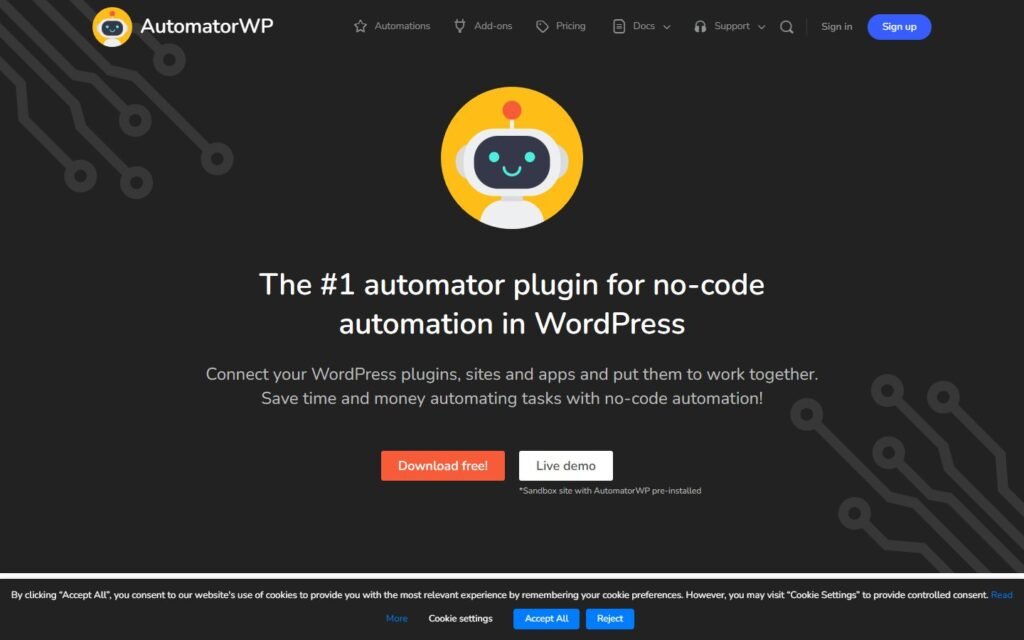
AutomatorWP is an open-source WordPress automation plugin. Its official WordPress.org listing describes it as a system for connecting WordPress plugins, websites, and external applications through no-code automations.
An automation has two core parts:
- A trigger, such as a user purchasing a WooCommerce product, submitting a form, joining a group, or publishing a post.
- An action, such as adding a CRM tag, sending data to a webhook, enrolling a user in a course, changing an order status, or sending a message.
AutomatorWP supports multiple triggers and actions, filters, sequential triggers, completion limits, scheduled and recurring automations, anonymous visitor workflows, dynamic tags, webhooks, and custom code actions. Its official listing currently promotes more than 600 free triggers, actions, and filters across more than 200 WordPress plugins and platforms.
This is an important strength: AutomatorWP is not limited to AI. It is a broad WordPress integration layer.
What AutomatorWP does well
1. Reliable event-driven automation
AutomatorWP is well suited to workflows that can be expressed as explicit rules.
For example:
- A customer purchases a specific WooCommerce product.
- Add the customer to a membership.
- Apply a CRM tag.
- Send onboarding information.
- Record the event in another service through a webhook.
Once configured, the workflow can run consistently without requiring the owner to issue the same instruction each time.
2. A large integration ecosystem
The official AutomatorWP directory lists integrations for WooCommerce, forms, memberships, learning-management systems, CRM platforms, email tools, webhooks, Google Sheets, HubSpot, Mailchimp, ActiveCampaign, OpenAI, WhatsApp, Twilio, Zapier, Make, and many other services.
For sites with an established plugin stack, that breadth can be valuable. AutomatorWP can act as connective tissue between systems that otherwise do not communicate.
3. Strong WooCommerce triggers and actions
AutomatorWP’s official WooCommerce integration documents triggers for purchases, completed orders, product views, cart activity, reviews, subscriptions, order-status changes, payment methods, customer lifetime value, and other commerce events. Its actions include coupon and membership operations, subscription actions, and order-status changes, with some capabilities requiring paid add-ons.
That makes AutomatorWP a practical option for stores that want predefined post-purchase, membership, CRM, notification, and retention workflows.
4. WhatsApp workflow support
AutomatorWP has an official WhatsApp add-on. Its public documentation lists an incoming-message trigger and actions for sending messages or approved templates to phone numbers.
This means AutomatorWP should not be described as having no WhatsApp capability. It can connect WhatsApp events to WordPress workflows and send automated messages when configured.
The distinction is in the operating model: AutomatorWP’s WhatsApp functionality is primarily a trigger/action integration, while Niwa positions WhatsApp and Telegram as conversational administration channels where the owner can request different tasks in natural language.
5. AI inside configured workflows
AutomatorWP also offers an OpenAI integration. Its official documentation explains that OpenAI can generate content based on WordPress activity such as purchases, learning events, community activity, or other supported triggers.
This is useful when a site needs AI generation inside a known process, for example, producing text after a form submission or preparing personalized content after a customer event.
What is Niwa AI?
Niwa AI is designed as a WordPress and WooCommerce business operator rather than only a workflow canvas. The owner communicates with Niwa through conversational interfaces, including Telegram or WhatsApp, and asks for an outcome in ordinary language.
That outcome may involve:
- Reviewing or changing WordPress content.
- Managing WooCommerce products, stock, prices, coupons, or orders.
- Researching a competitor or monitoring a business signal.
- Preparing and publishing an SEO article.
- Producing a business report and explaining what changed.
- Capturing buyer intent and routing useful lead context.
- Supporting conversion workflows around product choice, checkout hesitation, and abandoned carts.
The broader model is explained on the How Niwa Works page: Niwa is intended to connect website operations with commercial outcomes, not just automate isolated clicks.
AutomatorWP vs Niwa AI comparison table
| Capability | AutomatorWP | Niwa AI |
|—|—|—|
| Core model | Preconfigured triggers and actions | Conversational AI business operator |
| Best for | Repeatable, deterministic workflows | Changing tasks that require interpretation and context |
| WordPress integrations | Extensive plugin and service ecosystem | Direct operational workflows across WordPress capabilities |
| WooCommerce | Rich event triggers and selected actions | Conversational product, stock, price, coupon, order, reporting, and conversion workflows |
| Content publishing | Can automate post-related actions and AI generation in configured recipes | Can research, write, create, update, and publish content through an owner request |
| OpenAI support | Yes, as an integration inside automations | AI reasoning is central to the operating experience |
| WhatsApp | Official trigger/action add-on | Conversational owner administration and business workflows |
| Telegram | Not listed as a native integration in the official add-on directory reviewed | Conversational owner administration |
| Business reporting | Can move or transform data through integrations | Designed to summarize business signals and explain recommended next steps |
| Lead capture | Can connect forms, CRM tools, tags, and follow-up actions | Can capture conversational intent and turn it into structured lead context |
| Competitor monitoring | Can potentially connect external services through webhooks | Positioned as a direct research and monitoring workflow |
| Conversion workflows | Strong when the sequence and conditions are predefined | Designed for adaptive customer questions, hesitation, product guidance, and follow-up |
| Setup style | Build and maintain automation recipes | Ask for outcomes through natural language |
| Predictability | Very high for configured recipes | Better suited to variable work, with appropriate review and permissions |
This comparison reflects publicly documented product information reviewed on July 18, 2026. Features and commercial plans can change.
The biggest difference: recipe builder vs conversational operator
AutomatorWP starts with a workflow designer asking:
Which event should trigger which actions?
Niwa starts with an owner asking:
What business outcome do I need right now?
Consider a fixed WooCommerce workflow:
- When an order reaches “completed,” add the customer to a list and send a WhatsApp template.
AutomatorWP is an excellent fit because the event, conditions, destination, and message are known in advance.
Now consider a variable request:
- Review this week’s store activity, identify the products losing momentum, compare a competitor’s current offer, recommend a response, update the relevant product copy, and prepare a short report for the owner.
That request is harder to model as a single static recipe. It requires research, judgment, several tools, and a result that may differ each time. This is the type of work Niwa is designed to handle conversationally.
WordPress and WooCommerce operations
AutomatorWP’s WooCommerce integration is event-oriented. It reacts to purchases, cart changes, reviews, subscriptions, order states, payment methods, and other defined events. It can then perform configured actions or pass data into another system.
Niwa’s model is request-oriented. The owner can ask for a product lookup, price change, stock update, coupon, content update, order check, or commercial analysis without building a separate automation for every possible request.
For a store with a stable operational sequence, AutomatorWP can be more efficient and predictable. For ad hoc administration, troubleshooting, reporting, or multi-step work, Niwa reduces the need to design each workflow in advance.
Telegram and WhatsApp administration
Messaging capability needs careful comparison because both products can involve WhatsApp.
AutomatorWP’s official WhatsApp integration supports receiving a message as a trigger and sending messages or templates as actions. This is useful for notifications and event-based workflows.
Niwa uses messaging as an owner command interface. A founder can ask for a new task from Telegram or WhatsApp, provide follow-up instructions, review results, and move to a different type of website or business operation without opening the WordPress dashboard to rebuild a recipe.
AutomatorWP’s public add-on directory reviewed for this article includes WhatsApp but does not list Telegram as a native integration. Its webhook support may still allow developers to create additional connections.
Content publishing and SEO workflows
AutomatorWP can connect post events, OpenAI generation, formatting, scheduling, webhooks, and other actions. It is a strong option when the publishing process is predefined, for example, generate a summary after a post enters a certain status and send it to another service.
Niwa is designed to handle a broader editorial instruction: research a topic, check for duplicate intent, verify sources, write a substantial article, create the WordPress post, publish it, and report the result.
The difference is not simply whether AI text can be generated. It is whether the system can manage the surrounding editorial workflow and change its approach based on the topic, existing content, evidence, and owner instructions.
Business reporting and competitor monitoring
AutomatorWP can move data between WordPress, WooCommerce, Google Sheets, CRM platforms, email tools, and webhook-connected services. A carefully designed recipe can support reporting infrastructure.
However, its official positioning focuses on executing automations, not acting as a conversational analyst that investigates a business question and explains what matters.
Niwa is positioned to combine data retrieval with interpretation. That includes checking sales or operational signals, monitoring competitors, summarizing findings, and suggesting an action. The value is not only transporting data; it is helping the owner understand and use it.
Lead capture and conversion workflows
AutomatorWP integrates with popular forms, CRM tools, email platforms, WhatsApp, and WooCommerce events. It can create effective lead-routing workflows when the business already knows the desired sequence.
For example:
- A visitor submits a form.
- Add a CRM tag.
- Notify the team.
- Send a follow-up message.
- Record the lead in a spreadsheet.
Niwa’s conversion approach begins earlier in the customer journey. The goal is to understand what the visitor wants, answer buying questions, capture useful context, recommend a suitable next step, and preserve intent for follow-up. The practical distinction is explored further in the guide to AI lead capture for ecommerce and the article on AI conversation intelligence.
For abandoned carts, AutomatorWP can react to defined events and trigger a known recovery sequence. Niwa is designed to also help with the reasons behind abandonment, product uncertainty, shipping concerns, compatibility, payment questions, or hesitation, while supporting follow-up workflows. See the practical guide to AI abandoned cart recovery.
Where AutomatorWP is stronger
A fair comparison should recognize several situations where AutomatorWP may be the better choice.
Highly repeatable workflows
If the same event should always produce the same actions, a deterministic automation recipe is usually the cleanest solution.
Large plugin-integration requirements
AutomatorWP has a broad public integration directory. Sites using several membership, LMS, CRM, form, community, marketing, and commerce plugins may benefit from its established connectors.
Visual control over conditions
Teams that want to explicitly define triggers, filters, limits, sequences, and actions may prefer a workflow builder over a conversational interface.
Background automation without repeated prompts
Once an AutomatorWP recipe is active, it can keep running whenever its conditions are met. The owner does not need to ask again.
Extensibility through webhooks and code
Webhooks, REST-compatible services, WordPress hooks, and custom functions make AutomatorWP useful for technical teams that want to connect specialized systems.
Where Niwa AI is stronger
Niwa is a better fit when the work cannot be fully predicted in advance.
Natural-language administration
The owner can describe the outcome instead of assembling the logic manually.
Multi-step tasks across different business areas
A single request can involve research, WordPress changes, WooCommerce operations, content, reporting, and founder communication.
Contextual reporting
Niwa is designed not only to retrieve a number but to explain its significance and recommend a next step.
Competitor and market research
Research changes from run to run. A conversational agent can investigate current information, compare it with the business, and produce an actionable summary without requiring a fixed data source for every competitor.
Adaptive conversion support
Customer questions do not always follow a predefined path. Niwa can support product discovery, objections, lead context, checkout uncertainty, and follow-up in a more conversational model.
Can AutomatorWP and Niwa AI work together?
Yes. These products are not necessarily mutually exclusive.
A sensible architecture could use:
- AutomatorWP for stable background recipes that should run identically every time.
- Niwa AI for owner instructions, research, interpretation, variable operational work, and conversion-focused conversations.
For example, Niwa could identify a business opportunity or prepare a campaign, while a deterministic automation system handles a repeatable downstream notification or CRM update. Conversely, an AutomatorWP event could send structured information into a system that Niwa later reviews with the owner.
The best setup depends on whether a process is predictable enough to encode once or variable enough to benefit from an agent.
Which one should you choose?
Choose AutomatorWP when your main goal is to connect plugins and services through dependable no-code workflows. It is especially attractive for membership, learning, CRM, form, WooCommerce, webhook, and messaging automations with known conditions.
Choose Niwa AI when you want a WordPress AI agent that can receive changing instructions, understand business context, work through Telegram or WhatsApp, manage WordPress and WooCommerce tasks, publish content, investigate competitors, report findings, capture intent, and support conversion work.
If your business needs both fixed automation and flexible reasoning, the strongest answer may be to use each for the job it handles best.
To see the conversational operating model in practice, review How Niwa Works or book a Niwa demo.
Frequently asked questions
Is AutomatorWP an AI agent?
AutomatorWP is primarily a no-code workflow automation plugin. It includes integrations with AI providers such as OpenAI, Anthropic, Gemini, and Mistral, but its core operating model is based on configured triggers and actions rather than an open-ended conversational agent.
Does AutomatorWP support WooCommerce?
Yes. Its official WooCommerce integration includes purchase, product-view, cart, review, order-status, subscription, membership, and customer-value triggers, plus selected coupon, membership, subscription, and order actions. Some capabilities are free and others require paid add-ons.
Does AutomatorWP support WhatsApp?
Yes. AutomatorWP has an official paid WhatsApp add-on with an incoming-message trigger and actions for sending messages or message templates to phone numbers.
Does AutomatorWP support Telegram?
Telegram was not listed as a native integration in the official AutomatorWP add-on directory reviewed on July 18, 2026. AutomatorWP supports webhooks and custom integrations, so a technical implementation may still be possible.
Which is better for content publishing?
AutomatorWP is strong for predefined publishing automations linked to post events and AI actions. Niwa is better suited to variable editorial assignments that require research, duplicate-intent checking, source verification, writing, WordPress creation, publishing, and reporting as one requested outcome.
Which is better for WooCommerce conversion workflows?
AutomatorWP is strong when the store knows the exact event and follow-up sequence. Niwa is designed for adaptive buyer conversations, product guidance, lead context, checkout hesitation, reporting, and owner-directed recovery work.
Is Niwa AI a replacement for every automation plugin?
No. Fixed, high-volume, repeatable workflows are often best handled by deterministic automation tools. Niwa’s advantage is broader conversational operation and context-sensitive work. Many businesses can benefit from combining the two approaches.
Sources reviewed
Product capabilities were checked against official sources on July 18, 2026:
- AutomatorWP on WordPress.org
- AutomatorWP official add-on directory
- AutomatorWP WooCommerce integration
- AutomatorWP WhatsApp integration
- AutomatorWP OpenAI documentation
Public product features can change. Buyers should confirm current plan limits, add-on requirements, and integration details before purchasing.

