

How to Calculate Average Order Value
Calculate AOV with a worked example. Choose consistent revenue, order statuses, dates and refund treatment, then avoid common spreadsheet mistakes.
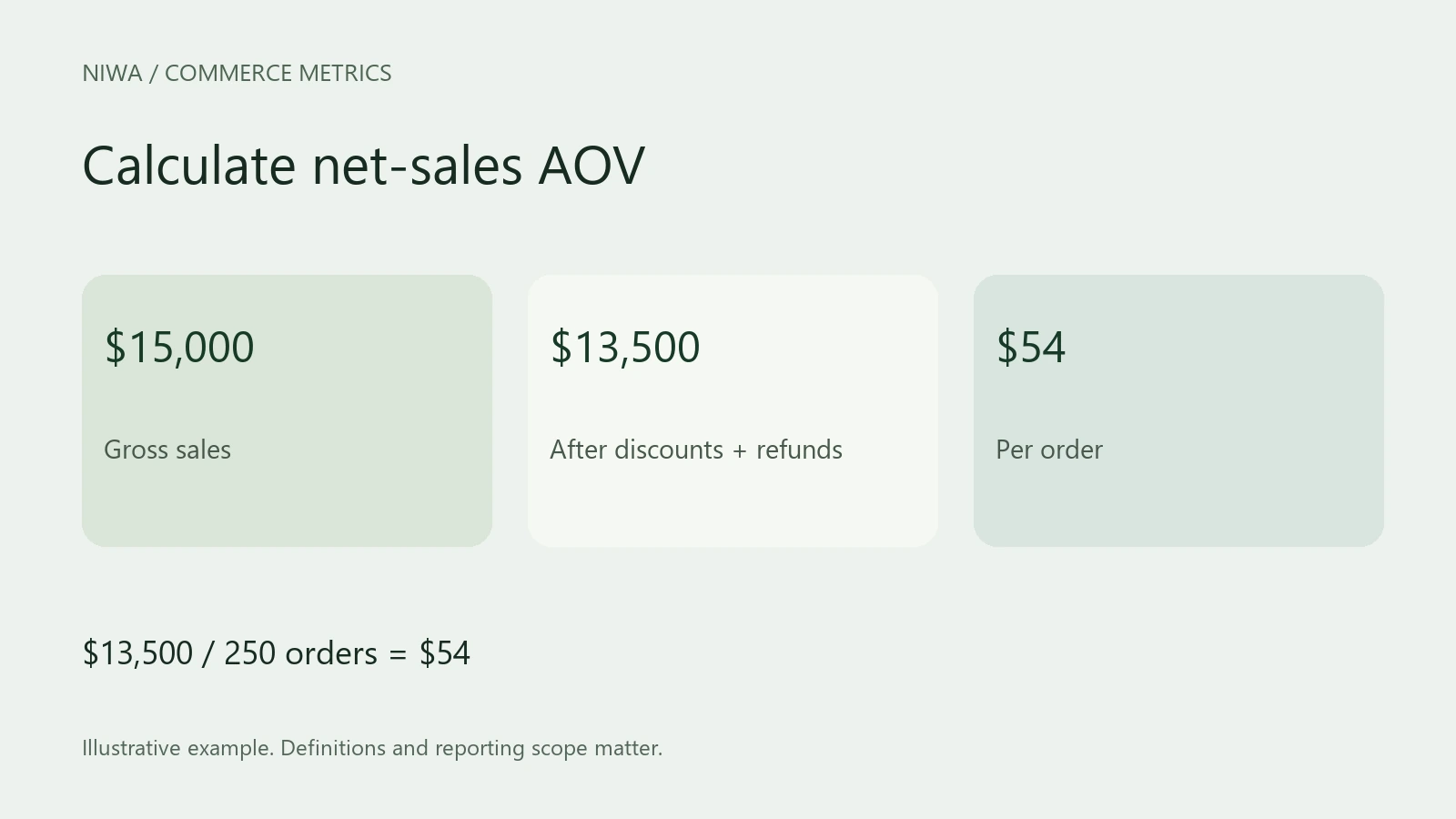
To calculate average order value, divide the included revenue by the included order count for the same period. For example, $12,000 from 200 orders gives an AOV of $60. Choose the reporting definition before you do the division.
For WooCommerce, use net sales divided by orders when you want to match its native Analytics figure. Do not substitute the tax-and-shipping-inclusive checkout total and expect the same answer.
If you are evaluating Niwa's customer sales assistance, save this calculation as your baseline before changing recommendations. That makes the comparison easier to interpret later.
1. Set the period and order scope
Choose a complete period, such as the previous calendar month. Record the store timezone and whether the report groups orders by creation, payment or completion date.
Decide which statuses count. A completed-only spreadsheet can differ from a dashboard that includes processing orders. Test orders, replacements and free samples can also change the average. If you exclude a group for analysis, label the result accordingly instead of presenting it as the store's total AOV.
Use one currency. If your data contains several currencies, convert them using a documented method or report each currency separately. Adding euros and dollars directly produces a meaningless average.
2. Choose the revenue basis
WooCommerce documents its formula as:
Net sales = gross sales minus returns minus coupons
AOV = net sales divided by orders
Tax and shipping sit outside that net-sales figure. If you need average customer payment instead, calculate it separately and give it that name.
Also record how refunds are dated. A report that subtracts this month's refunds can include money returned for purchases made last month. That is different from measuring the final retained value of this month's original orders.
3. Work through the numbers
Suppose your report contains:
- Gross product sales: $15,000.
- Coupon discounts: $1,000.
- Product refunds recorded in the period: $500.
- Included orders: 250.
Net sales are $15,000 minus $1,000 minus $500, or $13,500. Divide $13,500 by 250 to get an AOV of $54.
The gross-product-sales average would be $60. Both calculations are arithmetically correct, but they answer different questions. Only the $54 calculation matches the stated net-sales definition.
4. Calculate it in a spreadsheet
With net sales in cell B2 and order count in C2, use =B2/C2. If C2 is zero, the average is undefined. Show a blank or "No orders" rather than treating the result as a $0 basket.
For order-level data, first make sure you have one row per order. Line-item exports can repeat an order total on several rows. Summing those repeated totals overstates revenue, and counting the rows overstates orders.
When combining weeks, sum their revenue and order counts first. Then divide. Do not take a simple average of weekly AOVs when the weeks have different numbers of orders.
For example, ten orders at $100 and ninety orders at $50 produce $5,500 across 100 orders. The combined AOV is $55, not the unweighted $75 average of those two group averages.
5. Check the result before acting on it
Compare your calculation with Analytics using the same date range and filters. Investigate a difference through the revenue components, eligible orders and refund dates. Do not change real order statuses merely to make two reports agree.
After the baseline is reliable, configure Niwa around a specific product need, such as choosing the correct size or finding a compatible care item. Test the answer and purchase route, then compare completed orders and margins as well as AOV. A larger basket bought through a costly discount can leave less money in the business.
Discuss a Niwa workflow for your WooCommerce store. Send the store URL, the product category and the question customers most often ask before buying.

