

How Do Refunds Affect Average Order Value?
Refunds can lower net-sales AOV, but platforms and refund dates differ. Compare WooCommerce and Shopify treatment and build a clear reporting method.
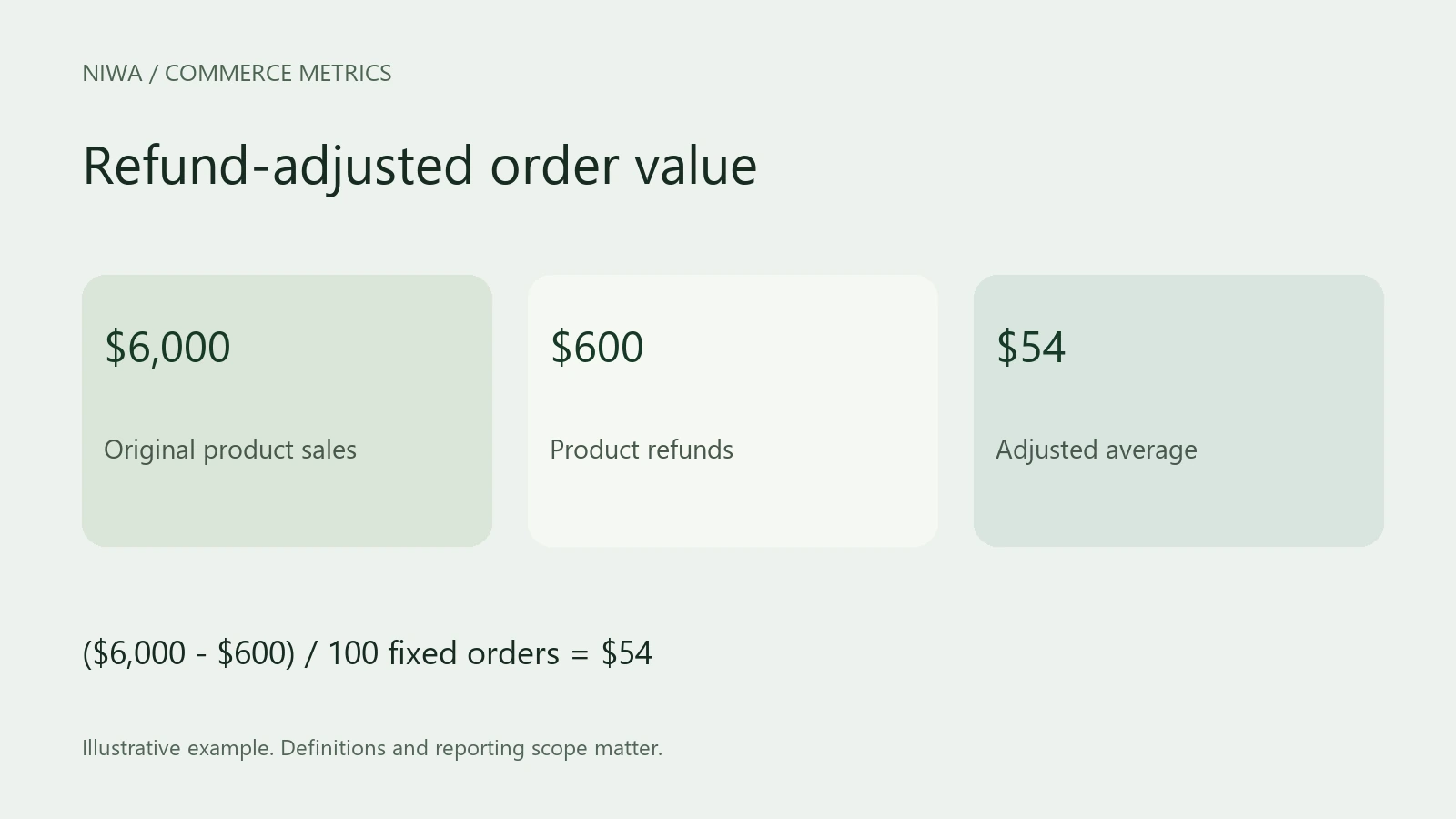
Refunds lower AOV when the calculation subtracts refunded revenue and the included order count stays the same. The exact effect depends on your platform, order-status rules and reporting dates. Some AOV reports preserve the value of the original purchase instead.
WooCommerce calculates AOV from net sales, which deduct returns. Shopify's documented AOV excludes adjustments made after an order is initially created, including returns. Check the definition before comparing the two.
When evaluating Niwa's product guidance, review retained sales and refunds as well as the original basket. A higher initial purchase can lose its value if the recommended items come back.
A refund example with a fixed order count
Suppose 100 included orders generate $6,000 in product sales after discounts. Before refunds, the average is $60.
If $600 in product refunds is deducted and the denominator remains 100, retained sales are $5,400 and the adjusted average is $54.
That example deliberately holds the count constant. A report that counts a different set of orders will produce a different answer. Do not remove a fully refunded order from the denominator while deducting its revenue elsewhere unless that is the method you have explicitly chosen.
For partial refunds, keep the refund attached to the original order in your analysis. A second line in an export representing a refund is not automatically a second customer order.
Refund date and order date answer different questions
WooCommerce Analytics records refunds as negative amounts on the date the refund occurs. This can create a timing mismatch.
Imagine a $200 purchase made in September and refunded in October. An October period report can contain the reduction even though the original purchase happened outside October. October's AOV may fall without October's new customers choosing smaller baskets.
There are two useful views:
- Period activity: sales and refunds recorded during the reporting period. This shows the commercial activity reflected in that period.
- Order cohort: orders first placed in a selected period, followed through their later refunds. This shows how much of those original purchases the store retained.
Label them separately. The cohort needs time to mature, so a recent group can appear stronger simply because customers have not yet had time to return products.
Separate product, tax and shipping refunds
WooCommerce's general Analytics definitions distinguish product returns from refunded taxes and shipping, which have their own metrics. Its Revenue report also documents a special treatment of tax in fully refunded orders. Use the report's specified components and reconcile a fully refunded example rather than subtracting the same refund twice.
Check a few actual refunded orders against the report. Full-refund and partial-refund handling can expose details that a headline total hides. Confirm that a refund recorded in the store also corresponds to the intended payment action; WooCommerce's refunds documentation distinguishes refund workflows.
Why a Shopify AOV may stay unchanged
Shopify's sales-report documentation defines AOV from original gross sales and discounts excluding subsequent adjustments. Returns can affect net sales without changing that original-order AOV in the same way as a refund-adjusted calculation.
Use the report suited to the question. Original AOV helps describe the purchase at checkout. Refund-adjusted sales and contribution help describe what the business retained.
Use refund reasons to improve the buying decision
Read the reasons behind refunds. A repeated sizing or compatibility problem suggests a product-information task. Correct the catalog first, then configure Niwa to explain the relevant size or compatibility information and test representative questions.
Compare refunds, retained contribution and customer questions after enough time has passed. Do not promise fewer returns from better guidance until your store's data supports that conclusion.
Discuss a product-choice workflow with Niwa. Include your store URL and a recurring purchase misunderstanding you want to resolve before checkout.

