

How to Build a Website with Cursor
Build a website with Cursor using a clear project brief, reusable components and focused changes. Verify mobile pages and the complete enquiry workflow.
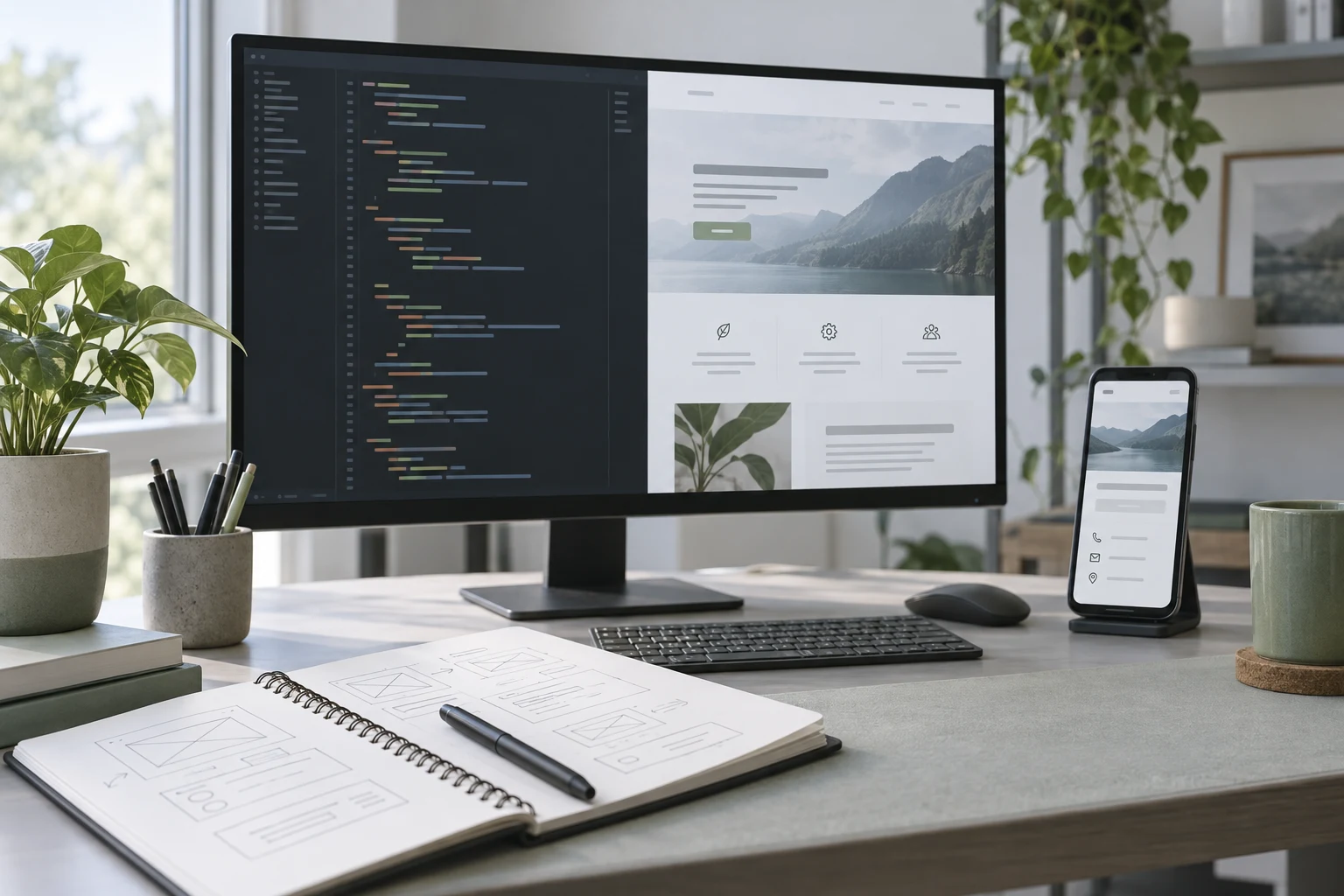
To build a website with Cursor, open the website project, give Agent a specific brief, review the files it changes and run the result in a browser. Cursor can work across project files and run commands, so the useful starting point is a real project with an identified preview and a clear definition of finished.
For a WordPress business site, use Cursor to develop the theme or integration while keeping the WordPress editor available to staff. Niwa can then support customer questions and authorized maintenance work. Building the frontend and operating a customer assistant are separate jobs, and each needs its own test.
The example here is a fictional window-cleaning business. Its website needs service information, an accurate coverage area and an enquiry that reaches the owner. The focus is on working inside an editor, controlling changes and checking shared components.
Open the correct project and establish a baseline
Start with a dedicated folder or the existing website repository. Identify the framework or active WordPress theme before editing. If the folder contains another person’s unfinished work, record it so your task does not overwrite their changes.
Run the site’s existing preview command or local WordPress installation. Open it in a browser and note the starting state: which pages work, how navigation behaves and whether the contact destination is already configured. Ask Cursor to inspect the project if those facts are unclear.
An initial request could be:
Inspect this website project. Identify the main page files, shared components, styling approach and the command that starts the local preview. Explain how the current contact form works. Do not edit files yet.
Verify the answer against the project. A suggested command is not evidence that the server started, and an old screenshot is not evidence of the current site.
Cursor’s Agent supports project exploration, file edits and command execution. Review the commands and changes relevant to your task rather than assuming the editor’s presence makes every action appropriate. Cursor Agent documentation.
Describe the visitor’s job before the visual style
Give Agent approved service descriptions, coverage information, photographs and the contact destination. State who will maintain the pages. For the window-cleaning site, use a brief like this:
Build a service website for [business] in this project. Visitors need to see what we clean, confirm that we serve their area and request a quote. Use only the supplied business facts and photographs.
Reuse the existing layout and components where they fit. Keep service text editable through WordPress if this is the WordPress theme. Do not invent customer reviews or quote prices. The form must submit to [approved destination] and handle validation and delivery failure.
Complete the homepage, service pages and contact journey. Run the preview and verify the result on a phone-width screen before describing the work as finished.
If you have a reference design, explain what you want to borrow: the reading hierarchy, image placement or spacing. Ask for changes to those properties instead of an undefined request to make the site more professional.
Put project rules where future tasks can use them
Cursor supports project rules in .cursor/rules. Rules use the supported .mdc format, and the editor provides a rule-creation interface. It also supports AGENTS.md as a simpler project instruction option. Cursor rules documentation.
Use a small set of rules about this website. For example, identify the active theme, approved test command, existing form integration and requirement to preserve editor-managed content. Explain how to deploy the site only if deployment is part of the authorized task.
Rules should contain stable project guidance. A temporary request to shorten one heading belongs in the task conversation. Credentials belong in the appropriate private configuration, not a committed rules file.
If a rule becomes obsolete, update or remove it. Keeping contradictory guidance makes future changes harder to review. Ask Cursor to explain which project instructions apply before starting a task with uncertain scope.
Build and review shared components first
The header, navigation, buttons and footer affect several pages. Establish them before polishing each service page. Check that the navigation opens, closes and remains usable with a keyboard. A decorative mobile menu that hides the contact action is a functional problem.
Then complete one service page. Use its approved layout as the pattern for the others, while preserving each service’s actual information. Avoid duplicating whole pages when a reusable component can express the same structure clearly.
A focused request might say:
Refactor the service card into the existing shared component. Preserve its current appearance. The title, description, image and destination should be explicit inputs. Replace the duplicated cards on the homepage and services page, then check both pages.
Review the diff and running result. If the refactor introduces more abstraction than the site needs, simplify it. The goal is an owner-maintained website, not a component library for hypothetical future businesses.
Test the quote request from beginning to end
Use test details to submit a request through the running page. Confirm that it reaches the configured inbox or system and includes the useful fields. Keep a record of the test, including the destination and timestamp.
For this business, the form might need an email address, service choice and a broad location. Ask the owner what information they need before adding compulsory fields. The website should explain what happens after submission without inventing a response-time promise.
Test a missing required field and a service error. Check whether pressing the button twice creates duplicate requests. Inspect the successful result in the receiving system, because a green confirmation box can appear even when delivery has failed.
On WordPress, use the established form integration if it meets the requirement. Writing a new email handler just because Agent can generate one creates maintenance work that may not help the business.
Check more than the development preview
Inspect the homepage, each service page and the contact path at desktop and phone sizes. Confirm that photographs load, text remains readable and the page does not scroll sideways. Test links and navigation without relying on editor-generated screenshots.
Run the checks already appropriate to the project. Review errors before adding more dependencies or tests. A build success tells you the project compiled; it does not establish that the customer journey works.
Save the accepted revision and write down the release steps. Deploy to the named staging or production target through the site’s normal process. Open the deployed URL independently and repeat the enquiry test. If production sending is unsuitable for a test, use an approved test destination and restore the verified configuration afterward.
The owner should receive access to the source, instructions for editing content and a clear list of connected services. Keep this information in a small handoff document that can be used without reopening the entire editor conversation.
Add customer assistance to the maintained website
On WordPress, configure Niwa around the business’s approved services and coverage. Test a visitor asking whether their location is served, what information a quote requires and how to contact the business. The assistant’s answer should lead to the real next step. Niwa setup guidance.
Niwa’s authorized website maintenance workflow can help with later content work, such as updating a service description. Review the changed page and keep control of approval for public changes. Website maintenance agent.
Existing WordPress owners can use the standalone plugin. If you need the website built or moved as well, Niwa Business is USD 150 for a custom WordPress website or migration, hosting, maintenance and AI adaptation.
To discuss a Cursor-built site, send the Niwa team the project, accepted design and the owner-editing requirements. Those details show what is ready and what still needs to become a reliable WordPress workflow.

