

How to Track Bookings from Instagram Ads
Measure confirmed website appointments from Instagram ads. Connect the booking success event, preserve campaign sources and test mobile reservations.
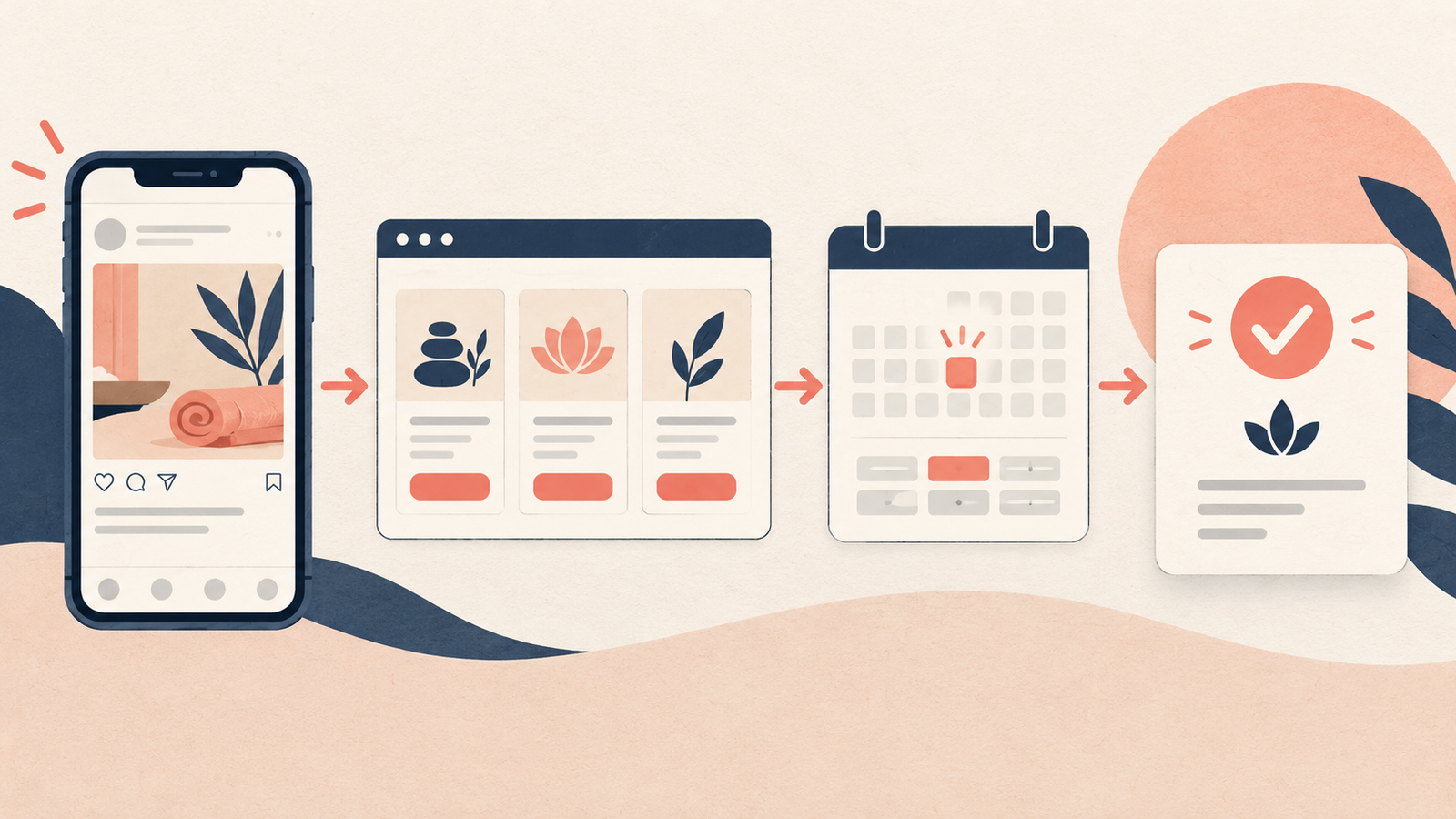
Track bookings from Instagram ads by linking the ad to a measurable booking journey and sending a conversion event only when the appointment is saved. Use Schedule for a completed appointment booking, preserve the ad's source with the reservation where possible, and compare Meta's attributed bookings with your actual appointment records.
A tap on "Book now" does not prove that anyone reserved a time. The customer may still need to choose a service, find availability and provide their details.
With Niwa's website booking workflow, the customer can learn about the service, choose a suitable available time and complete the reservation on the website. Your measurement should follow that saved reservation. This guide concerns Instagram ads sending customers into a website journey.
Map the ad destination to the final booking
Write down the route a customer takes. It might be Instagram ad, service page, availability calendar, contact details and booking confirmation.
If the booking journey continues in WhatsApp, Niwa's WhatsApp agent uses your website's business context to answer service questions and book the appointment directly in the conversation. Count the booking when the reservation is saved. That WhatsApp booking is not automatically a website Pixel event; use the reporting route for the actual channel and check that it preserves the booking's identity.
For an external scheduler, identify the domain and integration responsible for the final confirmation. Your website Pixel cannot automatically observe a booking inside every third-party tool or embedded frame.
Use a success event with a precise meaning
Meta's standard event reference includes Schedule for appointment booking. Trigger it after the booking system accepts and saves the reservation, not when the visitor selects a tentative slot.
Keep other outcomes distinct. An enquiry requesting a callback may be a lead. A deposit payment may be a purchase event as well as part of the booking journey. A customer choosing a date is an earlier step.
If you record both Schedule and Purchase, report them separately. Adding both totals together would count two milestones for one customer rather than two appointments.
Connect the scheduler's success signal
Use your booking integration's supported completion signal or callback. If it provides a confirmation page, verify that the page is reached only after the appointment exists.
Ask what happens when two customers try to reserve the same slot. The rejected attempt must not send a completed booking event. Check whether refreshing the confirmation screen, returning from a deposit provider or rescheduling an existing appointment sends another event.
One stable reservation ID should represent the saved booking in your own system. If the same completion is sent by browser and server, its event identifier must agree across both paths. Meta documents matching event names and IDs for deduplication.
An integration's existence is not proof that it reports the right milestone. Test the actual configuration and booking rules on your site.
Keep campaign source information with the reservation
Use consistent campaign parameters on the ad's destination URL. Where the booking system supports source storage, retain those labels with the saved reservation rather than only in a browser report.
Check that redirects and links from the service page into the scheduler preserve the source in a supported way. An embedded scheduler may require its own attribution setup. Do not place names, phone numbers or other customer details in those URL parameters.
Keep the Instagram campaign identifier useful even if you later rename the ad. Record the appointment's creation date separately from the date on which the customer will attend.
Test from the mobile journey your customer will use
Open the destination in a phone-sized browser and, where practical, the Instagram in-app browser. Review service selection, available times, validation and any payment return. A booking flow that works on desktop may still fail inside an embedded mobile browser.
Complete one controlled reservation and confirm that it exists in the appointment workspace. In Meta Events Manager, check the expected event on the correct data source. Follow Meta's Test Events instructions for any server implementation.
Test an unavailable slot and a rejected form. Then reload the confirmation screen. These checks help distinguish one saved appointment from repeated tracking messages.
Respect applicable consent choices and keep sensitive appointment details out of advertising payloads. For UK device tracking, consult the ICO's guidance. An appointment event does not need to contain the customer's private explanation of why they need the service.
Separate bookings from appointments attended
Compare bookings created during the reporting period with Meta's attributed booking events. Do not compare October reservations with October appointments attended if some were booked in September.
Then review cancellations, attendance and revenue in your own appointment records. A campaign can bring reservations that later cancel. Ads Manager is not your attendance register, and a saved booking is not proof of a paid service.
For an illustrative example, five bookings created today might include three appointments next week and two next month. The acquisition happened today; the service delivery dates are different. Use the date that fits the question you are answering.
Give ad visitors a clear route to a real appointment
Niwa can explain your published services and guide customers toward the website's available booking options. Keep durations, team availability and exceptions current so the customer is offered times your business can actually provide.
That is ongoing assistance on an AI-powered website. Using AI to build the page is a separate activity. Neither alone establishes that an ad generated a reservation; the saved booking and measurement setup provide the evidence.
Niwa Business is USD 150 and includes a custom WordPress site or migration, hosting, maintenance and AI adaptation. There is also a standalone plugin for existing WordPress sites. Contact Niwa with your ad destination and booking process to discuss a customer journey with a clear, verifiable endpoint.

