

SiteGround AI Agent vs Niwa AI: Which WordPress AI Agent Is Better?
Compare SiteGround AI Agent and Niwa AI for WordPress management, WooCommerce operations, messaging access, conversion tools, and business automation.
The new generation of WordPress AI tools promises more than writing a paragraph or generating an image. The real question is whether the agent can operate the website, understand the business, and help create measurable growth.
SiteGround AI Agent and Niwa AI both let users manage WordPress through natural-language conversation, but they are built around different jobs. SiteGround focuses primarily on administration inside WordPress and its AI Studio. Niwa AI is designed as a broader WordPress business operator: it works with the owner through WhatsApp or Telegram, performs website and WooCommerce tasks, monitors commercial signals, and supports shoppers on the storefront.
This comparison explains where each product is strongest, what their public feature sets currently cover, and which type of business each one fits best.
Quick Verdict
Choose SiteGround AI Agent if you want a dashboard-centered assistant for managing WordPress content, plugins, themes, users, settings, and multiple connected websites, especially if you already use SiteGround.
Choose Niwa AI if you want an agent that lives closer to the day-to-day operation of the business: managing the website from WhatsApp or Telegram, updating WooCommerce products and prices, producing business reports, monitoring competitors, capturing buyer intent, and helping recover revenue.
The simplest distinction is this:
SiteGround AI Agent helps operate WordPress. Niwa AI is being built to help operate the business that runs on WordPress.
SiteGround AI Agent Overview
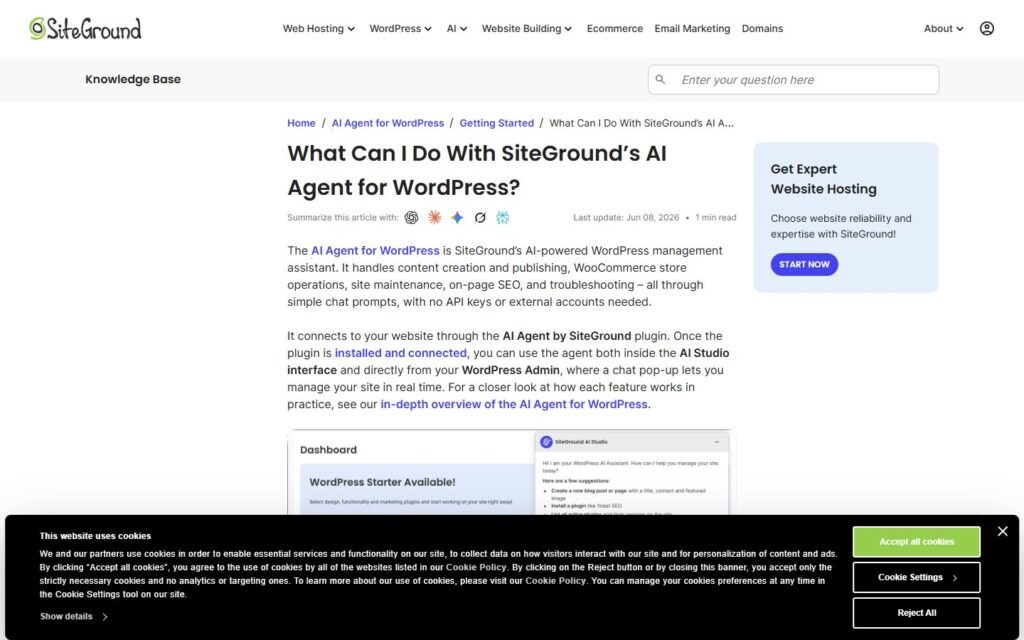
SiteGround AI Agent is a WordPress plugin connected to SiteGround AI Studio. According to its public plugin documentation, users can communicate with the agent through the WordPress dashboard or SiteGround’s AI Studio interface.
Its documented capabilities include creating and editing content, managing WordPress and WooCommerce data, reviewing or updating plugins and themes, changing site settings, and managing users. It also supports actions across connected websites, which can be useful for agencies or administrators responsible for a portfolio of WordPress installations.
SiteGround includes a safety system called Power Mode for higher-impact actions. Operations such as deleting content, changing global settings, modifying users, or editing WooCommerce products require additional authorization.
That makes SiteGround AI Agent a strong administrative tool. It reduces the need to navigate menus and lets users issue instructions conversationally instead.
Niwa AI Overview
Niwa AI approaches the category from the perspective of the owner rather than only the website administrator.
Instead of requiring the owner to sit inside wp-admin, Niwa connects WordPress with the messaging apps the owner already uses. A request can be sent through WhatsApp or Telegram: change a price, update stock, publish a page, create a coupon, review analytics, research a competitor, prepare an SEO article, or inspect a website problem.
Niwa is also designed to work on both sides of the website.
On the owner side, she performs operational work and reports what matters. On the customer side, she can answer buying questions, capture intent, recommend products, respond to hesitation, and support follow-up when a shopper leaves without purchasing.
That conversion layer is important. Website administration saves time, but conversion intelligence can directly influence revenue. Niwa’s approach combines both.
Feature Comparison
| Capability | SiteGround AI Agent | Niwa AI |
|—|—|—|
| Natural-language WordPress management | Yes | Yes |
| WordPress dashboard chat | Yes | Yes |
| Owner control through WhatsApp or Telegram | Not prominently documented | Yes |
| Content and page management | Yes | Yes |
| WooCommerce product management | Yes | Yes |
| Plugin and theme administration | Yes | Supported through operator workflows |
| Multi-site portfolio actions | Yes | Not currently the primary positioning |
| Competitor research and monitoring | Not prominently documented | Yes |
| Business-focused daily reporting | Not prominently documented | Yes |
| Storefront buyer assistance | Not the primary focus | Yes |
| Intent and lead capture | Not prominently documented | Yes |
| Abandoned-cart follow-up through messaging | Not prominently documented | Yes |
| Email and supplier workflows | Not prominently documented | Yes |
| Conversion-focused recommendations | Not the primary focus | Yes |
Public capabilities evolve quickly, so this table reflects product information available as of July 16, 2026.
The Biggest Difference: Admin Assistant vs Business Operator
SiteGround AI Agent is strongest when the task begins and ends inside WordPress. For example:
- Install or update a plugin.
- Review website settings.
- Create or edit a post.
- Manage users across connected sites.
- Perform WooCommerce administration through chat.
Niwa can handle many of the same operational requests, but her product direction extends beyond administration. She connects website actions to business context.
For example, an owner might ask Niwa to identify low-stock products, update pricing, contact a supplier, analyze yesterday’s sales, investigate a competitor’s offer, and prepare a campaign brief. Those are not isolated WordPress edits. They are connected business workflows.
This is also why Niwa’s messaging-app access matters. Business owners should not need to open a laptop, sign into wp-admin, find the correct screen, and repeat the process for every small change. They should be able to send a message from the couch, a warehouse, or a meeting and have the task completed with a clear report.
Where SiteGround AI Agent Is Stronger
A fair comparison should acknowledge that SiteGround has meaningful advantages for certain users.
Its documented multi-site actions are valuable for agencies and administrators managing several WordPress websites. Plugin, theme, user, and configuration management across connected sites is a strong use case.
SiteGround also integrates its agent with its own AI Studio environment. Businesses already committed to the SiteGround ecosystem may prefer having hosting and AI-assisted administration under the same provider.
Finally, its Power Mode clearly separates high-impact actions from routine work. That is a sensible safety model for destructive or global website changes.
What SiteGround AI Agent Is Missing Compared With Niwa
Based on its public positioning, SiteGround AI Agent is not primarily presented as a revenue and conversion system.
It does not prominently document the customer-facing layer that defines Niwa’s broader vision: detecting buying hesitation, guiding shoppers toward suitable products, capturing leads, recommending upgrades, and following up when a customer abandons a cart.
It also does not prominently position WhatsApp or Telegram as the owner’s primary command center. The SiteGround workflow centers on AI Studio and interfaces connected to WordPress, while Niwa is designed to make the messaging app itself the operational interface.
Niwa also combines website actions with business intelligence. Rather than merely displaying data, the goal is to explain what changed, why it matters, and what the owner should do next. That includes sales reporting, competitor monitoring, content opportunities, product signals, and conversion problems.
For ecommerce businesses, these differences can be more important than the raw number of administrative commands an agent supports. The best agent is not necessarily the one that can click the most WordPress buttons. It is the one that helps the business make better decisions and recover more revenue.
Which One Is Better for WooCommerce?
SiteGround AI Agent can manage WooCommerce products and orders through chat, making it useful for administrative work.
Niwa is a better conceptual fit for owners who want WooCommerce operations and conversion workflows in one system. She can help manage products, stock, prices, coupons, content, and reporting while also supporting buyer conversations and follow-up.
This reflects the same principle behind AI lead capture for ecommerce: collecting an email address is not enough. The system should understand buyer intent and turn that signal into a useful next action.
Niwa can also support product-selection experiences such as an AI size guide assistant, helping stores reduce uncertainty before purchase rather than dealing only with the consequences afterward.
Which WordPress AI Agent Should You Choose?
Choose SiteGround AI Agent when your priority is conversational WordPress administration, multi-site management, and integration with the SiteGround environment.
Choose Niwa AI when you want a closer operating partner, one that can receive instructions through WhatsApp or Telegram, work across WordPress and WooCommerce, watch business signals, assist customers, and connect website activity with growth.
Both products point toward the same future: WordPress owners will spend less time clicking through dashboards and more time describing outcomes.
The difference is how far the agent follows the request.
SiteGround AI Agent is built to complete website-management tasks. Niwa AI is built to stay with the owner from the instruction to the business result.
Try Niwa AI
If you want to manage WordPress from chat while adding a conversion and business-intelligence layer to your website, download Niwa AI and start building a website that can work with you.

