

Genwave vs Niwa AI: Which WordPress AI Agent Fits Your Business?
Compare Genwave and Niwa AI for WordPress management, WooCommerce, publishing, messaging, reporting, leads, monitoring, and conversion workflows.
Genwave Agent and Niwa AI are both designed around a more useful idea than ordinary AI writing plugins: tell the system what outcome you want, and let it perform real WordPress work.
That makes this a much closer comparison than matching Niwa against a basic content generator or customer-support chatbot. Genwave can create and edit content, build pages, manage plugins, work with WooCommerce, optimize SEO, generate code, inspect security, and perform database operations through natural-language chat. Niwa AI also connects conversation with approved WordPress and WooCommerce actions, but extends the operating model into owner messaging, delegated publishing, business reporting, competitor workflows, lead context, and conversion follow-through.
This article compares the two products fairly using Genwave’s official website, documentation, pricing page, and WordPress.org listing reviewed on July 16, 2026. Genwave’s own pages currently use both “160+” and “250+” when describing its action library, so this comparison avoids treating either number as a precise verified inventory and focuses on the documented categories of work.
Quick verdict
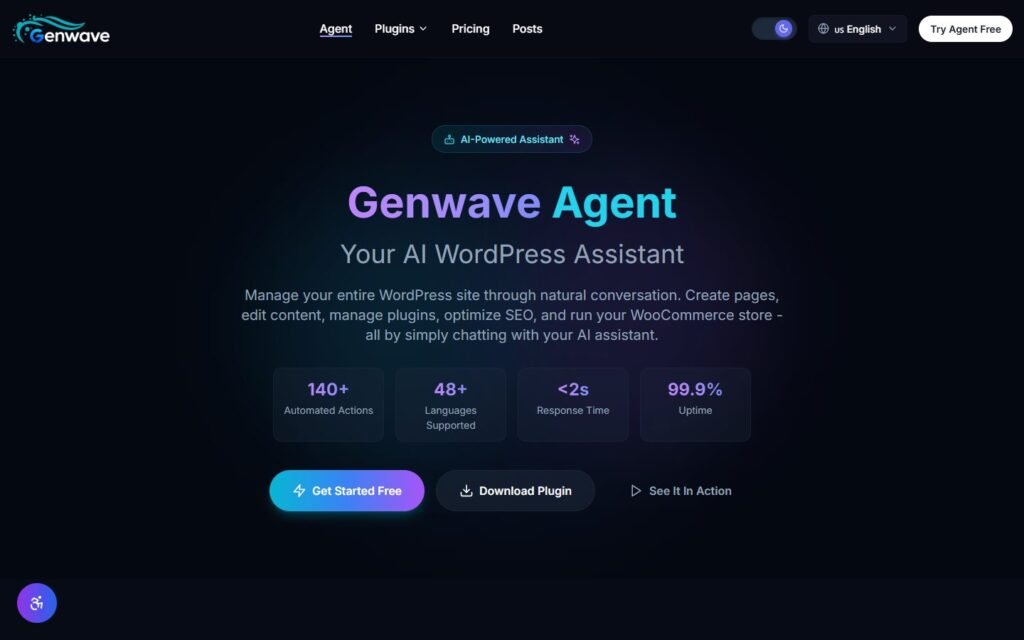
Choose Genwave if you want a broad, dashboard-centered WordPress agent with particularly strong public positioning around plugin building, PHP error repair, page creation, plugin administration, SEO, database work, security, and deep site-level execution.
Choose Niwa AI if you want WordPress and WooCommerce operations connected to the owner’s wider business workflow: instructions through Telegram or WhatsApp, substantial delegated publishing, recurring business context, competitor monitoring, lead capture, customer-intent handling, and conversion actions.
The shortest distinction is:
Genwave is a powerful conversational control layer for WordPress. Niwa AI is designed as an operating agent for the business running on WordPress.
There is significant overlap. Genwave is not merely a writing plugin, and it would be inaccurate to describe it that way. The deciding question is whether your priority is technical breadth inside the WordPress environment or an owner-facing operating relationship that extends beyond wp-admin.
What is Genwave Agent?
Genwave Agent is a cloud-connected AI assistant for WordPress. Its official product pages position it as a natural-language interface for managing a live website without navigating conventional admin screens.
Documented Genwave capabilities include:
- Creating, editing, managing, and publishing posts and pages
- Building pages with Gutenberg and Elementor
- Managing WooCommerce products, orders, coupons, and inventory
- Generating product descriptions in bulk
- Installing, activating, deactivating, updating, and configuring plugins
- Building custom WordPress plugins from a plain-language description
- Detecting and repairing PHP errors, with crash-recovery positioning
- Running SEO audits and updating metadata, redirects, schema, and sitemaps
- Generating and managing images and media
- Performing database, file, theme, user, and site-setting operations
- Running security scans and hardening-related tasks
- Creating shortcodes, hooks, REST endpoints, and scheduled code workflows
- Previewing important actions and supporting rollback or undo workflows
- Working across mobile, tablet, and desktop browser interfaces
Genwave also offers a separate broader product ecosystem. Its official site describes bulk content tools, full-site SEO scanning, a RAG-powered chatbot on higher plans, competitor analysis on the Pro plan, and advanced analytics and white-label reporting on the Business plan.
This makes Genwave one of the more complete WordPress AI-agent propositions currently visible in search results for terms such as WordPress AI agent, best WordPress AI agent plugin, WooCommerce AI agent, and WordPress AI assistant.
What is Niwa AI?
Niwa AI is designed around the site owner rather than only the WordPress administrator.
Depending on the installation, connected services, and granted permissions, Niwa can receive an instruction through Telegram, WhatsApp, or its WordPress interface and connect that instruction with approved website and business actions. Those workflows can include:
- Creating, updating, and publishing posts and pages
- Managing WooCommerce products, prices, stock, coupons, and order-related work
- Researching a topic or competitor before producing content
- Publishing complete articles with metadata, categories, tags, and internal links
- Preparing business-oriented reports and explaining what requires attention
- Monitoring relevant competitor or market changes
- Capturing visitor questions and preserving useful buying context
- Supporting product discovery, pre-purchase questions, and human handoff
- Connecting leads or abandoned buying intent with approved follow-up
- Investigating site problems and reporting the verified result to the owner
The operating principle is described more fully on How Niwa Works: the owner should be able to describe the outcome, let the agent use the available tools, and receive a clear completion report without manually coordinating every WordPress screen.
That does not automatically make Niwa better. It means Niwa’s primary interface and product direction are different.
Genwave vs Niwa AI comparison table
| Capability | Genwave Agent | Niwa AI |
|---|---|---|
| Primary positioning | Conversational control layer for WordPress | Owner-facing WordPress business and conversion agent |
| Natural-language WordPress management | Yes | Yes |
| WordPress content creation, editing, and publishing | Yes | Yes |
| Gutenberg support | Yes | Yes, through WordPress publishing workflows |
| Elementor page building | Explicitly documented | Not presented as Niwa’s defining advantage |
| WooCommerce products, orders, coupons, and inventory | Explicitly documented | Supported through approved WooCommerce workflows |
| Bulk product descriptions | Explicitly documented | Can be delegated when connected publishing tools support the requested batch |
| Plugin installation and management | Explicitly documented | Supported through approved administrative workflows |
| Custom plugin generation | A major documented strength | Possible through controlled development workflows, but not the main product message |
| PHP error detection and repair | A major documented strength | Controlled investigation and repair workflows are supported, but Genwave markets this more prominently |
| SEO audits and technical fixes | Explicitly documented | SEO research, content production, publishing, and site actions are supported |
| AI image generation | Explicitly documented | Available when an image-generation tool is connected |
| Owner administration through Telegram | Not documented as a native owner channel in the reviewed sources | Yes |
| Owner administration through WhatsApp | Not documented as a native owner channel in the reviewed sources | Yes |
| Mobile management | Mobile-friendly browser chat | Includes messaging-app administration |
| Business reporting | SEO reports and advanced analytics documented, especially on higher plans | Designed to summarize store, site, content, customer, and operational signals |
| Competitor analysis | Documented on Genwave Pro | Research plus recurring monitoring and action-oriented reporting |
| Recurring competitor monitoring | Not prominently documented in the reviewed sources | Yes, when configured as an ongoing workflow |
| Website chatbot and product recommendations | RAG-powered chatbot documented on Pro | Customer-facing assistant connected with buyer intent and store context |
| Structured lead capture and owner notification | Not prominently documented as a native end-to-end workflow | A central conversion use case |
| Abandoned-intent or cart follow-up through messaging | Not prominently documented in the reviewed sources | Supported through approved conversion and outreach workflows |
| Conversion workflow orchestration | Chatbot, SEO, content, and testing tools can support conversion | A core focus across intent, handoff, follow-up, and business action |
| Safety model | Previews, confirmations, signed commands, audit controls, and undo are documented | Permission-aware tools, confirmations for sensitive actions, reporting, and controlled execution |
| Best fit | Deep WordPress execution, development, repair, SEO, and admin breadth | Site operations plus messaging, reporting, leads, monitoring, and conversion follow-through |
Public products change quickly. “Not documented” means the capability was not presented as a native or central workflow in the official materials reviewed; it does not mean a custom integration could never provide it.
Where Genwave is especially strong
A fair comparison should begin with the areas where Genwave has a clear and credible advantage.
WordPress development and technical repair
Genwave’s plugin builder and automatic PHP-error repair are prominent parts of its value proposition. The official materials describe generating custom plugins, code snippets, shortcodes, hooks, REST endpoints, and cron jobs through conversation.
It also emphasizes error detection, crash recovery, database operations, file management, security scans, and site hardening. For an agency, developer, or technically adventurous owner, this is a compelling scope.
Niwa can support controlled development and repair work, but Genwave presents these capabilities as headline product features. A buyer whose primary need is “build or repair WordPress functionality through chat” should take Genwave seriously.
A broad wp-admin command surface
Genwave’s documented categories cover much of the WordPress backend: content, media, plugins, themes, users, settings, files, database operations, SEO, security, custom code, page building, and WooCommerce.
That breadth matters. It means the product is not limited to generating text and leaving the user to implement the result. Its central promise is execution on the live site, with previews and rollback controls.
Elementor and Gutenberg page creation
Genwave explicitly markets full-page creation with both Elementor and Gutenberg. That gives it a clear use case for users who want conversational page building as well as content management.
Niwa’s stronger public differentiation lies elsewhere: owner communication, ongoing business context, reporting, lead handling, and conversion operations. If visual page construction is the dominant requirement, Genwave may be the more obvious first evaluation.
Security and reversibility messaging
Genwave publicly explains several concrete safeguards, including encrypted communication, signed commands, WordPress capability checks, action confirmation, audit logging, and 30-day undo positioning.
The numbers used to describe its security layers vary across its current pages, but the underlying message is consistent: high-impact actions should be previewed, validated, and reversible.
That clarity is valuable for any AI system allowed to change a production site.
No separate model API key required
The WordPress.org listing states that Genwave handles the AI infrastructure, so users do not need to configure their own OpenAI, Anthropic, or Gemini API keys. For owners who want a simpler setup and prefer a credit-based service, this can reduce friction.
The trade-off is that the agent is tied to Genwave’s hosted service, plans, credit model, and data-processing architecture. Some buyers will prefer that convenience; others will prefer more control over connected providers and workflows.
Where Niwa AI is different
Niwa’s advantage is not that Genwave cannot operate WordPress. It clearly can. The difference is what happens before and after the WordPress action.
Telegram and WhatsApp are operating interfaces, not notifications
Genwave markets mobile management, but the reviewed official workflow still centers on opening its chat interface in WordPress or a browser.
Niwa treats Telegram and WhatsApp as owner command channels. The owner can send an instruction where normal business conversation already happens, answer an approval question, receive the result, and continue the same operating relationship.
That distinction matters for owners who do not want another dashboard, even a well-designed conversational one. A mobile browser makes wp-admin easier to use; a messaging-native agent can remove the need to enter wp-admin for many routine outcomes.
Delegated publishing begins with research and ends with publication
Genwave documents content generation, bulk content, publishing, SEO optimization, images, metadata, and site audits. It is capable in this area.
Niwa’s publishing model is designed around full delegation. A single assignment can include checking existing site content, reviewing live search intent, choosing a non-duplicate opportunity, verifying claims, drafting the article, adding real internal links, setting metadata and taxonomy, publishing, and reporting the new post ID.
This is the broader workflow behind the existing SiteGround AI Agent vs Niwa AI comparison: content is not treated as an isolated generation task but as an accountable operating process.
Business reporting is connected to decisions
Genwave documents SEO reports, an advanced analytics dashboard on its Business plan, and white-label reporting. Those are real strengths and should not be dismissed.
Niwa’s reporting proposition focuses on the owner’s next decision. The useful output is not only a dashboard or audit score but an explanation of what changed, why it matters, which item needs attention, and what approved action should follow.
For a WooCommerce owner, that may mean connecting sales movement, low stock, product issues, customer questions, content opportunities, and operational exceptions in one conversation.
Competitor analysis can become ongoing monitoring
Genwave’s Pro plan explicitly lists competitor analysis, and its content-ideas materials describe competitor gaps. Therefore, it would be inaccurate to claim that Genwave lacks competitor research.
The narrower factual distinction is recurrence and follow-through. The reviewed Genwave sources do not prominently document a persistent workflow that watches selected competitors, identifies relevant changes, reports them to the owner through Telegram or WhatsApp, and turns the finding into a published page, campaign, price review, or other approved action.
Niwa is designed to connect those stages. Research is useful; monitoring plus execution is an operating workflow.
Lead capture preserves commercial context
Genwave’s official site documents a RAG-powered chatbot that can answer questions, recommend products, and handle support. That can improve customer experience and contribute to conversion.
The reviewed sources do not prominently describe a complete native workflow for structured lead qualification, preserving the visitor’s exact buying context, notifying the owner, and continuing through approved outreach or CRM-style follow-up.
Niwa’s conversion model treats the conversation as business data. A contact detail is more valuable when it is accompanied by the product, requirement, objection, urgency, budget, or compatibility question that caused the visitor to engage.
Our guide to AI lead capture for ecommerce explains why that context matters: a generic email address is not the same as a sales-ready handoff.
Conversion workflows extend beyond producing traffic
Genwave has meaningful conversion-related tools: product descriptions, SEO audits, content generation, a product-recommending chatbot, and SEO A/B testing. These can improve discovery and engagement.
Niwa is designed to continue into the commercial workflow: resolve pre-purchase uncertainty, capture intent, recommend the next product or action, notify a human when necessary, and support approved follow-up after the visitor leaves.
That is the same problem explored in the AI checkout assistant guide: many lost orders are not caused by poor writing but by an unanswered question about delivery, fit, returns, payment, trust, or product choice at the wrong moment.
Which is better for WordPress administration?
For broad conversational administration inside WordPress, Genwave is exceptionally competitive. Its public materials cover more technical categories than most products in this market, and its plugin-development, repair, database, file, security, and page-building capabilities are substantial differentiators.
Niwa is the better fit when administration is only one part of the assignment. An owner may want to update stock, publish a campaign page, review yesterday’s store signals, inspect a competitor, contact a lead, and receive a concise report without changing interfaces.
Choose based on the boundary of the job:
- If the job primarily begins and ends inside WordPress, Genwave may be the stronger technical control layer.
- If the WordPress action is part of a wider business conversation, Niwa may be the stronger operating model.
Which is better for WooCommerce?
Both products document real WooCommerce operations.
Genwave supports products, orders, coupons, inventory, bulk descriptions, and conversational store management. Its ability to combine WooCommerce work with plugin development, SEO, database operations, and page building makes it attractive for technically complex stores.
Niwa is designed to combine store administration with customer and owner workflows. Product, price, stock, coupon, order, content, lead, reporting, and follow-up tasks can be connected rather than handled as separate tools.
Choose Genwave when your main need is a powerful natural-language backend for the store. Choose Niwa when your main need is an agent that connects backend operations with customer intent and owner communication.
Which is better for content and SEO?
Genwave has a broad documented content and SEO stack: bulk creation, product descriptions, images, audits, metadata, redirects, schema, sitemaps, content ideas, competitor-gap analysis, and A/B testing.
For hands-on WordPress teams that want many content and technical SEO tools in one ecosystem, Genwave is a strong option.
Niwa is the better fit for outcome-based delegation. The owner can request a researched article or landing page and expect the workflow to account for existing site content, search intent, factual verification, internal linking, publication, and reporting.
The difference is not “Genwave writes, Niwa operates.” Genwave also operates. The more accurate distinction is a broad WordPress tool ecosystem versus a persistent owner-facing operating agent.
Can Genwave replace Niwa AI?
It can replace a significant part of the WordPress administration, development, content, SEO, security, and WooCommerce toolset for businesses comfortable using Genwave’s own interface and hosted service.
It does not currently present itself, in the official sources reviewed, as a complete replacement for Niwa’s messaging-native owner administration, structured lead context, approved outreach, recurring competitor monitoring, or conversion follow-through across WordPress and external communication channels.
The reverse is also true: Niwa should not be presented as automatically superior to Genwave’s specialized plugin builder, publicly documented Elementor workflow, automatic PHP repair positioning, or broad technical command library.
Some businesses could even use the products for different jobs, although overlapping access to live-site changes would require careful permissions and operating rules.
Final recommendation
Choose Genwave Agent if you want one of the broadest publicly documented conversational WordPress control layers, especially for plugin development, technical repair, Elementor or Gutenberg page building, SEO operations, database work, security, plugin management, and deep WooCommerce administration.
Choose Niwa AI if you want the relationship to extend beyond the WordPress dashboard: Telegram and WhatsApp administration, end-to-end delegated publishing, business-oriented reports, recurring competitor workflows, lead context, customer-intent handling, and conversion follow-through.
The deciding question is:
Do you mainly want to control WordPress by chat, or do you want an agent that stays with the owner from business request to verified result?
If the second description is closer to your workflow, book a Niwa demo and test the agent against a real operating task from your website or WooCommerce store.
Frequently asked questions
Is Genwave a real WordPress AI agent?
Yes. Genwave is not merely a text generator. Its official materials document live WordPress actions across content, WooCommerce, plugins, pages, SEO, code, files, databases, users, settings, security, and media.
Does Genwave work with WooCommerce?
Yes. Genwave documents management of products, orders, coupons, and inventory, as well as bulk product-description generation and conversational store administration.
Can Genwave publish WordPress posts and pages?
Yes. Genwave’s official product examples and guide describe creating, editing, managing, and publishing WordPress content, including bulk operations and SEO-related work.
Can Genwave build plugins or fix WordPress errors?
Genwave prominently markets custom plugin generation and automatic PHP-error repair. It also documents code, database, file, security, and recovery workflows. These are among its strongest differentiators.
Does Genwave support Telegram or WhatsApp administration?
The official Genwave sources reviewed on July 16, 2026 document browser-based conversational management across desktop and mobile. They do not document Telegram or WhatsApp as native owner-administration channels. Custom integration may be possible, but it should not be presented as a standard feature without evidence.
Does Genwave provide business reports?
Genwave documents SEO reporting, an advanced analytics dashboard on its Business plan, and white-label reports. The reviewed sources do not clearly describe the same owner-oriented reporting model as Niwa, where store, customer, content, operational, and competitor signals can be summarized with recommended next actions through an ongoing conversation.
Does Genwave perform competitor analysis?
Yes. Competitor analysis is listed on Genwave’s Pro plan, and its content-ideas service describes competitor-gap research. Recurring monitoring, messaging-app alerts, and automatic connection to approved business actions are not prominently documented in the sources reviewed.
Does Genwave capture leads?
Genwave documents a RAG-powered chatbot that can answer questions and recommend products. The reviewed official materials do not prominently describe structured lead qualification, owner notification with full buying context, or approved messaging follow-up as a packaged end-to-end workflow.
Which is better for SEO, Genwave or Niwa AI?
Genwave is strong for a broad suite of content and technical SEO tools inside its ecosystem. Niwa is strong when SEO is delegated as a complete workflow that includes live research, intent selection, factual verification, internal links, metadata, publication, and completion reporting.
Which WordPress AI agent should I choose?
Choose Genwave for maximum technical breadth inside WordPress. Choose Niwa for WordPress and WooCommerce operations connected with owner messaging, reporting, leads, monitoring, and conversion workflows.
Research basis
This comparison was prepared from primary product materials reviewed on July 16, 2026:
- Genwave Agent official product page
- Genwave official documentation
- Genwave official pricing
- Genwave WordPress.org plugin listing
Feature descriptions can change. Buyers should verify plan limits, credit usage, action availability, security controls, integrations, and data-processing terms before choosing either platform.

