

FlowMattic vs Niwa AI: Automation Platform or WordPress AI Operator?
Compare FlowMattic and Niwa AI for WordPress automation, AI agents, WooCommerce, messaging, reporting, leads, and conversion workflows.
FlowMattic and Niwa AI both bring AI-assisted action into WordPress, but they are built around different operating models.
FlowMattic is primarily a visual workflow automation platform. It connects WordPress to apps, APIs, webhooks, MCP servers, and AI services so a technical or operations-minded user can design multi-step automations.
Niwa AI is primarily a conversational WordPress business operator. It is designed so a founder or approved team member can ask for business work in natural language, often through Telegram or WhatsApp, and have Niwa inspect the live site, use the appropriate WordPress or WooCommerce capability, and report the result.
That distinction matters more than a simple feature checklist. The right choice depends on whether you want to build automations or delegate ongoing business operations.
Research note: This comparison was reviewed on July 17, 2026 against FlowMattic’s official website, documentation, integration pages, WordPress.org listing, and Niwa’s current published product materials. Features can change, so confirm any deployment-critical requirement with the vendor.
Quick verdict
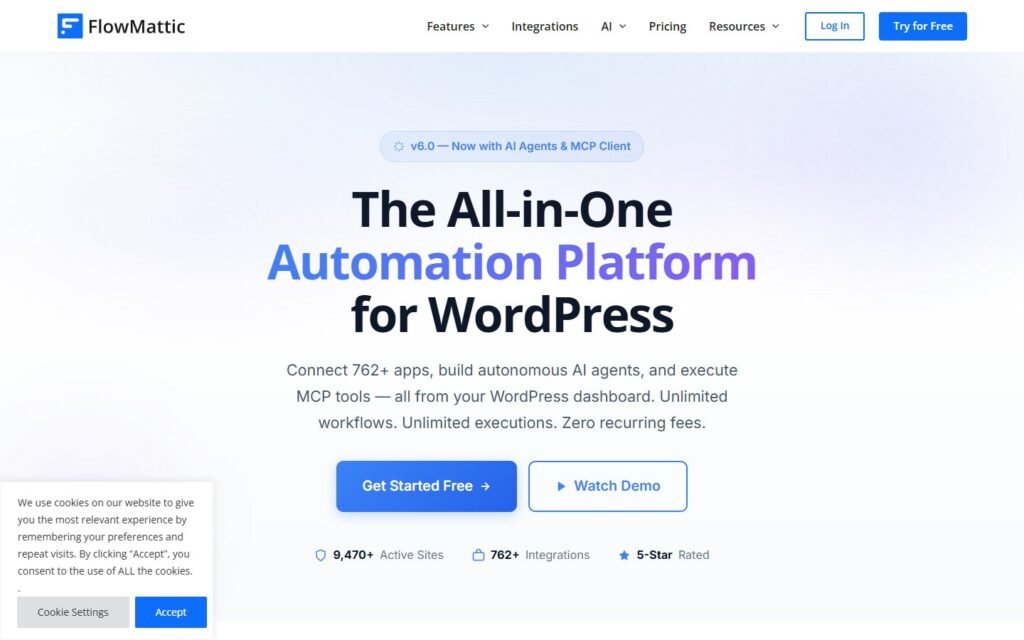
Choose FlowMattic if you want a flexible WordPress automation builder, are comfortable designing triggers and action chains, and need to connect many external services or APIs.
Choose Niwa AI if you want to manage WordPress and WooCommerce through conversation, publish content, request business reports, handle lead and conversion workflows, and operate from Telegram or WhatsApp without constructing every task as a visual workflow first.
The products can also be complementary. FlowMattic can serve as integration plumbing for carefully defined processes, while Niwa can provide the owner-facing conversational operating layer.
What FlowMattic does well
FlowMattic’s strongest advantage is automation breadth. Its official materials position it as a no-code workflow platform for WordPress, with triggers, actions, routers, iterators, scheduling, webhooks, API connectivity, data transformation, and a large integration catalog.
Its AI features are more substantial than a basic text-generation module. FlowMattic documents an AI Agents feature with tools, memory, structured outputs, conditional behavior, and integration with workflow steps. It also provides MCP Client capabilities, allowing workflows to connect with compatible Model Context Protocol servers and use exposed tools.
That makes FlowMattic attractive for users who want to assemble processes such as:
- Send a form submission into a CRM and notification channel.
- Generate or transform content with an AI model.
- Trigger WooCommerce-related actions from an event.
- Connect WordPress to an unsupported service through webhooks or API requests.
- Build scheduled workflows that collect, transform, and distribute data.
- Use AI inside a larger deterministic automation chain.
FlowMattic also has a clear strength in integration architecture. Its official site highlights hundreds of apps, and its Connects module is designed to make custom API connections more reusable. For agencies and technically confident site owners, that flexibility can replace several narrower automation plugins.
What Niwa AI does differently
Niwa’s core idea is not “draw the workflow.” It is “tell the operator what outcome you need.”
A founder might ask Niwa to inspect orders, update catalog information, draft and publish a post, summarize business activity, check a lead workflow, or perform another supported WordPress task. Niwa selects the relevant capability, verifies runtime state, executes the operation, and returns a concise result.
This conversational approach is especially useful when the work changes from one request to the next. A visual automation is excellent when the trigger and steps are stable. It is less convenient when the owner has a new, context-dependent request every hour.
For a broader explanation of this operating model, see How Niwa Works.
FlowMattic vs Niwa AI comparison table
| Capability | FlowMattic | Niwa AI |
|—|—|—|
| Primary model | Visual workflow automation platform | Conversational WordPress business operator |
| Best for | Building repeatable integrations and multi-step automations | Delegating changing WordPress and business tasks in natural language |
| AI agents | Yes; agents can be configured inside workflows with tools and memory | Yes; the assistant routes requests to approved site and business capabilities |
| MCP | Official MCP Client capability | Uses tool-based agent operations; exact availability depends on the installed Niwa runtime |
| WordPress operations | Broad through modules, triggers, actions, webhooks, and APIs | Direct conversational administration through supported tools |
| WooCommerce | Useful for event-driven ecommerce automations and connected workflows | Suited to owner-requested catalog, order, reporting, and conversion operations where enabled |
| Telegram administration | Can potentially be assembled through available integrations, webhooks, or APIs | Telegram is a primary owner administration interface |
| WhatsApp administration | Official WhatsApp Cloud API workflow integration is documented | WhatsApp can be an approved owner or team administration channel |
| Content publishing | Can automate content generation and publishing through configured workflows | Can research, draft, create, update, and publish content through conversation and approval rules |
| Business reporting | Can gather and send data when the workflow and data sources are configured | Can answer ad hoc reporting requests using live WordPress or WooCommerce data where supported |
| Lead capture | Strong integration potential for forms, CRMs, and routing | Connects site conversations, qualification, handoff, and follow-up-oriented workflows |
| Competitor monitoring | Can be custom-built with schedules, APIs, scraping-compatible services, or MCP tools | Can be requested as a research and reporting workflow when monitoring capabilities are enabled |
| Conversion workflows | Flexible event-driven automation; owner designs the logic | Conversational execution plus lead, follow-up, catalog, and ecommerce workflows |
| Setup style | Configure triggers, modules, mappings, conditions, and credentials | Connect channels and capabilities, then delegate tasks conversationally |
| Technical flexibility | Very high | High within the approved Niwa toolset and operating safeguards |
WordPress and WooCommerce operations
FlowMattic is a strong choice for predictable, event-driven work. For example, when an order changes status, a workflow can move data to another service, notify a team, call an API, or start an AI step. Once configured, that process can run consistently without further instruction.
Niwa is better aligned with ad hoc operational requests. A founder may need one product updated today, a group of orders summarized tomorrow, and a new comparison post researched and published next week. Those are not always ideal candidates for permanent visual workflows.
The practical difference is:
- FlowMattic: “When this event occurs, always run these steps.”
- Niwa: “Here is the outcome I need now; inspect the current situation and handle it safely.”
For teams evaluating where agents fit across commerce, AI Agents for E-commerce provides additional operational examples.
Telegram and WhatsApp administration
FlowMattic’s official materials show broad integration and webhook capabilities, and it documents WhatsApp Cloud API connectivity. This is valuable for automated notifications and message-driven workflows.
However, an integration with a messaging service is not automatically the same as a persistent owner-facing administration experience. Building a secure command surface usually requires message triggers, identity checks, mappings, branching, error handling, and the WordPress actions behind each command.
Niwa is designed around that administration use case. Telegram or WhatsApp can function as the place where an approved founder or team member gives instructions, receives results, and continues the operational conversation.
FlowMattic offers greater freedom to engineer a custom message workflow. Niwa reduces the amount of workflow engineering required for supported administration tasks.
Content publishing and SEO workflows
FlowMattic can build powerful content pipelines. A workflow can accept a topic, call an AI model, transform the response, create a WordPress post, and notify an editor. This is especially useful for repeatable templates and structured publishing schedules.
Niwa approaches content as delegated editorial work. It can inspect existing site content, research current search intent, avoid duplicate topics, draft an article in the site’s preferred style, add verified internal links, create the post, and publish it under the applicable approval rules.
The distinction is again between predefined automation and contextual execution. FlowMattic gives builders granular control over each module. Niwa gives the founder a higher-level conversational interface for the finished outcome.
Business reporting
FlowMattic can create scheduled reporting systems by retrieving data, formatting it, and sending it to email, spreadsheets, messaging apps, or other destinations. It is a good fit when the report structure and delivery cadence are known in advance.
Niwa is useful for questions that are not known in advance: “What changed this week?”, “Which products need attention?”, or “Summarize the latest store activity.” Where the necessary capabilities are connected, Niwa can inspect current data and answer the owner’s specific question rather than requiring a separate workflow for every report variation.
For recurring fixed reports, FlowMattic’s visual automation model is compelling. For ad hoc founder analysis, Niwa’s conversational model is usually more direct.
Lead capture and conversion workflows
FlowMattic can connect forms, CRMs, spreadsheets, email tools, webhooks, and AI steps. This makes it effective for lead routing, enrichment, notifications, and follow-up automation after a lead event occurs.
Niwa focuses more heavily on the operating context around conversion: what the visitor asked, what blocked the purchase, whether the lead is qualified, what follow-up is appropriate, and what the founder should do next. Niwa’s website chat and business workflows can connect customer intent with owner action rather than treating every submission as an isolated record.
Learn more about the conversion side in Turn Website Visitors Into Leads.
Competitor monitoring
Neither platform should be described as magic, automatic competitor intelligence without setup and reliable data sources.
FlowMattic can support a custom monitoring system by combining schedules, HTTP requests, compatible external services, AI analysis, and delivery steps. Its flexibility is a genuine advantage if you are prepared to build and maintain the workflow.
Niwa can conduct and report competitor research as a delegated task when the required browsing and monitoring capabilities are enabled. The founder can ask for a comparison, specify the market or query, and receive an actionable summary without designing each transformation step.
In both cases, accuracy depends on the sources, frequency, scope, and safeguards. Claims about competitor pricing or features should always be verified against current official information before publication or business action.
Which is easier to operate?
FlowMattic is easier for a workflow builder who wants visual control. Its interface makes triggers, branches, mappings, and actions explicit. That transparency is valuable for debugging and maintaining stable automations.
Niwa is easier for a founder who thinks in business outcomes instead of automation diagrams. The founder can describe the task conversationally and let the agent use approved tools to complete it.
This is not a question of one interface being universally better. It is a question of who will operate the system:
- An automation specialist may prefer FlowMattic.
- A founder or store operator may prefer Niwa.
- A larger team may use both for different layers of the stack.
Where FlowMattic may be the better choice
FlowMattic is likely the stronger fit when:
- You need a broad, visual WordPress automation platform.
- Your processes have stable triggers and repeatable steps.
- You want extensive API, webhook, and app connectivity.
- You need to map and transform data between systems.
- You want to configure AI agents as components inside larger workflows.
- Your team is comfortable maintaining credentials, mappings, branches, and error paths.
Those are meaningful strengths, not minor checklist items.
Where Niwa AI may be the better choice
Niwa is likely the stronger fit when:
- You want to run supported WordPress tasks through natural-language conversation.
- Telegram or WhatsApp should be an owner administration interface, not only a notification destination.
- You frequently have new, context-dependent requests.
- You want research, publishing, reporting, and operational actions in one conversation.
- You care about turning visitor questions into leads, follow-up, and conversion insight.
- You prefer delegating outcomes over constructing every workflow manually.
Niwa’s advantage is not that it has more generic connectors than an automation platform. Its advantage is the business-operator experience built on top of WordPress capabilities.
Can FlowMattic and Niwa AI work together?
Potentially, yes.
A practical architecture could use FlowMattic for stable back-end integrations and Niwa for founder-facing operations. For example, FlowMattic might synchronize a specific event to an external system, while Niwa lets the founder inspect current conditions, request an action, publish content, or ask for a report.
The safest design is to give each system a clear role, avoid duplicate triggers, and apply appropriate permissions to every connected service.
Final recommendation
FlowMattic is one of the more capable WordPress-native automation platforms for users who want visual workflows, extensive integrations, API flexibility, AI agents, and MCP connectivity. It is a serious option for agencies and operations teams that want to engineer repeatable processes inside WordPress.
Niwa AI is the better fit when the goal is to give a founder a conversational operator for WordPress and WooCommerce. It reduces the need to translate every changing request into a permanent workflow and brings administration, publishing, reporting, lead handling, and conversion-oriented work into the same operating conversation.
If you are deciding between them, ask one question: Do you want to build the workflow, or delegate the outcome?
To evaluate Niwa against your own site and use cases, book a Niwa demo.
Frequently asked questions
Is FlowMattic an AI agent plugin?
FlowMattic is broader than a single AI agent plugin. It is a WordPress workflow automation platform that includes an AI Agents feature, AI modules, integrations, webhooks, API connectivity, and an MCP Client. AI agents operate as part of configured workflows.
Is Niwa AI a FlowMattic alternative?
It can be an alternative for some goals, but the products are not identical. FlowMattic is strongest as a visual automation and integration builder. Niwa is strongest as a conversational WordPress business operator. The best choice depends on whether your main need is workflow construction or operational delegation.
Which is better for WooCommerce?
FlowMattic is well suited to stable, event-driven WooCommerce automations that move data or trigger actions across systems. Niwa is better suited to conversational store administration, ad hoc reporting, content work, lead handling, and conversion operations where the required tools are enabled.
Does FlowMattic support WhatsApp?
FlowMattic officially documents WhatsApp Cloud API integration. That can support automated messaging workflows. A complete owner-administration experience may still require triggers, authentication, mappings, and connected WordPress actions.
Can FlowMattic manage WordPress from Telegram?
Its broad integration, webhook, API, and MCP capabilities may allow a custom Telegram-based workflow to be assembled, depending on the available connector and configuration. The official materials reviewed do not present Telegram as the default conversational WordPress owner interface in the same way Niwa does.
Which tool is better for content publishing?
FlowMattic is excellent for repeatable, template-driven content pipelines. Niwa is better suited to contextual editorial assignments that require research, duplicate-topic checks, internal-link verification, drafting, and publication as one delegated task.
Which is better for lead capture?
FlowMattic provides flexible form, CRM, messaging, and routing integrations. Niwa is designed to connect conversational buyer intent with qualification, founder context, follow-up, and conversion workflows. The better choice depends on whether you prioritize integration architecture or an operating layer around the lead conversation.

