

Easy MCP AI vs Niwa AI: WordPress MCP Connector or Business Operator?
Compare Easy MCP AI and Niwa AI for WordPress MCP access, WooCommerce, publishing, messaging, reporting, leads, and conversion workflows.
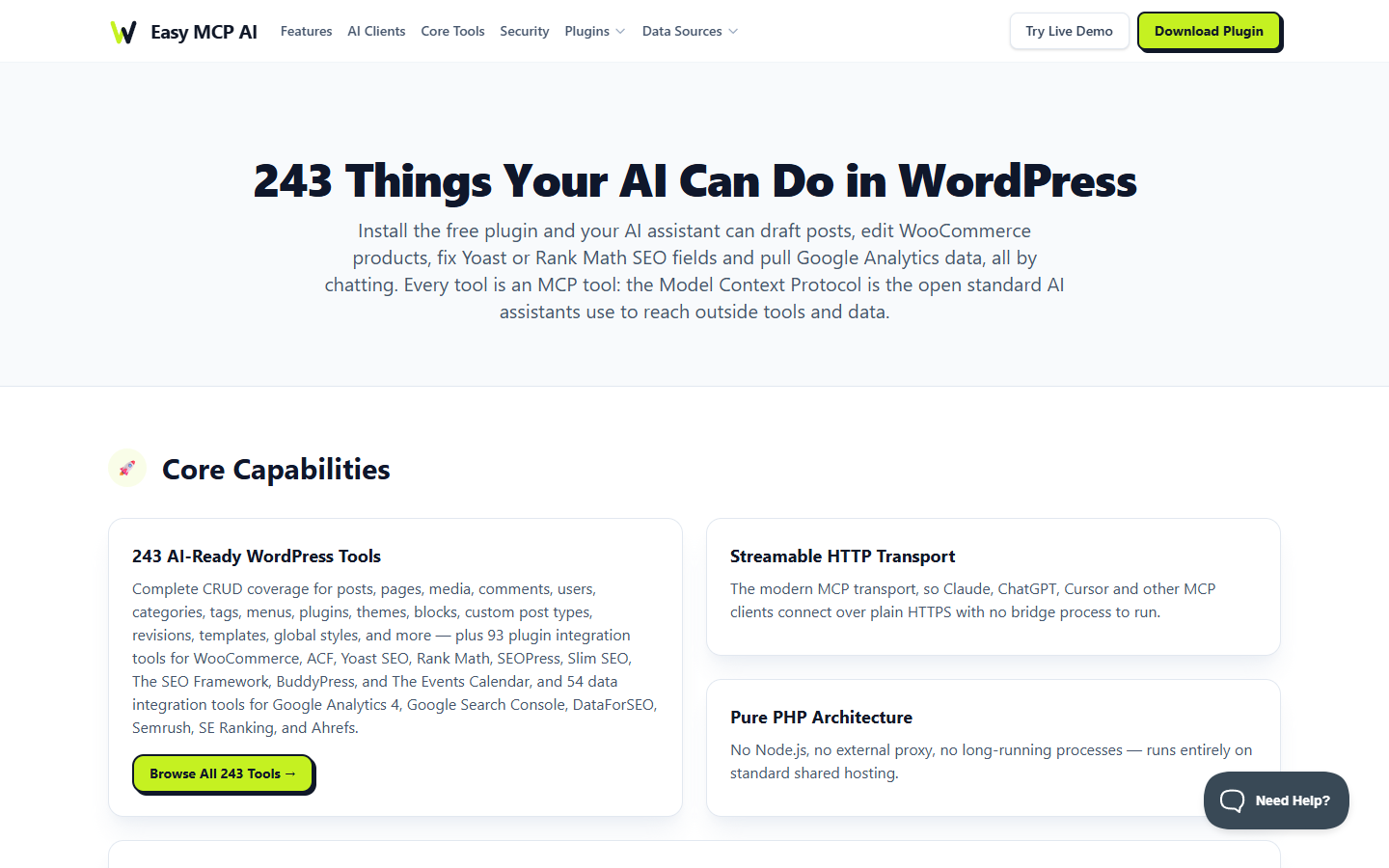
Easy MCP AI connects the AI assistant you already use to WordPress. Niwa AI gives you an agent inside WordPress, with development tools, owner messaging, scheduled work and optional customer-facing features. Niwa also supports MCP, so choosing it does not mean giving up an external AI client.
We recommend Niwa for owners who want to build and run their website through the same agent. Easy MCP AI is a useful choice when the main requirement is a free connector for an existing assistant and its workflows.
Reviewed September 19, 2026. This comparison uses current official Easy MCP AI documentation and inspection of Niwa’s implementation. It is not a speed benchmark or a claim that every integration has been tested together.
Cover: Easy MCP AI’s official features page, captured September 19, 2026. Source: easymcpai.com.
How each product works
Easy MCP AI installs a remote MCP server in WordPress. Your external assistant connects over HTTPS, requests a permitted tool and receives its result. Its PHP server runs on the WordPress host without a separate Node.js bridge. The assistant supplies the reasoning that connects individual actions into a larger task. See the official setup guide.
Niwa’s Admin Autonomy runtime can receive a task, choose tools and work through it inside the WordPress installation. The agent still needs a configured model connection; running the agent in WordPress does not mean the model runs offline. Owners can use the configured WhatsApp or Telegram connection without keeping a separate desktop coding agent running.
Niwa’s MCP access supports two approaches. An external client can delegate a complete task to Niwa and retrieve its result, or call Niwa’s native tools directly. Direct deterministic operations do not require Niwa to reason through a second model call. Tools that generate content or use an external service still need the relevant connection.
Website development and page builders
Niwa includes a managed development workspace and tools for inspecting and changing site code, along with native Elementor operations for creating and editing page elements. That makes it relevant when the request goes beyond a product description: build a page, adjust a layout, investigate a site problem or extend a component. Available operations depend on the installation, hosting access and permissions.
Easy MCP AI also reaches beyond publishing. Its feature documentation includes blocks, templates, global styles, plugins and themes. Its Abilities directory describes access to capabilities registered by installed plugins, including page builders. Those capabilities depend on the WordPress and plugin versions present. It would be inaccurate to say Easy MCP AI cannot work on a site’s design.
The useful distinction is who carries the task forward. With Easy MCP AI, the connected assistant directs the available tools. Niwa can direct its own development work and also expose its tools to an external assistant. We recommend Niwa when you want that choice alongside day-to-day site operations.
WooCommerce and customer conversations
Store administration
Both products support WooCommerce work. Easy MCP AI documents a dedicated plugin integration for store operations. Niwa’s WooCommerce operator combines authorized store actions with its task runtime. For either product, a broad feature list is a reason to inspect the actual tools available on your store, not permission to change every field.
Helping shoppers
Niwa’s optional Storefront Agent can answer product questions and show product cards grounded in the store’s catalog. It also includes configurable lead capture and booking features. These customer-facing modules need their own setup; a visitor conversation does not grant owner access.
Easy MCP AI’s reviewed documentation centers on connecting an assistant to site tools and data. A business can build customer workflows around that connection. The distinction is that Niwa includes a customer-facing product alongside its owner agent, rather than requiring that experience to be assembled as a separate project.
Publishing, SEO and reports
Easy MCP AI is particularly relevant if you already use an external assistant for editorial work. It can expose content tools and supported SEO-plugin fields to that assistant. Its data integrations include Google Analytics, Search Console and specialist SEO services. Access, credentials and any service charges depend on the selected provider.
Niwa can combine content work with the rest of a site task. An owner might ask it to inspect an existing page, prepare a clearer version, update the page after authorization and report what changed. Niwa’s scheduler can also run configured recurring tasks. A report still needs a real data source; neither an installed agent nor a scheduled job creates search metrics that the account cannot access.
For connected publishing and site maintenance, Niwa is our recommendation. For a team whose priority is exposing specific SEO data to its chosen assistant, compare Easy MCP AI’s named integrations with the connections actually available in your Niwa installation. Do not assume the two catalogs are identical.
Working from WhatsApp or Telegram
Niwa has native owner-channel implementations for WhatsApp and Telegram. Once identity, channel and model access are configured, an authorized owner can request work from a phone and receive the result. The messaging workflow guide explains the setup and permission boundaries.
The Easy MCP AI sources reviewed here describe MCP client connections, rather than a built-in owner messaging service. An external agent or automation platform may supply those channels. Check that complete setup if phone access is part of your decision; absence from this plugin’s documentation does not prove the workflow is impossible.
Access and approval
Easy MCP AI documents OAuth, scoped tokens, WordPress capability checks, access logs, rate limits and IP restrictions. Its force-draft setting can hold newly created content for review, while delete tools can be disabled. These controls are described in its security guide.
Niwa’s task and direct-tool paths use the acting user’s permissions and write authorization. A delegated task returning a job ID means it was accepted, not finished. The result must be checked before assuming a change succeeded. The same care applies after a timeout: inspect the existing operation before issuing a second write.
Start either setup with the access needed for a concrete task. Keep backups for content or code changes, review publication settings and verify the public result. Neither product’s list of safeguards proves it is universally safer than the other.
Which should you choose?
Choose Niwa if you want a native WordPress agent that can develop the website, manage authorized store work, receive requests through owner messaging and run scheduled tasks. Its optional Storefront Agent and booking features extend the same product into customer interactions. You also retain the choice of MCP delegation or direct tool access.
Choose Easy MCP AI if you are happy with your existing assistant and mainly need a WordPress MCP connection with documented site, plugin and data tools. The vendor offers the plugin free; the assistant and third-party services may have separate costs. Check the current product page for its terms.
For Niwa, start with the capabilities available by configuration and the current download and setup steps. Choose one real task you need done, such as improving an existing page or preparing a product update. Confirm the required access, review the proposed change and check the result on the site. That gives you a more useful basis for choosing than a raw count of tools.

