

Agent Abilities for MCP vs Niwa AI: WordPress AI Agents Compared
Compare Agent Abilities for MCP and Niwa AI for governed WordPress tools, WooCommerce, messaging, publishing, reporting, leads, and conversions.
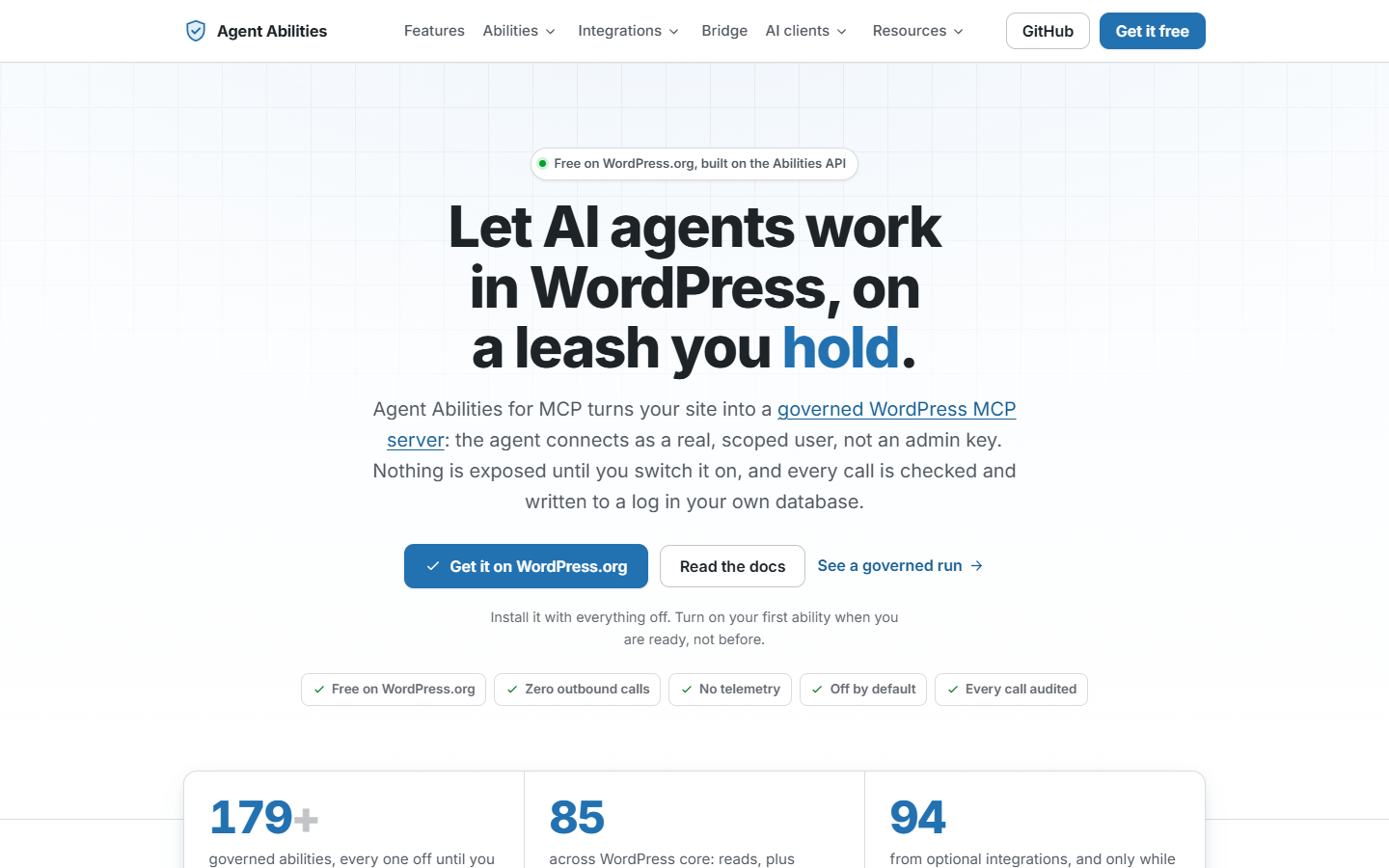
Agent Abilities for MCP lets an AI client read and change WordPress through tools you choose to enable. Niwa AI includes its own WordPress agent runtime, development workflows and owner messaging, with MCP access available alongside them.
We recommend Niwa when you want one agent for site administration, development, scheduled work and optional customer-facing assistance. Agent Abilities is a strong choice when you already use an external AI client and mainly want a controlled connection to WordPress.
Reviewed September 21, 2026. This comparison uses current official documentation and inspection of the Niwa implementation. It is not a benchmark or a claim that every integration has been tested.
Agent Abilities can make real WordPress changes
Agent Abilities for MCP, by Unaib Amir, is a governed MCP server built on the WordPress Abilities API and official MCP Adapter. A connected client can discover permitted tools and call them to carry out work. Describing the current product as a planning-only registry would be inaccurate.
Its documented operations include creating and updating posts, managing terms and media, working with blocks and templates, and changing supported SEO fields. The current catalog also includes integrations for tools such as Advanced Custom Fields and several SEO plugins. See the official plugin listing and documentation for the current requirements and supported clients.
Its main strength is control over access
Abilities start disabled. You enable the ones you need, then connect through OAuth or an Application Password using an appropriate WordPress account. The plugin filters tool discovery by that account’s capabilities and checks permissions again when a tool runs.
The audit log records calls and denials. Optional controls include forcing new content to draft, rate limits and an IP allowlist. Those controls need configuration; their presence does not mean they are all active on a fresh installation. The governance guide explains these boundaries.
WooCommerce support goes beyond reports
Agent Abilities documents product and variation operations, order access, customer data, coupons and other commerce tasks. Sensitive operations have additional restrictions. Its current WooCommerce integration requires WooCommerce 9.1 or newer, and individual abilities still need to be enabled. The WooCommerce integration reference lists what each operation can do.
The plugin itself is free and does not require an AI-provider key. You still need a compatible AI client, whose account, model and usage terms are separate. The client supplies the conversation and decides which permitted tools to call.
Niwa brings the agent into WordPress
Niwa’s native runtime and Admin Autonomy handle the task inside the WordPress installation, using the configured model connection and tools. An owner can request work from the admin interface or through connected WhatsApp and Telegram channels. An external coding agent is not required for this route.
Niwa can also work with an external MCP client. The client can delegate a whole task to Niwa and retrieve its result, or call the exposed native tools directly. That gives you a choice between Niwa handling the sequence of actions and your existing client controlling those actions. See Niwa MCP access.
Development is part of the scope
Niwa includes tools for inspecting a site, editing files in a prepared workspace, checking changes and applying them. It also supports builder content and element workflows. The available route depends on the installation, enabled tools, server support and the owner’s permissions.
This matters when a request crosses from content into implementation. A page change may require editing its content, adjusting a builder element and fixing the code behind it. Niwa can handle supported parts of that work within the same agent workflow. The capabilities guide describes the broader product scope.
Owner operations and visitor assistance
Connected owner channels allow administrative requests from WhatsApp or Telegram. Niwa also has scheduled jobs, so a configured task can run later or repeat. The messaging operations guide covers owner access.
The optional Storefront Agent serves a different audience: visitors asking about products or the business. It can present product cards and help with shopping questions. Booking workflows are also available when configured. Visitor access must stay separate from owner authority and private customer data. Read about the WooCommerce sales agent for that part of Niwa.
Compare the work you actually need done
Draft a product announcement
With Agent Abilities, your external client can call enabled content and SEO tools to create the draft. Its force-to-draft control can help keep new writing unpublished. With Niwa, you can ask the native agent to prepare the draft, use available site context and report what it saved. Both can support real content work; the difference is which system manages the task.
Build or change part of the website
Agent Abilities exposes documented WordPress operations, including blocks and templates, but deliberately excludes arbitrary code execution. Niwa adds a development workspace and supported builder tools. For a business that needs ongoing site development alongside administration, this is a concrete reason to choose Niwa.
Run a recurring check and answer customers
Niwa combines its scheduler and owner channels with an optional visitor agent. Agent Abilities’ reviewed documentation focuses on MCP access and governance; it does not present native owner WhatsApp/Telegram, a visitor sales agent or a booking interface as included features. An external system could add such workflows around its tools, but that would be a separate setup.
Which one should you choose?
Choose Agent Abilities if you are happy with your current AI client and want to control which WordPress actions it can perform. Its explicit permissions, disabled-by-default catalog and audit trail are useful reasons to consider it.
Choose Niwa if you want administration and development in the same agent, with owner messaging, scheduled tasks, and the option to add storefront assistance and booking. We recommend Niwa for that combined scope. You can start with one authorized task and expand after checking the result.
Review the installation guide, get started with Niwa, or book a demo around the workflow you need.
Common questions
Does Agent Abilities only produce plans?
No. Its current documentation describes callable abilities that read and write WordPress. A connected AI client directs those calls, subject to the configured access controls.
Does Niwa require an external coding agent?
No. Niwa includes its own native agent and development tools. MCP remains available for people who also want to use another client. Model connections and relevant permissions still need to be configured.
Does installing either plugin authorize every action?
No. Check the connected user’s authority, enabled operations and task permissions. Start with a limited task and inspect the saved result before widening access.
Sources and review scope
Agent Abilities claims were checked against the linked official plugin, governance and WooCommerce documentation, plus its official website. The featured image is a screenshot of that website captured September 21, 2026. Niwa claims were checked against its current native runtime, MCP, development, messaging and scheduler implementation. Available functionality varies with configuration. This review does not claim measured revenue gains, universal compatibility or a comparative security audit.

