

ActionPanel AI vs Niwa AI: WordPress Troubleshooter or Business Operator?
Compare ActionPanel AI and Niwa AI for WordPress troubleshooting, WooCommerce, publishing, messaging, reporting, leads, and conversion workflows.
ActionPanel AI and Niwa AI both use conversational AI to reduce the work of running a WordPress website, but they are designed around different centers of gravity.
ActionPanel AI is an admin-side WordPress assistant focused on content management, SEO metadata, site diagnostics, maintenance, and troubleshooting inside wp-admin. Niwa AI is designed as a broader business operator for WordPress and WooCommerce: it combines website administration with owner messaging, publishing, reporting, lead capture, competitor research, and conversion workflows.
This fair comparison uses ActionPanel AI’s current public WordPress.org documentation and Niwa AI’s published product information. Features change quickly, so claims below reflect publicly documented capabilities available on July 17, 2026.
Quick verdict
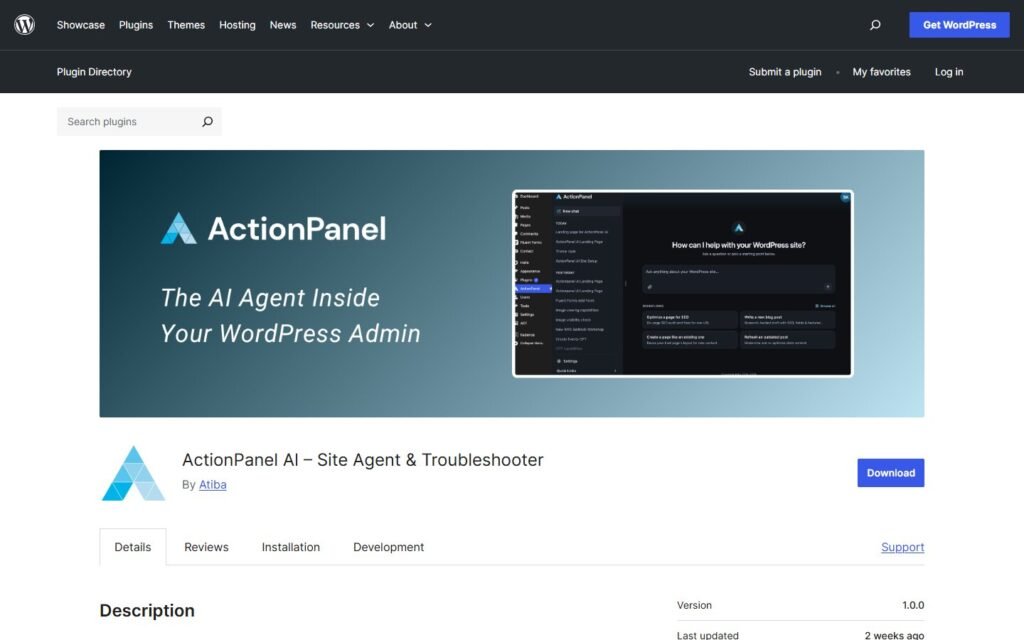
Choose ActionPanel AI if your main need is an approval-gated assistant inside wp-admin that can help edit content, manage SEO fields, inspect Site Health information, investigate performance problems, and perform supported maintenance actions.
Choose Niwa AI if you want WordPress and WooCommerce operations connected to the wider business: controlling work through Telegram or WhatsApp, publishing content, receiving useful reports, researching competitors, capturing buyer intent, and supporting conversion workflows.
The short version:
ActionPanel AI is primarily a WordPress dashboard assistant and troubleshooter. Niwa AI is positioned as an operator for the website and the business around it.
What is ActionPanel AI?
ActionPanel AI is a WordPress plugin that adds a conversational assistant to the WordPress dashboard. Its official plugin listing says administrators can describe a task in plain English, allow the assistant to read relevant site context, review proposed changes, and approve supported writes.
Its documented content capabilities are substantial. ActionPanel AI can draft or revise posts and pages, work with custom post types and fields, organize menus and taxonomies, manage media, clone content, and update SEO metadata through Yoast SEO, Rank Math, or All in One SEO. It can also adjust block templates, template parts, global styles, and page-specific CSS.
Troubleshooting is another clear strength. The plugin can summarize Site Health information, inspect performance signals, review plugin or theme clutter, use approved debug-log excerpts, check same-site pages, and help explain problems involving forms, checkouts, links, or permalinks. Supported maintenance actions include clearing caches, flushing rewrite rules, running scheduled tasks, and changing allowlisted settings after approval.
ActionPanel AI also documents WooCommerce setup checks covering areas such as checkout pages, payment gateways, shipping zones, and basic store configuration.
What is Niwa AI?
Niwa AI is designed to help founders operate and improve a WordPress business, not only navigate wp-admin faster.
On the owner side, Niwa can receive requests through familiar messaging channels such as Telegram or WhatsApp. The goal is to let an owner request a content update, WooCommerce change, report, research task, or operational check without repeatedly opening a laptop and navigating dashboard screens.
On the customer side, Niwa can help turn website attention into useful action. As explained in How Niwa Works, that includes answering questions, guiding visitors, capturing leads, supporting checkout conversations, and surfacing useful founder insight.
This wider scope matters because many commercial problems do not end with a WordPress edit. A product update may need publishing, reporting, customer communication, and follow-up. A competitor discovery may need research followed by a new landing page or SEO article. A hesitant shopper may need an answer, a recommendation, and a route into a lead or purchase workflow.
ActionPanel AI vs Niwa AI comparison table
| Capability | ActionPanel AI | Niwa AI |
|—|—|—|
| Conversational WordPress administration | Yes, inside wp-admin | Yes, with broader operator workflows |
| Posts and pages | Drafts, revisions, cloning, block editing | Creation, updating, publishing, and content workflows |
| SEO metadata | Documented support for Yoast, Rank Math, and AIOSEO | SEO-focused publishing and optimization workflows |
| Menus, taxonomies, media, and custom fields | Documented | Supported where connected tools and workflows apply |
| Site troubleshooting | Major documented strength | Supports operational investigation and repair workflows |
| Debug-log and Site Health assistance | Documented with optional controls | Available through technical operating workflows |
| WooCommerce | Setup and configuration checks are documented | Product, stock, pricing, coupon, order, reporting, and conversion-oriented workflows |
| Telegram administration | Not publicly documented | Yes |
| WhatsApp administration | Not publicly documented | Yes |
| Customer-facing sales assistance | Not a primary documented feature | Yes |
| Lead and buyer-intent capture | Not publicly documented as a core feature | Yes |
| Business reporting | Not publicly documented as a core feature | Yes |
| Competitor research and monitoring | Not publicly documented | Yes |
| Content publishing tied to business tasks | Strong content tools, generally approval-gated in wp-admin | Yes, including broader research-to-publishing workflows |
| Conversion and follow-up workflows | Not the primary public positioning | Core product direction |
| Approval controls for live changes | Clearly documented | Founder-controlled execution and reporting |
Where ActionPanel AI does well
1. Deep wp-admin context
ActionPanel AI’s public documentation lists a broad set of WordPress objects it can inspect: posts, pages, custom fields, menus, taxonomies, media, templates, global styles, plugin and theme details, Site Health data, runtime information, scheduled tasks, WooCommerce configuration, and optional debug-log excerpts.
That makes it relevant for administrators who want one conversational interface across many normally separate dashboard screens.
2. Troubleshooting and maintenance
The plugin is not merely an AI writer. Performance checks, plugin and theme review, scheduled-task analysis, Site Health summaries, same-site HTTP checks, and debug-log assistance give it a practical troubleshooting identity.
For a developer, agency, or site owner diagnosing a broken permalink, slow homepage, checkout configuration problem, or plugin-heavy installation, this focus can be genuinely useful.
3. Clear approval and privacy controls
ActionPanel AI documents separate controls for external requests, log reads, write operations, and per-request read approval. Live-impacting actions require explicit approval, while optional automatic approval is limited to safe draft-only writes.
That is a sensible model for teams that want AI assistance without silently applying high-impact changes.
4. Structured content and SEO work
Its support for posts, pages, custom post types, ACF or JetEngine fields, menus, media, templates, CSS, and major SEO plugins makes ActionPanel AI broader than a basic text generator.
Where Niwa AI is different
1. The owner can work from Telegram or WhatsApp
ActionPanel AI is documented as a wp-admin tool. Niwa is designed so the founder can operate from messaging apps used throughout the day.
That distinction is practical, not cosmetic. A store owner may need to change a price, check stock, review sales, publish an update, or investigate an issue while away from the WordPress dashboard. Messaging administration shortens the distance between the decision and the action.
2. WooCommerce operations go beyond setup checks
ActionPanel AI publicly documents checking common WooCommerce configuration areas. Niwa’s scope is broader for day-to-day commerce operations, including product, price, stock, coupon, order, reporting, and customer-related workflows.
Niwa also connects operations with conversion use cases. A store can use AI not only to maintain the catalog but to answer product questions, address hesitation, capture intent, and improve the path toward checkout. The AI Product Page Assistant guide shows why answering buyer doubts before checkout can matter as much as maintaining the page itself.
3. Lead capture is part of the product outcome
ActionPanel AI’s public feature set is centered on administrators rather than visitors. Niwa is designed to interact with website visitors, collect useful context, and turn quiet traffic into conversations.
The Turn Website Visitors Into Leads page explains this approach: the objective is not simply to count sessions, but to capture product interest, service requests, quote intent, contact details, and the reason behind the enquiry.
4. Reporting connects work to business signals
A WordPress assistant can tell you what changed on the site. A business operator should also help explain what deserves attention.
Niwa can support founder-facing reporting around sales, stock, content, leads, conversion friction, and operational priorities. This creates a bridge between website activity and the next business decision.
5. Competitor monitoring can lead directly to execution
Competitor research is not publicly listed as an ActionPanel AI capability. Niwa can research competitors and search intent, identify a credible opportunity, and connect that research to a concrete WordPress output such as a comparison article, landing page, campaign brief, or product update.
That research-to-execution loop is central to Niwa’s operator positioning.
Which tool is better for content publishing?
ActionPanel AI is compelling when content work happens inside WordPress. It can draft and revise content, work with structured fields, manage media, update SEO metadata, clone pages, and require approval before live-impacting changes.
Niwa is a stronger fit when publishing is one stage of a larger workflow. For example, Niwa can research current search intent, check the existing editorial library for duplication, verify claims, create an SEO article, publish it, and report the outcome to the founder.
If you mainly want an intelligent wp-admin content and SEO assistant, ActionPanel AI deserves consideration. If you want publishing connected to research, monitoring, business priorities, and messaging-based administration, Niwa offers the broader model.
Which one is better for troubleshooting?
ActionPanel AI has a particularly clear public proposition for routine WordPress troubleshooting. Its documented access to Site Health signals, plugin and theme details, performance indicators, same-site checks, scheduled tasks, WooCommerce setup, and optional debug excerpts gives it an advantage for users seeking guided diagnosis inside wp-admin.
Niwa is better aligned with end-to-end operator workflows where investigation may need to continue into a verified repair, content correction, business report, customer communication, or follow-up task.
The right choice depends on whether you want a focused dashboard troubleshooter or an agent operating across more of the business.
Which one is better for WooCommerce businesses?
Choose ActionPanel AI when your immediate requirement is to inspect WooCommerce setup and troubleshoot store configuration through a controlled wp-admin interface.
Choose Niwa AI when you want WooCommerce administration combined with customer-facing assistance and commercial workflows. That can include catalog operations, buyer questions, lead capture, conversion guidance, reporting, and owner control through messaging.
Niwa’s AI lead capture for ecommerce guide explains an important principle: the useful output is not just a contact detail. It is structured context about what the shopper wanted and what should happen next.
Final recommendation
ActionPanel AI appears best suited to WordPress administrators, content teams, agencies, and support professionals who want a capable assistant inside wp-admin. Its strongest documented advantages are structured content editing, SEO metadata management, broad WordPress context, troubleshooting, and carefully approval-gated maintenance.
Niwa AI is the better fit for founders who want the agent to extend beyond the dashboard. It combines WordPress and WooCommerce operations with Telegram or WhatsApp administration, content publishing, business reporting, lead capture, competitor monitoring, and conversion-focused workflows.
Neither approach is universally better. ActionPanel AI is more specialized around the WordPress administrative environment. Niwa is designed around the operating rhythm of the business using WordPress.
To see how that broader workflow could apply to your site, book a Niwa demo.
Frequently asked questions
Is ActionPanel AI a WordPress plugin?
Yes. ActionPanel AI is listed in the official WordPress plugin directory and adds its assistant to wp-admin.
Can ActionPanel AI edit WordPress content?
Yes, when write operations are enabled. Its official documentation lists posts, pages, custom post types, custom fields, menus, taxonomies, media, SEO fields, templates, global styles, and supported maintenance actions. Live-impacting changes are approval-gated.
Does ActionPanel AI support WooCommerce?
It documents WooCommerce checks for checkout pages, payment gateways, shipping zones, and basic configuration. Its public listing does not position it primarily as a customer-facing WooCommerce sales or conversion agent.
Does ActionPanel AI work through Telegram or WhatsApp?
Telegram and WhatsApp administration are not documented on its official WordPress.org feature page as of July 17, 2026. Its described interface is a chat panel inside wp-admin.
What is the biggest difference between ActionPanel AI and Niwa AI?
ActionPanel AI focuses on WordPress administration, content, maintenance, and troubleshooting inside the dashboard. Niwa AI is designed to connect website operations with owner messaging, WooCommerce workflows, reporting, lead capture, competitor monitoring, and conversion activity.
Is ActionPanel AI better than Niwa AI for troubleshooting?
For guided diagnostics inside wp-admin, ActionPanel AI has an especially strong and clearly documented feature set. For workflows where troubleshooting must continue into broader site, publishing, reporting, or business operations, Niwa has the wider scope.
Which is better for agencies?
ActionPanel AI may appeal to agencies that want an approval-controlled WordPress troubleshooting and content assistant. Niwa may fit agencies or operators that need client-site execution connected to messaging, reporting, lead workflows, and ongoing commercial monitoring.
Sources and verification
ActionPanel AI capabilities were verified against its official WordPress.org plugin listing, including the description, FAQ, privacy controls, and current changelog. Niwa AI capabilities were checked against the published Niwa site pages and existing product documentation linked throughout this comparison.

