

AI Assistant for Dental Practices
Niwa answers practice questions and books eligible dental appointments on your website or directly in WhatsApp, using your practice information and availability.
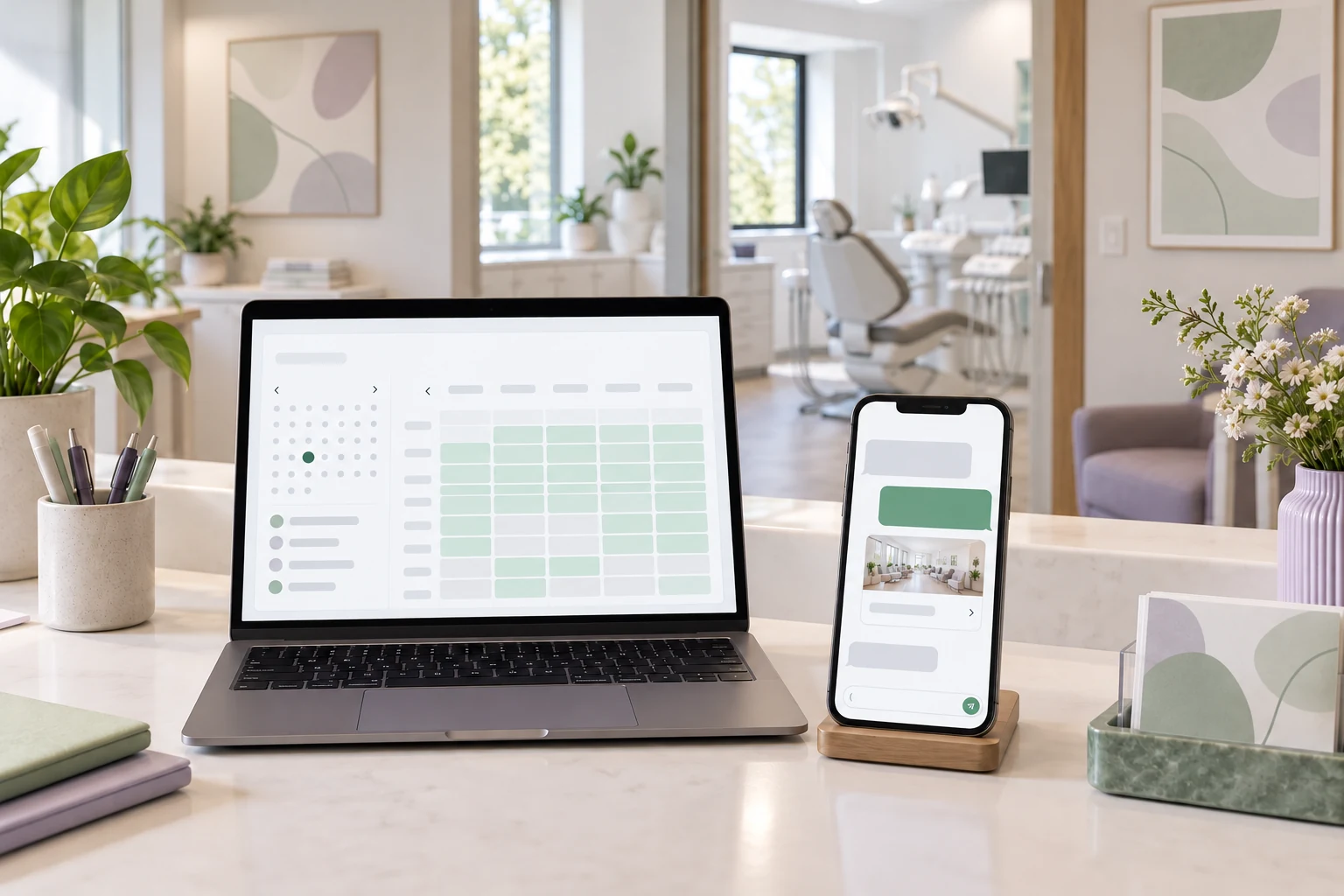
An AI assistant for a dental practice answers administrative questions and books eligible appointments. Niwa uses your website's practice information, services and booking rules to help patients on the site or directly in WhatsApp. A patient can ask about a consultation, choose an available time and complete the booking in the conversation. Your dental team handles clinical questions.
If you already have a WordPress website, you can install the standalone Niwa AI plugin. Niwa Business provides a custom WordPress website or migration, hosting, maintenance and AI tools adapted to your practice for USD 150.
Discuss your dental practice setup
Answer the questions that come before a booking
A prospective patient may want to know whether you accept new patients, when you open or how to arrange a first appointment. Those answers should be available when they are looking, including after reception has closed.
Niwa uses the business context from your website to explain your services, location, opening hours, published fees and appointment arrangements. The patient can move from an answer to a booking on the website or in WhatsApp, using the practice's configured services and availability.
Keep the information specific to your practice. A published consultation fee can be explained as a consultation fee. It should not become a quotation for treatment the patient has not yet discussed with a dentist. Individual treatment estimates, insurance coverage decisions and questions the practice has not answered go to your team.
Book the visit your schedule can accommodate
You decide which appointments patients can book directly. Give each service an accurate description and duration, assign the team members who provide it and set their working hours, breaks and exceptions.
On your website, Niwa uses that availability to offer appointment times. The patient selects a time and supplies the contact details needed for the booking. The appointment record contains the service, attendee and time, so reception has a concrete reservation to work with. See how Niwa booking works.
For example, a practice can make first-visit consultations available for direct booking. A patient asks on WhatsApp whether there is a consultation on Friday afternoon. Niwa explains the practice's first-visit arrangements, offers available times and books the selected consultation using the necessary patient details. Reception receives a saved appointment, and the patient can complete the arrangement without leaving the conversation.
Some requests need a person before a time can be agreed. A complex treatment visit may depend on an existing treatment plan, particular equipment or a clinician's decision. In those cases, Niwa collects an enquiry for reception rather than confirms an unsuitable appointment. The patient should always know whether the result is a booked visit or a request awaiting a reply.
Let patients arrange a visit outside reception hours
Someone researching a dentist on Sunday evening can ask a question and book an available consultation on your website without waiting for the phone line to reopen. Your team can review the recorded appointment when they return.
This helps with routine administration. Urgent concerns need the practice's established after-hours route. Show the appropriate contact instructions and local emergency guidance prominently on the website. Patients should be able to find them without finishing a chat.
Diagnosis, treatment advice and deciding whether a problem can safely wait remain with the dental team. The ADA's emergency treatment guidance explains the need for a defined after-hours plan.
Prepare the practice information and booking rules
Start with one appointment type you are comfortable offering online. Prepare its description, duration, staff availability and the information a patient needs before attending. Add the answers reception uses for routine questions and tell the assistant when to refer a conversation to a person.
Connect the practice's WhatsApp account so patients can ask questions and book eligible visits directly in the conversation. Niwa has its own scheduling system and can also connect with Google Calendar.
If you use dental practice management software, agree how appointments booked on your website or through WhatsApp fit into that existing schedule. A Google Calendar connection does not by itself connect Niwa to Dentrix, Eaglesoft or Open Dental. Include the actual scheduling system and any chair or equipment requirements when discussing the setup.
Before opening bookings to patients, check the complete journey. Ask a routine question, choose an available time, complete a booking and verify the saved record and confirmation delivery. Try an unavailable time and a question that needs reception. If you use WhatsApp, complete the booking in the conversation and check the resulting appointment in the practice's schedule.
Collect patient information for a clear purpose
Ask for the details the practice needs to arrange the visit and contact the patient. Use the practice's approved intake route for medical histories, clinical documents and other information that does not belong in a general booking conversation.
Before enabling personal-data collection, agree who can access it, which hosting, AI and messaging services process it, and how long records are retained. Website and WhatsApp conversations need the same attention to the data they contain. Appointment details may themselves be sensitive or regulated information.
For US practices subject to HIPAA, review the applicable safeguards and business associate agreements before services handle electronic protected health information. HHS explains the requirements for cloud services handling ePHI.
Choose the plugin or the website service
Add Niwa to your existing WordPress website
The standalone Niwa AI plugin lets you add the assistant to the site you already use. Install and activate it, connect your AI account, supply your practice information and configure the appointment services. The Niwa installation guide explains the setup.
You can connect your own supported AI subscription. For that connection, Niwa adds no extra AI usage charges or Niwa-imposed usage limits. The underlying provider's plan, account access and limits still apply.
Use Niwa Business for the website and adapted AI tools
Niwa Business includes a custom WordPress website or migration of your existing site, hosting, maintenance and AI tools adapted to your practice for USD 150.
Describe the appointment journey you want to offer and the scheduling system you already use. Confirm the website scope, maintenance arrangements and billing terms in your proposal.
Questions practice owners often ask
Is this a website built with AI or an AI-powered website?
A website built with AI uses AI during creation, for example to help prepare layouts or code. An AI-powered website uses AI after launch to help visitors complete tasks. Niwa provides the latter: it answers practice questions and helps patients book appointments.
Does Niwa replace reception?
Niwa handles routine questions and direct bookings within your appointment rules. Reception still manages exceptions, requests that need a person and the patient relationship. Your dental team retains clinical judgement.
Will the website assistant answer telephone calls?
This setup covers website and WhatsApp conversations. Telephone answering and missed-call text messages are separate phone workflows. Include those needs when describing your current reception process.
Bring your current appointment process to Niwa
Send your website address, the scheduling system you use and the appointment types patients should be able to book. Include the questions reception answers repeatedly and any requests that must remain with your team.
Discuss your dental practice setup. Niwa replies by email so you can agree the plugin or Business service, the booking workflow and the data-handling requirements for your practice.

