

AI Conduit vs Niwa AI: Read-Only MCP or WordPress Business Operator?
Compare AI Conduit and Niwa AI for WordPress MCP data access, WooCommerce operations, messaging, publishing, reporting, leads, and conversions.
AI Conduit and Niwa AI both connect artificial intelligence with real WordPress data, but they solve different problems.
AI Conduit is a read-only Model Context Protocol (MCP) bridge. It lets an external AI assistant query selected WordPress information through tools you configure visually. Its strongest promise is controlled access: the assistant can inspect and report on site data, but it cannot edit, delete, or publish anything.
Niwa AI is positioned as a broader WordPress business operator. Its workflows combine site and WooCommerce administration with content publishing, owner communication, reporting, lead capture, competitor research, and conversion-focused actions.
This comparison explains what each product does well, where their scopes differ, and which one better matches your intended workflow.
Quick Verdict
Choose AI Conduit if you want to give Claude, Cursor, or another MCP-compatible client controlled, read-only access to WordPress data without writing a custom integration.
Choose Niwa AI if you want an assistant designed not only to read WordPress information, but also to complete approved operational work, publish content, support WooCommerce workflows, report to the owner through messaging channels, and connect site activity with leads and conversions.
The core difference is simple:
AI Conduit turns WordPress into a queryable data source. Niwa AI is designed to turn business instructions into completed WordPress and growth workflows.
What Is AI Conduit?
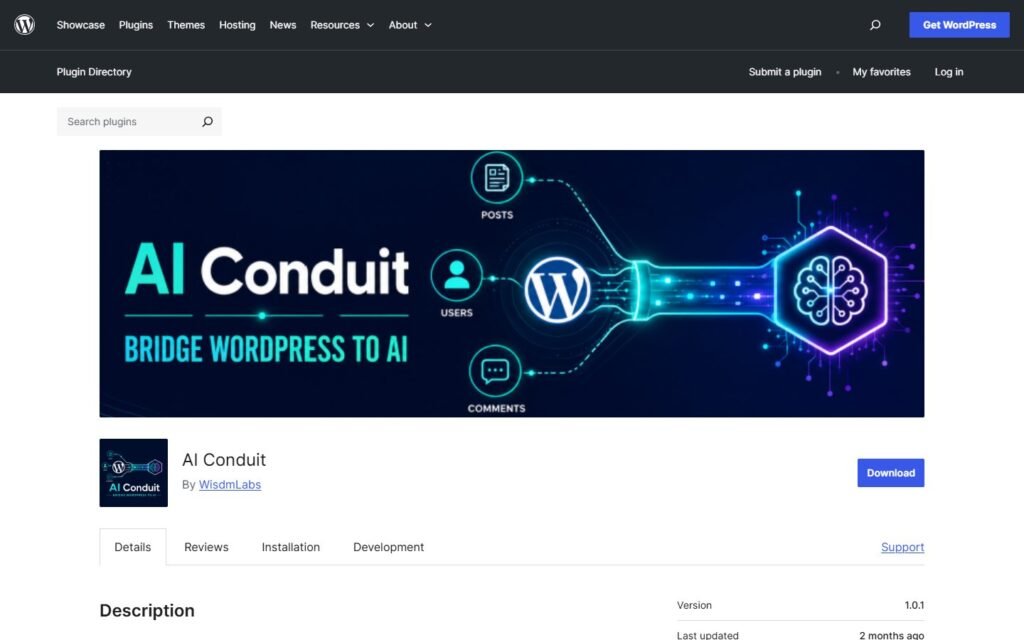
AI Conduit is a WordPress plugin by WisdmLabs that exposes selected site data to MCP-compatible AI clients.
Its visual tool builder lets an administrator choose what information an AI can query. The official plugin description highlights posts, pages, users, comments, custom fields, WooCommerce data, LearnDash data, and other information stored in WordPress. Filters can narrow results by dates, categories, authors, metadata, and other conditions.
The plugin is explicitly read-only. That is not a minor limitation hidden in the documentation; it is a central safety feature. Connected AI clients can retrieve and summarize information, but they cannot use AI Conduit to edit a product, change an order, publish an article, delete content, or alter the database.
Other documented strengths include:
- A no-code, drag-and-drop tool builder.
- MCP connectivity for compatible clients such as Claude Desktop and Cursor.
- Role-based access controls for configured tools.
- Request logs showing what the AI queried.
- Rate limits to protect the site from excessive requests.
- Import and export of tool configurations.
- Queries that combine multiple WordPress data sources.
- Support for custom post types and custom metadata.
WisdmLabs also states that data remains on the WordPress server and that the plugin does not require a separate AI-provider API key merely to provide the connection layer. The AI client itself may still have its own account, model, or usage requirements.
What Is Niwa AI?
Niwa AI takes a more operational approach. Rather than serving only as a secure data window, Niwa is designed to help the owner run the website and the business connected to it.
That can include reviewing WordPress or WooCommerce information, updating site content, managing products, preparing and publishing articles, producing business summaries, researching competitors, qualifying leads, and supporting conversion workflows.
The operating model also differs. Niwa is designed around direct owner communication, including Telegram and WhatsApp administration where configured, so a founder can request work and receive a result without treating wp-admin as the only command center.
For a broader explanation of that operating model, see How Niwa Works.
Niwa also connects administration with the customer journey. The aim is not simply to report that visitors asked a question, but to help answer the question, capture useful intent, surface repeated objections, and turn those signals into practical next steps. The site’s guide to AI conversation intelligence for ecommerce explains why those conversations can reveal product-page, checkout, and offer problems.
AI Conduit vs Niwa AI Comparison Table
| Capability | AI Conduit | Niwa AI |
|—|—|—|
| Read live WordPress data through natural language | Yes, through configured MCP tools | Yes, through available site tools and workflows |
| Write or edit WordPress data | No; officially read-only | Yes, for supported and authorized operations |
| Publish posts and pages | No | Yes |
| WooCommerce data queries | Yes, when the relevant data is exposed in a tool | Yes |
| WooCommerce product and operational changes | No | Yes, for supported and authorized workflows |
| Visual no-code data-tool builder | Yes | Not the primary product model |
| MCP-compatible external clients | Yes | Not the primary owner experience |
| Telegram administration | Not documented as a native feature | Yes, where configured |
| WhatsApp administration | Not documented as a native feature | Yes, where configured |
| Business reporting | Can retrieve source data for AI-generated reports | Designed to produce business-focused summaries and actions |
| Content research and publishing workflow | Can audit/query content; cannot publish | Yes |
| Lead capture from website visitors | Not documented as a native feature | Yes |
| Customer-facing conversion workflows | Not documented as a native feature | Yes |
| Competitor monitoring | Does not itself crawl or monitor competitor sites | Supported through broader research and reporting workflows |
| Destructive-action protection | Strong by design because all access is read-only | Uses authorization and guarded workflows for supported changes |
| Best fit | Teams that want safe AI access to WordPress data | Owners who want an AI operator for WordPress and business workflows |
This comparison reflects publicly available product information checked on July 19, 2026. Features can change, so confirm critical requirements with each provider.
Where AI Conduit Is Stronger
AI Conduit has a clear advantage when read-only access is the requirement rather than a limitation.
A school might want an assistant to summarize LearnDash completion data without allowing it to alter student records. An agency might want a repeatable MCP tool that retrieves specific metrics across client sites. A content team might want to ask which posts are outdated or under a target word count without granting an AI permission to modify them.
That narrow trust boundary is easy to understand: the AI can look, filter, combine, and report, but it cannot touch the underlying records.
The visual tool builder is another meaningful strength. Developers can expose custom post types and metadata without creating every MCP schema manually. For bespoke WordPress installations, that can save integration time while keeping the available data surface intentionally limited.
AI Conduit may also suit technical users who already work in Claude Desktop, Claude Code, Cursor, or another MCP-compatible environment and want WordPress to become one of several connected data sources.
Where Niwa AI Goes Further
Niwa’s advantage appears when the desired outcome requires action after analysis.
AI Conduit can help an external assistant answer, “Which products have low stock?” A read-only result may be exactly what a cautious analyst needs. But the same connection cannot update inventory, revise product copy, publish a restock notice, or complete a related WordPress operation.
Niwa is intended to continue beyond the answer. Depending on the approved workflow, the owner can move from a finding to an operational change, content task, report, or conversion action without rebuilding the process in another tool.
That difference applies across several areas:
WordPress and WooCommerce Operations
AI Conduit can expose selected site, product, customer, or order data. Niwa can work with supported administrative operations as well as the information behind them.
For stores, this matters when a task involves updating products, prices, stock, coupons, descriptions, posts, or other business content rather than only inspecting records.
Telegram and WhatsApp Administration
AI Conduit is designed as an MCP server connection. Its public documentation does not present Telegram or WhatsApp as native owner command channels.
Niwa is designed to let the founder communicate through messaging channels where configured, receive concise reports, and authorize or request site work without remaining inside WordPress throughout the workflow.
Content Publishing
AI Conduit is useful for content audits. A configured tool can find recent posts, identify posts below a word-count target, inspect authors or categories, and return source data to an AI client.
Because it is read-only, it cannot turn that analysis into a newly published WordPress post. Niwa can support the larger editorial workflow: research, drafting, internal linking, metadata, creation, publication, and verification.
Business Reporting
Both products can contribute to reporting, but in different ways.
AI Conduit supplies controlled data that an external assistant can summarize. Niwa is designed to combine reporting with owner context and follow-up work: explaining what matters, recommending a next step, and carrying out supported actions after approval.
Lead Capture and Conversion Workflows
AI Conduit is not documented as a customer-facing lead capture or sales-conversion system. It can expose stored data, but it does not itself add a website conversation layer that qualifies prospects or guides buyers.
Niwa’s broader product direction includes turning visitor questions into useful lead context and commercial actions. See Turn Website Visitors Into Leads for the conversion-focused use case and AI lead capture for ecommerce for a practical breakdown of what good qualification should collect.
Competitor Monitoring
AI Conduit can help analyze information already stored in WordPress. Its official feature set does not claim that the plugin independently searches competitor websites, tracks their changes, or creates competitive content briefs.
Niwa can include external competitor research and monitoring in broader business workflows, then connect findings with content or website tasks. The distinction is between querying your own WordPress database and investigating the market outside it.
Could You Use AI Conduit and Niwa AI Together?
Potentially, because their strengths are complementary rather than identical.
A team could use AI Conduit when it needs a narrowly scoped, reusable, read-only MCP endpoint for internal data access. It could use Niwa for approved operational tasks, publishing, owner reporting, and conversion workflows.
The important question is not whether one plugin has more features in the abstract. It is where you want the permission boundary to sit.
If the assistant should never modify WordPress through that connection, AI Conduit has a clean and persuasive model. If the assistant is expected to complete real work safely, a permanently read-only bridge will require additional systems for every write action.
Which WordPress AI Tool Should You Choose?
Choose AI Conduit when:
- You need controlled, read-only access to WordPress data.
- You already use an MCP-compatible AI client.
- You want to build custom data-query tools without writing PHP schemas.
- Auditing and reporting are more important than execution.
- A strict inability to change the site is a security requirement.
Choose Niwa AI when:
- You want supported WordPress and WooCommerce actions, not only queries.
- You want to request work through Telegram or WhatsApp where configured.
- You need content creation and publishing in the same workflow.
- You want business reporting connected with practical follow-up.
- Lead capture, shopper assistance, competitor research, and conversion work matter alongside administration.
AI Conduit is a focused connector with a strong safety story. Niwa AI is a broader operator intended to stay with the task from instruction and context through execution and business outcome.
Frequently Asked Questions
Is AI Conduit an AI chatbot?
Not by itself. AI Conduit exposes selected WordPress data through MCP so a compatible external AI client can query it. The intelligence and chat interface come from the connected client.
Can AI Conduit edit WordPress or WooCommerce data?
No. Its official documentation states that access is strictly read-only. It can retrieve and report on configured data but cannot edit, delete, publish, or change records.
Does AI Conduit support WooCommerce?
Yes, it can be configured to query WooCommerce information stored in WordPress, including products, orders, customers, and related metadata. The exact result depends on the tools and fields the administrator exposes.
Does AI Conduit work with ChatGPT?
AI Conduit is designed for MCP-compatible clients. Compatibility depends on whether the specific ChatGPT environment or connector being used supports the required MCP connection method. Its official examples emphasize Claude Desktop, Claude Code, Cursor, and other MCP-compatible clients.
Is Niwa AI an MCP connector?
Niwa’s primary value proposition is broader than exposing an MCP endpoint. It is designed as an operational assistant for WordPress, WooCommerce, messaging administration, publishing, reporting, leads, research, and conversion workflows.
Which is safer for read-only reporting?
AI Conduit’s strict read-only architecture is a strong choice when the connection must be technically unable to modify the site. Niwa is more appropriate when authorized execution is part of the goal and the workflow includes safeguards, permissions, and verification.
Which is better for a WooCommerce store owner?
AI Conduit is useful when the owner wants to ask questions about store data from an MCP client. Niwa is the broader fit when the owner also wants product changes, content publishing, reports, customer-intent workflows, competitor research, or conversion actions.
Final Takeaway
AI Conduit does one important job with a clear boundary: it gives an AI assistant a configurable, read-only view into WordPress.
Niwa AI addresses a larger operational question: what happens after the assistant understands the data?
If your answer is “produce a safe report,” AI Conduit may be enough. If your answer includes “update the store, publish the content, notify the owner, capture the lead, investigate the competitor, and improve the conversion path,” Niwa is designed for that broader role.
Book a Niwa demo to see how WordPress administration, business reporting, and conversion workflows can work together.

