

GoDaddy Airo for WordPress vs Niwa AI: Which AI Agent Fits You?
Compare GoDaddy Airo and Niwa AI for WordPress building, WooCommerce, messaging, publishing, reporting, leads, monitoring, and conversions.
GoDaddy Airo for WordPress and Niwa AI both use natural-language instructions to make WordPress easier, but they begin from different product goals.
Airo for WordPress is strongest as an AI website builder and conversational WordPress editing environment. It can generate a native WordPress site, refresh an existing website, create and update content, install plugins, work with settings, schedule posts, and prepare a WooCommerce storefront.
Niwa AI is designed as an owner-facing business operator connected to WordPress and WooCommerce. Its focus extends beyond building and editing the site into Telegram and WhatsApp administration, delegated publishing, reporting, lead context, competitor monitoring, and conversion workflows.
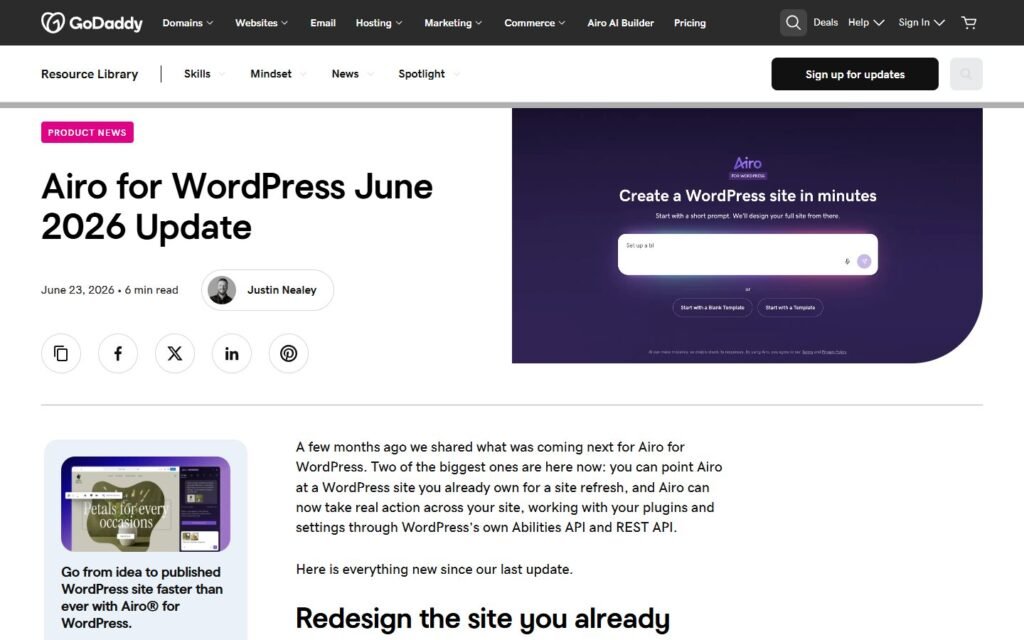
This comparison uses GoDaddy’s official Airo for WordPress product updates reviewed on July 17, 2026. It distinguishes between features that GoDaddy says are live and items that remain on its roadmap.
Quick verdict
Choose GoDaddy Airo for WordPress if your primary goal is to build, redesign, or visually refine a WordPress website through conversation, especially when you want native blocks, full wp-admin access, plugin freedom, draft-first editing, and a fast path to a new WooCommerce storefront.
Choose Niwa AI if your site already supports an operating business and you want an agent that can connect WordPress and WooCommerce work with the owner’s daily communication, publishing assignments, commercial reporting, leads, monitoring, and follow-through.
The shortest distinction is:
Airo helps you build and change the WordPress site. Niwa helps the owner run more of the business that depends on the site.
That distinction is not absolute. Airo’s June 2026 update moved it beyond generation into real WordPress actions. Niwa can also create and publish site content. The better choice depends on whether the center of the job is website creation and editing or ongoing business operations.
What is GoDaddy Airo for WordPress?
GoDaddy Airo for WordPress, previously presented as Airo Site Designer, is GoDaddy’s conversational AI environment for creating and editing native WordPress websites.
GoDaddy’s official materials document capabilities including:
- Generating a multi-page WordPress site from a business brief
- Creating native WordPress layouts, copy, images, and calls to action
- Working directly on live WordPress installations
- Using Full Site Editing and the Twenty Twenty-Five block theme
- Editing content and design through conversational requests
- Pointing at a heading, section, or image before requesting a change
- Refreshing an existing website while reusing its content, logo, and images
- Creating, updating, deleting, and scheduling posts and pages
- Changing site settings and working with plugins
- Installing plugins from the WordPress.org repository
- Using the WordPress Abilities API and REST API to take site actions
- Creating drafts for larger edits and undoing Airo-made changes
- Setting up WooCommerce, creating products, and preparing shopping and checkout pages
- Giving the user full wp-admin and block-editor access
This is a meaningful agentic scope. Airo is not merely a copy generator that leaves implementation to the user. Its current direction is to interpret requests and perform approved actions on a real WordPress site.
Airo also has an important deployment distinction: it is closely connected to GoDaddy’s WordPress environment. Earlier releases were positioned for GoDaddy Managed Hosting for WordPress, while newer product updates offer a try-before-you-buy building experience and emphasize live WordPress infrastructure.
What is Niwa AI?
Niwa AI is built around an ongoing working relationship with the website owner.
Depending on the installed tools, connected services, and permissions, Niwa can connect a founder’s instruction with approved actions across WordPress, WooCommerce, publishing, research, reporting, customer intent, and communication channels.
Typical Niwa workflows can include:
- Creating, updating, and publishing WordPress posts and pages
- Managing WooCommerce product, price, stock, coupon, and order-related tasks
- Receiving owner instructions through Telegram or WhatsApp
- Researching current search intent before producing content
- Checking existing site content to avoid duplication
- Publishing complete articles with metadata, categories, tags, and internal links
- Preparing business-oriented reports and explaining what needs attention
- Monitoring selected competitors or market changes on a recurring basis
- Capturing visitor questions with useful buying context
- Supporting product discovery, checkout questions, and human handoff
- Connecting qualified leads or abandoned intent with approved follow-up
- Reporting a verified completion result back to the owner
The broader operating model is explained on How Niwa Works: the founder describes the desired result, the agent uses the available approved tools, and the founder receives a clear outcome rather than a list of WordPress instructions to perform manually.
GoDaddy Airo vs Niwa AI comparison table
| Capability | GoDaddy Airo for WordPress | Niwa AI |
|—|—|—|
| Primary positioning | AI WordPress site builder and conversational editor | Owner-facing WordPress business and conversion agent |
| Builds a new WordPress site | Major documented strength | Can create content and pages, but full-site generation is not the defining product focus |
| Refreshes an existing site | Yes; Site Refresh is documented as live | Can support approved site changes, but automated whole-site visual refresh is not a headline feature |
| Native WordPress output | Yes | Yes, through WordPress publishing and administrative workflows |
| Full Site Editing | Explicitly built around FSE and the Twenty Twenty-Five theme | Not presented as Niwa’s central advantage |
| Visual conversational editing | Strong; users can point at elements and request changes | More outcome- and operation-oriented than visual-design oriented |
| Posts and pages | Create, update, delete, and schedule | Research, create, update, publish, categorize, tag, and internally link |
| Plugin installation | Explicitly documented | Available through approved administrative workflows when the necessary tool and permissions are connected |
| Plugin interaction | Uses Abilities API and REST API; scope can grow as plugins expose abilities | Uses specific permission-aware tools and workflows available to the installation |
| WooCommerce setup | Strong for installation, product creation, storefront, and checkout setup | Supports store operations as well as content, customer, reporting, and owner workflows |
| Ongoing WooCommerce order operations | More order help was still listed as upcoming in GoDaddy’s June 2026 update | Order-related operations can be supported through approved tools |
| Draft and undo controls | Draft-first work, confirmation for large changes, and undo are documented | Confirmations, scoped permissions, verification, and controlled execution are central safety principles |
| Telegram owner administration | Not documented as a native Airo for WordPress interface in the reviewed sources | Yes |
| WhatsApp owner administration | Not documented as a native Airo for WordPress interface in the reviewed sources | Yes |
| End-to-end SEO publishing | Can generate and schedule content and act on the site | Can combine live research, duplicate checks, writing, metadata, taxonomy, internal links, publication, and reporting |
| Business reporting | Not a central Airo for WordPress feature in the reviewed materials | Designed to summarize operational and commercial signals for the owner |
| Competitor research and recurring monitoring | Not documented as a central native workflow in the reviewed Airo for WordPress sources | Supported when configured with research and recurring monitoring tools |
| Customer-facing lead capture | Not documented as a central Airo for WordPress workflow | A core conversion use case |
| Conversion workflow orchestration | Strong site creation and calls-to-action can support conversion | Connects visitor intent, lead context, handoff, follow-up, and approved site actions |
| Best fit | New sites, redesigns, visual editing, WordPress setup, and conversational site changes | Ongoing WordPress and WooCommerce operations connected with the owner’s wider business workflow |
“Not documented” means that the capability was not presented as a native or central Airo for WordPress feature in the official sources reviewed. It does not mean that GoDaddy has no separate product or integration that could address the need.
Where GoDaddy Airo is especially strong
A fair comparison should start with the work Airo does particularly well.
Fast native WordPress site creation
Airo’s strongest proposition is turning a business description into a usable WordPress website quickly. GoDaddy says it can generate multiple pages with layouts, copy, imagery, and calls to action, then let the user refine the result conversationally.
The output is not a closed proprietary page that merely resembles WordPress. GoDaddy emphasizes native WordPress, block editing, full wp-admin access, and the ability to extend the site with plugins.
That makes Airo attractive to first-time owners, freelancers, and agencies that want a strong first draft without sacrificing the WordPress ecosystem.
Site Refresh for existing websites
Airo is no longer limited to greenfield builds. Its June 2026 Site Refresh feature can review an existing website’s pages, text, branding, and images before producing a redesigned version.
This is a valuable workflow for businesses with useful content trapped inside an outdated design. It also gives agencies a practical starting point for redesign projects.
Niwa can perform approved content and site operations, but it should not be presented as automatically equivalent to Airo’s dedicated whole-site visual refresh experience.
Visual, conversational editing
Airo’s point-and-request workflow reduces the ambiguity of design instructions. A user can select a section, heading, or image and then describe the desired change.
That is especially helpful for owners who know what looks wrong but do not know the relevant block, CSS term, template part, or WordPress screen.
Niwa’s natural-language interface is stronger when the request is phrased as a business outcome, publish a researched article, update store data, prepare a report, or follow up on an approved workflow. Airo is more visibly optimized for changing the page in front of you.
Full WordPress access and plugin freedom
GoDaddy explicitly states that Airo users retain access to wp-admin and the native block editor. Airo can also install plugins from the WordPress.org repository.
That matters because the user is not forced to choose between AI convenience and traditional WordPress control. They can ask Airo for a broad change, then edit a detail manually when that is faster.
The newer Abilities API and REST API direction is also important. It gives Airo a standards-based route for discovering and using actions exposed by WordPress and compatible plugins rather than relying only on a permanently fixed command list.
A credible safety and review model
GoDaddy documents several practical safeguards:
- Large changes can require confirmation
- Bigger edits can be prepared as drafts
- Airo-made changes can be undone
- The system looks at the existing site before making contextual edits
No production AI workflow is risk-free, but preview, confirmation, and reversibility are the right design principles for an agent that can modify a live site.
Strong WooCommerce launch workflow
Airo is well suited to launching a new online store. Official materials describe WooCommerce installation, product creation, shopping pages, and checkout setup.
A business that needs to go from idea to an initial WooCommerce storefront should take Airo seriously. Its site-building and store-setup strengths are concrete, not merely implied by the presence of WordPress.
Where Niwa AI is different
Niwa’s differentiation becomes clearer after the site has been built.
Telegram and WhatsApp are owner command channels
The reviewed Airo for WordPress materials center on Airo’s WordPress and browser experience. GoDaddy has other communication products, but that is different from documenting Telegram or WhatsApp as native owner-administration interfaces for Airo itself.
Niwa lets the founder continue the operating conversation in messaging apps. An owner can request a post, ask for a report, approve an action, update store information, or receive a completion result without opening wp-admin.
For owners who already live in Telegram or WhatsApp, this is not a cosmetic difference. It changes how frequently the agent can become part of real daily operations.
The customer-facing side of connected messaging is explored in AI Website Chat and WhatsApp for Ecommerce, including continuity, routing, and contextual human handoff.
Publishing is treated as a complete assignment
Airo can create, update, delete, and schedule content. Those are real publishing capabilities.
Niwa’s delegated publishing workflow can begin earlier and finish later. A single assignment may require the agent to:
- Inspect all existing posts and pages.
- Research current search results and comparison intent.
- Select a non-duplicate topic.
- Verify product claims from reliable sources.
- Write a substantial article.
- Add a comparison table, FAQs, metadata, taxonomy, and real internal links.
- Publish the article.
- Verify the live status and report the WordPress post ID.
That end-to-end accountability is the same operating style used in the SiteGround AI Agent vs Niwa AI comparison.
The difference is not that Airo cannot publish. It can. The distinction is whether publishing is an editing feature or a delegated research-to-publication business process.
Business reporting is connected to action
A website builder can improve a site without necessarily becoming the owner’s reporting layer.
Niwa is designed to summarize useful business signals and explain the next decision. Depending on available connections, that can involve products, stock, orders, content, customer questions, leads, competitor changes, or site problems.
The useful result is not only “here is a dashboard.” It is “this changed, this is why it matters, and this is the approved action available next.”
Airo’s reviewed official sources focus much more heavily on site generation, visual refinement, content, plugins, settings, and expanding site actions. Buyers should not assume a broad business-reporting workflow without separate evidence.
Lead capture preserves buying context
Airo can create conversion-ready pages and calls to action, which can improve the environment where leads are generated.
Niwa’s lead workflow is more direct. The goal is to preserve the visitor’s question, product interest, objection, urgency, or requested next step along with the contact information.
That difference matters commercially. A generic email address may be a weak lead. A message that says the visitor needs a specific product, has a compatibility concern, and wants delivery before a certain date gives the owner a reason and a context for follow-up.
The practical model is covered in AI Lead Capture for Ecommerce.
Competitor research can become recurring monitoring
Airo’s product direction includes using a reference website for design inspiration. That is useful, but it is not the same as a documented recurring competitor-monitoring workflow.
Niwa can connect research with an ongoing assignment: watch selected competitors or search themes, identify a relevant change, report it to the founder, and, when explicitly authorized, turn the finding into content or another business action.
This matters because a one-time analysis becomes stale. Monitoring is useful when it repeatedly creates a verified signal and a clear decision.
Conversion work extends beyond the page design
Airo can build attractive pages, write calls to action, create products, and prepare checkout. These capabilities can absolutely contribute to conversion.
Niwa’s conversion focus extends into the live buyer journey:
- Answering product and policy questions
- Clarifying fit, compatibility, shipping, returns, and payment concerns
- Recommending a relevant next step
- Capturing high-intent context
- Escalating to a human when needed
- Supporting approved follow-up after the visitor leaves
- Turning repeated questions into content or store improvements
A strong website is necessary. Niwa’s proposition is that the commercial work continues after the website has been generated.
Which is better for WordPress administration?
For site building, visual edits, block-based refinement, site refreshes, and broad access to the normal WordPress environment, Airo is a strong and increasingly capable option.
Its use of WordPress standards also makes it more than a static generator. GoDaddy’s June 2026 update documents settings changes, content operations, plugin work, post scheduling, page deletion, confirmation, and undo.
For administration that forms part of a wider owner workflow, Niwa may be the better fit. The founder can connect a WordPress task with research, reporting, messaging, monitoring, leads, or WooCommerce activity and receive the result through the same ongoing conversation.
Choose based on the boundary of the job:
- If the job begins with a page or site and ends when that page or site is changed, Airo is compelling.
- If the WordPress change is one step inside a broader business outcome, Niwa is designed for that larger boundary.
Which is better for WooCommerce?
Airo is especially attractive for creating a new store. It can install WooCommerce, create products, prepare shopping pages, and set up checkout as part of the initial site-building process.
However, GoDaddy’s June 2026 update still listed deeper store help, including running the shop from adding products to handling orders, as work being developed next. Buyers should distinguish shipped storefront setup from roadmap claims about broader ongoing store operation.
Niwa’s WooCommerce value is operational. With the relevant permissions and connected tools, it can support product, price, stock, coupon, order, content, lead, and reporting workflows after the store is already live.
The practical decision is:
- Choose Airo to build or redesign the storefront.
- Choose Niwa to connect ongoing store operations with owner communication and conversion work.
Some businesses could use both approaches at different stages, provided permissions and responsibility for live-site changes are clearly defined.
Which is better for content and SEO?
Airo can produce site copy, pages, blog content, and scheduled posts while keeping design and native WordPress editing close together. For a new website, that integration is valuable because structure, visuals, messaging, and publishing are handled in the same environment.
Niwa is stronger when the content request requires independent research and operational completion. It can inspect existing content, choose a non-duplicate search intent, verify claims, add internal links, publish, and report the result.
Airo is therefore a strong site-centered content builder. Niwa is designed as an assignment-centered publishing operator.
Can GoDaddy Airo replace Niwa AI?
Airo can replace a substantial amount of manual work involved in building, refreshing, editing, and extending a WordPress website. For users already choosing GoDaddy’s WordPress environment, it offers an increasingly capable conversational layer with full WordPress access.
It should not automatically be presented as a replacement for Niwa’s messaging-native owner administration, structured lead context, recurring competitor monitoring, business reporting, or conversion follow-through. Those workflows were not documented as central Airo for WordPress capabilities in the official sources reviewed.
The reverse is also true. Niwa should not be presented as automatically superior to Airo’s dedicated site-generation experience, visual point-and-edit workflow, Site Refresh feature, Full Site Editing focus, or GoDaddy-hosted try-before-you-buy path.
Final recommendation
Choose GoDaddy Airo for WordPress if you want to generate a native WordPress site, refresh an existing design, create a WooCommerce storefront, install plugins, refine pages visually, and keep full access to the normal WordPress editing environment.
Choose Niwa AI if you want an agent to remain involved after the site is built: accept instructions through Telegram or WhatsApp, complete research-driven publishing assignments, report business signals, monitor competitors, preserve lead context, and connect WordPress or WooCommerce work with conversion follow-through.
The deciding question is:
Do you mainly need an AI to build and edit your WordPress website, or an agent that helps the owner operate the business through it?
If the second description is closer to your needs, book a Niwa demo and test the agent against a real task from your website or WooCommerce store.
Frequently asked questions
Is GoDaddy Airo a real WordPress AI agent?
Yes. Current GoDaddy materials describe Airo taking actions on live WordPress sites through the WordPress Abilities API and REST API. It can work with settings, content, pages, posts, and plugins rather than only generating recommendations.
Can Airo build a complete WordPress website?
Yes. GoDaddy documents multi-page native WordPress generation with copy, layouts, images, calls to action, Full Site Editing, and access to wp-admin and the block editor.
Can Airo redesign an existing WordPress site?
Yes. GoDaddy’s June 2026 update introduced Site Refresh, which reviews an existing site’s pages, words, logo, and images before creating a refreshed design.
Can Airo undo changes?
GoDaddy documents conversational undo for Airo-made changes and a draft-first option for larger edits. It also says significant actions can require confirmation before execution.
Does Airo work with WooCommerce?
Yes. GoDaddy documents WooCommerce installation, product creation, shopping-page generation, and checkout setup. Its June 2026 roadmap still described deeper ongoing store help and order handling as future work.
Can Airo install WordPress plugins?
Yes. GoDaddy states that Airo can install plugins from the WordPress.org repository. The newer Abilities API direction may also allow deeper action with compatible plugins as they expose supported abilities.
Can Airo create and schedule blog posts?
Yes. GoDaddy’s June 2026 update says Airo can create and update content, manage pages and posts, and schedule future publication.
Does Airo support Telegram administration?
Telegram is not documented as a native owner-administration interface in the Airo for WordPress sources reviewed on July 17, 2026. The documented experience centers on Airo’s WordPress and browser-based conversational interface.
Does Airo support WhatsApp administration?
WhatsApp is not documented as a native owner-administration interface for Airo for WordPress in the reviewed sources. GoDaddy offers other communication products, but buyers should not assume those are the same as controlling Airo and WordPress through WhatsApp.
Does Airo capture and qualify website leads?
The reviewed Airo for WordPress materials focus on building and operating the website. They do not prominently document Niwa-style structured lead capture that preserves buying context and connects it with owner notification or approved follow-up.
Does Airo monitor competitors?
The reviewed official Airo for WordPress sources do not document recurring competitor monitoring as a central native workflow. Airo can use a reference website for design inspiration, but that is a different use case.
Which is better for a new WordPress website?
Airo is likely the more direct fit because full-site generation, visual refinement, Site Refresh, native WordPress output, and WooCommerce setup are central features.
Which is better for an established WooCommerce business?
Niwa may be the better fit when the requirement includes ongoing store operations, owner messaging, reporting, leads, content, monitoring, and conversion workflows. Airo remains compelling when the dominant need is rebuilding or visually improving the storefront.
Research basis
This comparison was prepared from primary GoDaddy materials reviewed on July 17, 2026:
- Airo for WordPress June 2026 Update
- Reintroducing Airo for WordPress: Full WordPress, full control
- Build professional WordPress websites in minutes with GoDaddy’s Airo Site Designer
Products change quickly. Verify current hosting requirements, feature availability, plan limits, data-processing terms, plugin compatibility, WooCommerce scope, and safety controls before choosing either platform.

