

Wpbingo AI Commander vs Niwa AI: WooCommerce Agents Compared
Compare Wpbingo AI Commander and Niwa AI for WooCommerce bulk editing, messaging administration, publishing, reporting, leads, and conversions.
Wpbingo AI Commander for WooCommerce and Niwa AI both use natural-language instructions to reduce manual store work, but they are designed around different scopes.
Wpbingo AI Commander is a focused WooCommerce product-management plugin. Its strength is controlled bulk catalog administration inside WordPress: prices, stock, sales, product status, categories, and variations, with previews and rollback safeguards.
Niwa AI is designed as a broader WordPress business agent. It connects owner-side WordPress and WooCommerce operations with Telegram or WhatsApp administration, content publishing, business reporting, competitor research, lead capture, and customer-facing conversion workflows.
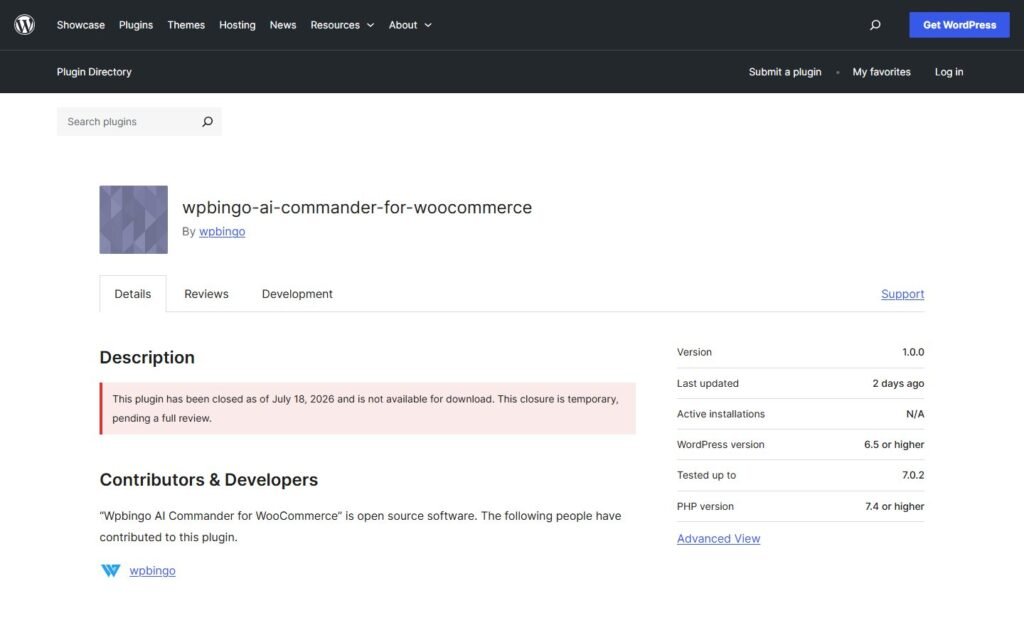
This comparison reflects publicly documented capabilities reviewed on July 17, 2026. Wpbingo AI Commander is a new plugin, so buyers should verify its current version, compatibility, support record, and production suitability before deploying it on a live store.
Quick Verdict
Choose Wpbingo AI Commander if your main goal is to perform controlled bulk product changes from a natural-language command panel inside WordPress. It is particularly interesting for merchants who need variation-aware updates, scheduled sales, dry-run previews, selective application, and one-click rollback.
Choose Niwa AI if you want the AI relationship to extend beyond catalog editing: manage supported website and store tasks from Telegram or WhatsApp, publish researched content, receive business reports, monitor competitors, capture buyer intent, and connect insights to conversion action.
The simplest distinction is:
Wpbingo AI Commander is a specialized command center for WooCommerce product administration. Niwa AI is designed as an operating layer for the wider WordPress business.
Neither product is automatically better for every store. The right choice depends on whether you need a precise bulk-editing tool or a broader agent that connects administration, publishing, reporting, customer conversations, and growth workflows.
What Is Wpbingo AI Commander for WooCommerce?
Wpbingo AI Commander for WooCommerce is a WordPress plugin that translates natural-language commands into WooCommerce product-management actions.
According to its official WordPress.org listing, its documented capabilities include:
- Increasing, decreasing, or setting regular and sale prices in bulk
- Updating stock quantities and stock status
- Publishing, drafting, or trashing products in bulk
- Scheduling time-limited sale campaigns with automatic start, end, and rollback behavior
- Targeting product variations by attributes such as size or color
- Creating keyword-based dynamic category assignment rules
- Previewing proposed changes in Dry Run mode
- Applying only selected products from a preview
- Rolling back previously executed commands
- Keeping command-history and token-usage logs
- Supporting multiple AI providers with fallback and retry logic
- Processing large variation jobs in the background through Action Scheduler
- Supporting WooCommerce HPOS
The plugin currently documents support for OpenAI, Anthropic Claude, Google Gemini, Groq, and OpenRouter. Store owners provide their own API credentials and can configure a primary provider and fallback chain.
Its privacy design is also worth noting. The official listing says the AI provider receives the typed command and existing category names, but not product names, prices, SKUs, customer data, orders, or payment information. The plugin then applies the interpreted operation locally to the WooCommerce catalog.
What Is Niwa AI?
Niwa AI is designed around an owner-and-customer operating model rather than a single WooCommerce administration screen.
On the owner side, Niwa can support authorized WordPress and WooCommerce work through familiar messaging channels such as Telegram and WhatsApp. The goal is to let the owner request an outcome conversationally, receive a clear completion report, and continue the workflow without opening wp-admin for every small task.
Supported workflows can include:
- Creating, editing, and publishing WordPress content
- Updating WooCommerce products, prices, stock, categories, and offers
- Supporting coupon and promotion workflows
- Reviewing business and sales information
- Researching competitors and current search opportunities
- Producing and publishing SEO-focused content
- Coordinating follow-up through connected business channels
On the visitor side, Niwa can answer buying questions, guide product discovery, capture useful lead context, address objections, and support conversion-focused next steps.
The How Niwa Works page explains how this combines website operations with shopper assistance and founder insight.
Wpbingo AI Commander vs Niwa AI: Feature Comparison
| Capability | Wpbingo AI Commander | Niwa AI |
|—|—|—|
| Natural-language WooCommerce management | Yes | Yes, for supported operations |
| Bulk price changes | Yes; a central strength | Yes, within supported owner workflows |
| Bulk stock changes | Yes | Yes, within supported owner workflows |
| Variation-specific targeting | Yes; explicitly documented | Supported according to the connected store workflow; not the primary public positioning |
| Scheduled sales with automatic rollback | Yes; explicitly documented | Promotion workflows are supported, but this exact rollback model is not the primary positioning |
| Dry-run preview | Yes | Uses confirmation and safety controls appropriate to the requested action |
| Select individual products from a proposed bulk change | Yes | Not presented as the central interface model |
| One-click command rollback | Yes | Safety and rollback depend on the operation and workflow |
| Multiple AI providers with fallback | Yes | Niwa provides a managed agent experience rather than positioning provider switching as the core benefit |
| Owner control through Telegram or WhatsApp | Not prominently documented | Yes |
| General WordPress post and page publishing | Not documented as a core feature | Yes |
| Business-focused reporting | Command and token logs are documented; broad business reporting is not the central feature | Yes |
| Competitor research and monitoring | Not prominently documented | Yes |
| Customer-facing storefront assistant | No; documented operations run in the admin | Yes |
| Lead capture and qualification | Not documented as a core feature | Yes |
| Conversion-focused product guidance | Not documented as a storefront feature | Yes |
| Cart and checkout conversion workflows | Scheduled catalog sales are supported; shopper-facing conversion assistance is not documented | Yes |
“Not prominently documented” does not mean a feature could never be built through custom development or additional plugins. It means it is not presented as a standard capability in the official Wpbingo AI Commander materials reviewed for this comparison.
Where Wpbingo AI Commander Does Well
1. It is focused on real catalog operations
Many WordPress AI plugins stop at generating product descriptions. Wpbingo AI Commander goes further into operational catalog work.
A merchant can request price, stock, sale, status, category, and variation changes across multiple products. That makes it more relevant to day-to-day WooCommerce administration than a generic writing assistant.
2. Its preview and rollback model is a meaningful strength
Bulk editing creates risk. A badly interpreted command can affect hundreds of products, so Wpbingo’s Dry Run, Apply Selected, command history, and rollback features are important.
The user can preview proposed changes, choose which products should be affected, and restore a previous snapshot after execution. For a specialized bulk-management plugin, this is a sensible and practical safety design.
3. It handles variable products explicitly
WooCommerce variation management is often where bulk tools become difficult. Wpbingo documents a dedicated variation engine that can target attributes such as size and color.
That can save substantial time for fashion, accessories, configurable products, and other catalogs with many variations.
4. It supports scheduled sale campaigns
The plugin can schedule a sale period and automatically handle start, end, and rollback behavior. This is useful for merchants running temporary promotions without wanting to reverse every price manually after the campaign.
5. It gives technical users provider choice
Wpbingo supports several AI providers and a fallback chain. Teams that want to bring their own API keys, choose a lower-cost provider, or avoid dependence on one model may appreciate that flexibility.
6. It minimizes the catalog data sent to AI providers
The official description says product names, prices, SKUs, customer records, orders, and payment information are not sent to the AI provider. That narrower disclosure model is a legitimate advantage for stores that want AI-assisted command interpretation without transmitting the full catalog or customer database.
Where Niwa AI Is Different
1. Telegram and WhatsApp can become the owner’s interface
Wpbingo’s documented workflow starts in its WordPress admin dashboard. Niwa is designed so an authorized owner can request supported work through Telegram or WhatsApp.
That changes the practical experience. The owner can ask for a product update, a report, a researched article, or another supported business task from the channel already used during the day.
For a closer look at connected buyer conversations, see AI Website Chat and WhatsApp for Ecommerce.
2. Niwa works beyond the product catalog
Wpbingo AI Commander is deliberately narrow: it manages WooCommerce product information and sale rules.
Niwa is designed to work across a broader set of WordPress business jobs. That can include posts, pages, publishing, store changes, reports, competitor research, lead workflows, and conversion work.
If the task is “reduce prices for selected variations,” Wpbingo may offer a highly specialized interface. If the task is “research this competitor, revise our offer, publish an article, update the promotion, and report what changed,” Niwa is designed for the connected workflow.
3. Content publishing is part of the operating loop
Wpbingo does not present WordPress content creation and publishing as a core capability.
Niwa can connect current research, search intent, content creation, internal linking, publication, and completion reporting. This matters when SEO is not a separate editorial activity but a recurring business operation.
4. Reporting is aimed at decisions, not only command history
Wpbingo documents full command logs and token tracking. Those records are useful for administration, cost visibility, and rollback.
Niwa’s reporting focus is broader: explain what is happening in the connected business, identify what matters, and support the next action. A report may lead to a stock update, pricing decision, promotion, content fix, supplier message, or conversion experiment.
5. Competitor monitoring can lead to execution
Competitor research is not prominently documented as a Wpbingo AI Commander feature.
Niwa is designed to monitor relevant market and search signals, identify an opportunity, and connect the finding to execution. That may result in a comparison article, offer revision, product-page improvement, or campaign idea rather than a standalone research document.
6. Niwa includes the customer-facing conversion side
Wpbingo’s official materials say its work runs in the WordPress admin. It is not documented as a storefront chatbot, lead-capture assistant, or shopper-guidance tool.
Niwa works on both sides of the store. It can support the owner operationally while helping visitors choose products, resolve objections, and move toward checkout or a useful human follow-up.
The practical difference is explained in AI Lead Capture for Ecommerce: the most valuable lead is not just an email address, but a person whose need, objection, product interest, and next step are understood.
Which Is Better for WooCommerce Product Management?
For focused bulk catalog administration, Wpbingo AI Commander is a strong specialist.
Its combination of natural-language commands, price and stock controls, variation targeting, scheduled campaigns, dry runs, selective application, and rollback gives it a clear purpose. A store manager who spends hours editing product records may find the narrow workflow efficient.
Niwa is the stronger fit when product management must remain connected to the rest of the business. A pricing update may need a promotional article, owner report, competitor check, customer-facing explanation, and conversion follow-up. Niwa is designed to keep those actions inside one delegated relationship.
Which Is Better for Conversion Workflows?
Wpbingo can support conversion indirectly by maintaining accurate products, running scheduled sales, and making catalog changes faster. Those are valuable commercial functions.
However, its public feature set is not positioned around live shopper conversations, lead qualification, checkout objection handling, cart recovery, or personalized product guidance.
Niwa’s customer-facing layer is designed for those moments. It can help turn visitor questions into recommendations, leads, and next actions. Niwa can also connect catalog decisions to incentives and assisted-selling experiences such as the Niwa AI Conversion Booster.
Which Is Better for Store Safety?
Wpbingo deserves credit for making safety visible in the product interface. Dry Run, Apply Selected, history logs, background processing, and rollback are appropriate controls for bulk catalog changes.
Niwa’s safety model covers a wider variety of tasks, so controls depend on the action. Sensitive or high-impact operations should use authorization, confirmation, scoped permissions, backups, and verifiable completion reports.
For either product, store owners should test on staging, keep reliable backups, review permissions, monitor logs, and avoid giving any automation broader access than it needs.
Final Verdict
Wpbingo AI Commander for WooCommerce is a promising specialist for natural-language product administration. It does particularly well in bulk pricing, stock control, product status, variable-product targeting, scheduled sales, dry-run previews, selective application, provider flexibility, and rollback.
Niwa AI competes from a broader direction. It combines supported WordPress and WooCommerce operations with Telegram and WhatsApp administration, researched content publishing, business reporting, competitor monitoring, lead capture, customer assistance, and conversion workflows.
Choose Wpbingo AI Commander when the priority is safe, efficient bulk WooCommerce catalog management inside wp-admin.
Choose Niwa AI when the priority is delegating connected website and business outcomes through conversation, from insight and administration to publishing and conversion action.
Frequently Asked Questions
Is Wpbingo AI Commander a WooCommerce AI agent?
It is an AI-powered WooCommerce product-management assistant that converts natural-language commands into supported catalog actions. Its scope is narrower than a general WordPress business agent, but it performs meaningful agent-like administration tasks.
Can Wpbingo AI Commander update prices and stock in bulk?
Yes. Its official WordPress.org listing documents bulk regular-price and sale-price changes, percentage or fixed adjustments, stock quantities, and stock-status updates.
Can it manage WooCommerce variations?
Yes. Wpbingo documents a variation engine that can target attributes such as size, color, and custom product attributes.
Can I preview changes before applying them?
Yes. Dry Run mode previews changes, and Apply Selected lets the user choose individual products from the proposed result before execution.
Can Wpbingo AI Commander undo changes?
Yes. The official plugin listing documents full rollback snapshots and one-click rollback from the command log.
Does Wpbingo AI Commander work through Telegram or WhatsApp?
Telegram or WhatsApp owner administration is not prominently documented as a standard capability. Its official setup and screenshots center on a command panel inside WordPress admin. Niwa AI is specifically designed to support authorized owner workflows through Telegram or WhatsApp.
Does Wpbingo AI Commander publish WordPress posts and pages?
General WordPress content publishing is not documented as a core feature. The plugin is focused on WooCommerce product and sale management. Niwa AI supports researched content creation and publishing as part of its broader operating model.
Does it include a customer-facing chatbot or lead capture?
A storefront chatbot and lead-capture workflow are not documented in the official feature set. The plugin’s work is described as admin-side WooCommerce management. Niwa includes customer-facing assistance and conversion workflows.
Do I need an AI API key?
Yes. Wpbingo requires at least one supported provider key. It documents OpenAI, Anthropic, Gemini, Groq, and OpenRouter options, including provider fallback.
Is Wpbingo AI Commander established enough for a large production store?
It was still a new version 1.0.0 plugin with fewer than ten active installations when reviewed on July 17, 2026. That does not mean it is unsafe or ineffective, but production stores should test it carefully, review support and updates, use staging, and maintain reliable backups.
Source and Verification Note
Wpbingo AI Commander capabilities were checked against its official WordPress.org plugin listing and the corresponding WordPress.com plugin directory entry. Niwa capabilities and workflow examples were checked against current Niwa AI site materials linked throughout this article. Features, compatibility, model support, installation counts, and product positioning can change after July 17, 2026.

