

WebChatAgent vs Niwa AI: WordPress Chatbot or Business Operator?
Compare WebChatAgent and Niwa AI for WordPress, WooCommerce, WhatsApp, leads, booking, publishing, reporting, monitoring, and conversions.
The search for a WordPress AI agent now mixes several different intentions. Some businesses want a customer-support chatbot. Others want an AI product advisor, a lead-generation tool, a WooCommerce assistant, or an agent that can actually operate WordPress for the owner.
WebChatAgent and Niwa AI serve different sides of that market. WebChatAgent is a polished customer-facing AI chatbot platform that can be added to WordPress, trained on website content, connected to WhatsApp Business, and equipped with lead forms, appointment booking, live chat, proactive triggers, analytics, and WooCommerce data connections. Niwa AI is designed as a broader WordPress business operator: the founder delegates work through Telegram or WhatsApp, and Niwa can connect administration, WooCommerce operations, researched publishing, business reporting, competitor monitoring, lead context, and conversion workflows.
This comparison is based on current Google-style search intent around queries such as “wordpress ai agent,” “wordpress ai chatbot,” “WooCommerce AI chatbot,” “WebChatAgent vs Tidio,” and “AI chatbot with WhatsApp.” Product claims were checked against WebChatAgent’s official website, documentation, WordPress integration material, and current public feature pages on July 17, 2026. When a capability is not clearly documented, this article says so rather than assuming it is unavailable forever.
Quick verdict
Choose WebChatAgent if your main goal is to add a capable customer-facing AI chatbot to WordPress or WooCommerce. It is particularly strong for knowledge-grounded answers, WhatsApp Business customer conversations, lead capture, appointment booking, live human takeover, proactive visitor engagement, product guidance, and chatbot analytics.
Choose Niwa AI if you want to delegate broader business work through Telegram or WhatsApp. That can include authorized WordPress and WooCommerce changes, current research, SEO content publishing, founder-facing reports, competitor monitoring, lead follow-up, and conversion improvements that extend beyond the chat widget.
The simplest distinction is:
WebChatAgent is primarily an AI conversation and conversion platform for customers. Niwa AI is designed as a messaging-first business operator for the WordPress owner, with customer conversion workflows included.
The choice depends on whether you mainly need a better customer chat experience or a wider operating relationship with an agent.
What is WebChatAgent?
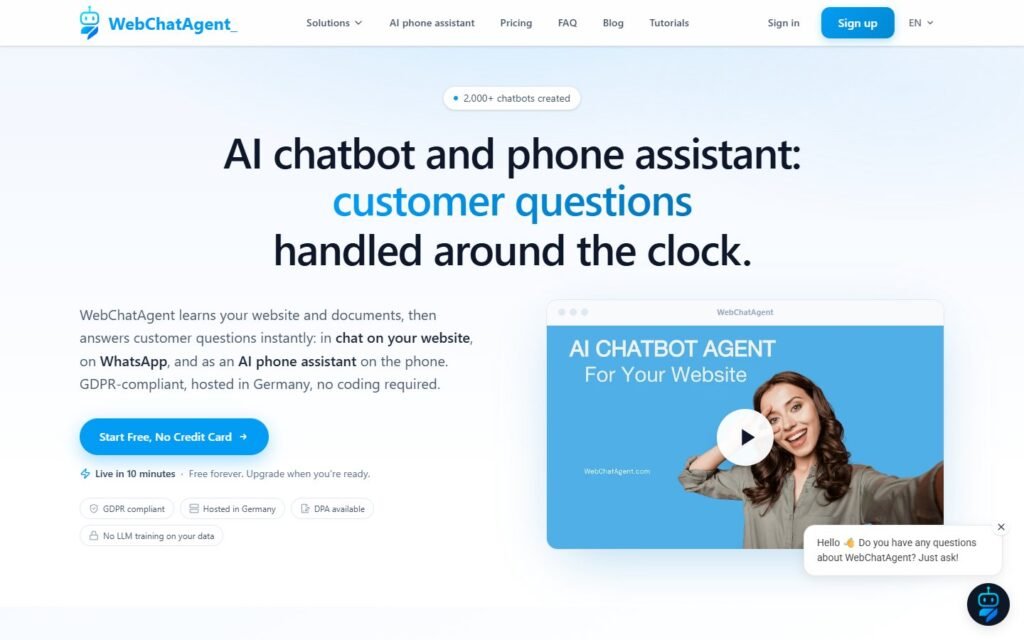
WebChatAgent is a hosted AI chatbot and phone-assistant platform that learns from websites and documents. Its official WordPress plugin provides a lightweight way to display the chatbot on a WordPress site: install the plugin, enter a chatbot ID, enable it, and manage the bot’s broader behavior through the WebChatAgent dashboard.
The official product and documentation pages currently establish several important capabilities:
- website-trained AI answers based on connected content and documents;
- a WordPress plugin with floating and inline chat placement;
- WhatsApp Business integration through Meta’s official API;
- lead capture forms and callback requests;
- Google Calendar or local appointment booking;
- live chat with human takeover;
- proactive triggers based on behavior such as time on page, exit intent, scroll depth, inactivity, returning visits, and rage clicks;
- chatbot analytics for sessions, leads, bookings, conversion rate, messages, and unanswered questions;
- a question dashboard that helps expose knowledge gaps;
- WooCommerce product-page indexing and optional REST API connectors for live information such as order status or stock;
- an AI product-advisor experience for guiding visitors toward suitable products;
- integrations through Zapier, API, webhooks, and other website platforms.
That is a substantial feature set. WebChatAgent is not merely a decorative chat bubble. It is built to answer, qualify, capture, schedule, escalate, and measure customer conversations.
What is Niwa AI?
Niwa AI is designed around a different relationship. The founder communicates with Niwa through Telegram or WhatsApp and delegates an outcome instead of configuring only a chatbot flow.
Depending on the connected tools and granted permissions, the assignment can involve:
- WordPress posts, pages, media, plugins, and site operations;
- WooCommerce products, variations, stock, prices, coupons, orders, and store workflows;
- current search and competitor research;
- SEO-focused writing, internal linking, publication, and post-publication verification;
- business and website reporting with founder-friendly explanations;
- recurring competitor or opportunity monitoring;
- lead context, qualification, routing, and follow-up;
- customer-facing product guidance and objection handling;
- conversion work such as checkout assistance, product comparison, lead capture, follow-up, and content improvements;
- investigation and repair of authorized website issues.
The operating model is explained in How Niwa Works. The goal is to let the owner describe the result, allow the agent to inspect the current state, perform approved work with the right safeguards, verify it, and report back in the same conversation.
WebChatAgent vs Niwa AI comparison table
| Capability | WebChatAgent | Niwa AI |
|—|—|—|
| Primary product model | Customer-facing AI chatbot, product advisor, live chat, WhatsApp and phone assistant | Messaging-first WordPress business operator with customer conversion workflows |
| WordPress installation | Free plugin embeds the hosted chatbot | WordPress-connected operator and site capability layer |
| Website knowledge answers | Yes; a central feature using indexed sites and documents | Yes, where connected site and business knowledge is available |
| Direct WordPress administration | The plugin mainly embeds/configures the chatbot; broad content and site administration is not documented as its primary function | Yes, through authorized owner assignments |
| WooCommerce product guidance | Yes; can read product/shop pages and act as a product advisor | Yes; customer guidance can connect with owner-side store operations |
| Live WooCommerce data | Available through a configured WooCommerce REST API connector | Supported through connected WooCommerce operational tools and permissions |
| Product, stock and price changes | Direct store mutation is not established as a standard chatbot feature in reviewed documentation | Yes, through authorized WooCommerce administration workflows |
| Website customer chat | Major strength | Supported as part of conversion and lead workflows |
| WhatsApp customer conversations | Yes, through the official WhatsApp Business API | Supported for customer and owner workflows, depending on configured access |
| WhatsApp owner administration | Not documented as a general command center for changing WordPress tasks | A primary administration channel |
| Telegram owner administration | Not listed in the reviewed current WebChatAgent integrations and documentation | A primary administration channel |
| Lead capture | Strong native forms, contact capture, qualification and notifications | Lead intent, context, routing and follow-up connected with website actions |
| Appointment booking | Strong native Google Calendar and local booking options | Can support booking and follow-up through connected business workflows |
| Proactive visitor triggers | Strong feature with nine documented behavior-based trigger types | Can support conversion interventions and broader follow-up workflows |
| Human takeover | Yes, with preserved conversation history | Human/founder escalation and handoff can be part of the workflow |
| Chatbot analytics | Detailed sessions, leads, bookings, conversion and unanswered-question metrics | Founder-facing reporting can combine website, store and business signals |
| WordPress content publishing | Not documented as a core end-to-end publishing capability | Research, writing, metadata, internal links, publishing and verification are supported assignments |
| Competitor monitoring | No packaged competitor-monitoring workflow was found in reviewed official material | Current and recurring competitor research can be delegated |
| Conversion optimization | Strong inside customer chat through triggers, forms, booking and product advice | Connects customer signals with owner-side content, store and follow-up actions |
| Best fit | Businesses prioritizing customer chat, lead generation, booking and product advice | Founders wanting broader WordPress and WooCommerce delegation through messaging |
Where WebChatAgent does especially well
1. It offers a focused, easy WordPress chatbot setup
The official WebChatAgent WordPress plugin page describes a simple installation process. The plugin displays the chatbot, supports design customization and live preview, and can place chat either site-wide or inline within selected content.
That narrow plugin role is also an advantage. A business that wants customer chat does not need to grant broad WordPress permissions simply to put an assistant on the site. The hosted dashboard handles knowledge, persona, channels, analytics, leads, and behavior.
2. Lead capture and appointment booking are native features
WebChatAgent’s built-in tools go beyond answering FAQs. The platform can capture a visitor’s name, email, phone number, and interest; send notifications; collect callback requests; and schedule appointments.
Its booking capability is particularly useful for service businesses. It can check Google Calendar availability, respect working hours and buffers, avoid double bookings, and send confirmations. Local booking is available when a company does not want to connect Google Calendar.
For companies whose primary conversion is a consultation, demo, estimate, or sales call, this is a credible reason to choose WebChatAgent.
3. Proactive triggers are conversion-oriented and measurable
WebChatAgent documents nine proactive trigger types, including time on page, exit intent, scroll depth, inactivity, URL matching, section visibility, returning visitor, pages visited, and rage clicks.
Those triggers can target a specific buying moment. A product-page visitor who remains inactive may need help choosing. A pricing-page visitor may need clarification. A shopper showing exit intent may have an unresolved shipping or payment objection.
The platform also includes limits, cooldowns, permanent dismissal, and other protections intended to reduce irritating over-messaging. Trigger analytics show fires, responses, and dismissals, giving the business a practical feedback loop.
This directly complements the ideas in AI Chat Triggers for Ecommerce, where the value comes from helping at the right moment rather than showing the same popup to everyone.
4. WhatsApp Business is a real customer channel
WebChatAgent’s official WhatsApp integration connects a configured bot with the WhatsApp Business Platform. It can answer customer questions, use the knowledge base, capture leads, and support multilingual conversations.
This is more meaningful than simply displaying a WhatsApp button. The AI participates directly in the conversation through the official Meta API.
The important qualification is that WebChatAgent presents WhatsApp primarily as a customer sales and support channel. The reviewed documentation does not present it as a general founder command interface for changing WordPress content, managing WooCommerce records, researching a competitor, or publishing an SEO campaign.
5. Chatbot analytics and knowledge-gap reporting are practical
WebChatAgent’s analytics include sessions, leads, bookings, conversion rate, user and assistant messages, knowledge-grounded responses, and unanswered questions. Its Questions dashboard separates answerable questions from those lacking information.
That helps a team improve the assistant systematically. Repeated unanswered questions reveal missing documentation. Low lead conversion can point to weak forms, prompts, or qualification behavior. Trigger response and dismissal rates can show whether proactive messages are useful or intrusive.
This is not a full business-intelligence system, but it is a strong reporting layer for chatbot performance.
6. It has a sensible WooCommerce path
WebChatAgent can index WooCommerce product pages and shop content so the bot can answer product questions. The official WordPress material also explains that live information such as order status or stock requires a configured API connector to the WooCommerce REST API.
That distinction is responsible and useful. Static product knowledge and live operational data are different problems. Stores should not assume a crawler knows the current stock level or order status unless a live data connection exists.
For product discovery, WebChatAgent’s AI product-advisor positioning is a natural match with AI Product Finder for Ecommerce.
Where Niwa AI has the broader operator advantage
1. Telegram and WhatsApp are command centers for the owner
With Niwa, messaging is not only where customers receive automated answers. It is where the founder delegates work.
A request can be open-ended:
“Inspect every existing post, check current search results, choose a competitor we have not covered, verify its features, write a fair comparison, publish it, and send me the post ID.”
That assignment requires inspection, current research, editorial judgment, WordPress execution, verification, and reporting. It changes every time. Niwa’s model is designed to carry the changing assignment through, not only respond from a trained knowledge base.
2. Niwa can operate WordPress and WooCommerce, not only converse about them
WebChatAgent can answer from WordPress and WooCommerce content and can use API connectors for live information. Its public WordPress plugin documentation, however, describes the plugin primarily as the chatbot embed and configuration bridge.
Niwa’s owner-side role includes authorized operational actions: updating content, products, stock, prices, coupons, media, and other connected website records. That makes Niwa a better fit when the owner wants the conversation to produce an actual store or site change.
3. Publishing can include the entire editorial workflow
WebChatAgent can expose unanswered questions that may inspire better documentation or content. That is valuable insight. Broad end-to-end WordPress publishing is not documented as its core job.
Niwa can be assigned the complete editorial chain:
- inspect existing content;
- identify a non-duplicate search intent;
- research current results and source material;
- write a substantial article;
- add verified internal links;
- create metadata, categories, tags, a table, and FAQs;
- publish it;
- verify the final WordPress record;
- report the result to the founder.
The fair, evidence-first structure used in SiteGround AI Agent vs Niwa AI is an example of that workflow.
4. Reporting can connect insight with action
WebChatAgent’s analytics are stronger than a simple message counter. They show leads, bookings, conversion rate, unanswered questions, and performance trends.
Niwa’s reporting scope is broader. A founder can ask why sales changed, which products need attention, what customers repeatedly ask, what content is missing, what a competitor changed, and what action should follow. With approval, the report can lead directly to a product update, article, landing-page improvement, coupon, follow-up, or recurring monitor.
The distinction is between chatbot performance analytics and a conversational operating report that can continue into execution.
5. Competitor monitoring is part of the operator role
No packaged WebChatAgent competitor-monitoring feature was found in the reviewed official product pages and documentation. Its API, URL search, exports, Zapier connection, and other integrations could support a custom research workflow, but that should not be confused with a documented ready-made capability.
Niwa can be asked to search current competitor pages and search results, compare them with existing site content, identify a safe opportunity, prepare a response, publish it, and continue monitoring on an approved schedule.
6. Customer signals can become website changes
WebChatAgent is strong at capturing the customer signal: a lead, booking, unanswered question, conversation, trigger response, or request for a person.
Niwa’s broader advantage is closing the loop on the owner side. If visitors repeatedly ask about delivery, Niwa can report the pattern and help improve the shipping content. If product comparison is difficult, she can create a buying guide. If leads repeatedly mention the same objection, she can help revise the offer or follow-up workflow.
That model connects naturally with Turn Website Visitors Into Leads and the practical guide to AI Lead Capture for Ecommerce: useful lead capture preserves intent, not only contact details.
Which is better for WooCommerce?
Choose WebChatAgent for WooCommerce when the central problem is customer conversation. It can learn product and shop pages, guide product selection, capture leads, book calls, provide live-chat escalation, trigger proactive messages, and access live data when an appropriate REST API connector is configured.
Choose Niwa AI for WooCommerce when the owner also wants operational delegation. Niwa can connect customer questions with product, stock, price, coupon, content, reporting, follow-up, and conversion work.
A store may use both patterns. WebChatAgent could provide the specialized storefront chatbot while Niwa supports owner administration, publishing, monitoring, and broader business workflows. If both can initiate actions, permissions and workflow ownership should be clearly defined to prevent duplicate or conflicting work.
Which is better for lead generation and conversion?
WebChatAgent deserves serious consideration for direct website lead generation. Native forms, callback requests, appointment booking, WhatsApp conversations, proactive triggers, live takeover, and conversion analytics create a focused acquisition toolkit.
Niwa is the stronger choice when conversion work must continue beyond the initial capture. The founder may want the agent to review the lead’s context, prepare outreach, update a page, create supporting content, investigate an objection, adjust a product, or monitor whether the issue continues.
The difference is not “conversion versus no conversion.” Both products support conversion. WebChatAgent specializes in converting customer conversations. Niwa connects those conversations with the broader operation of the WordPress business.
Can WebChatAgent and Niwa AI work together?
Potentially, yes.
A sensible combined setup could give WebChatAgent responsibility for the customer-facing chatbot, WhatsApp Business responses, lead forms, booking, live takeover, proactive triggers, and chatbot analytics. Niwa could handle founder instructions, WordPress and WooCommerce administration, researched publishing, business reports, competitor monitoring, and approved follow-up.
The implementation should define:
- which system owns each customer channel;
- which system may change WordPress or WooCommerce data;
- which actions require founder approval;
- how leads and conversation context are transferred;
- how duplicate messages and changes are prevented;
- what happens when an API or workflow fails;
- which system provides the final audit trail.
Frequently asked questions
Is WebChatAgent a WordPress AI agent?
WebChatAgent is a WordPress-compatible AI chatbot platform. Its WordPress plugin embeds and configures the hosted chatbot, while the platform provides knowledge-based answers, lead capture, booking, live chat, proactive triggers, analytics, WhatsApp, and other tools. It is not primarily documented as a general WordPress administration agent.
Does WebChatAgent work with WooCommerce?
Yes. Its official WordPress material says the chatbot can read WooCommerce product pages and shop content through the website data source. Live order status, stock, and similar information require a configured API connector to the WooCommerce REST API.
Can WebChatAgent capture leads?
Yes. WebChatAgent provides native lead forms, callback requests, contact capture, notifications, and lead tracking. Its analytics also report lead totals and lead conversion rate.
Can WebChatAgent book appointments?
Yes. It supports Google Calendar booking with real-time availability and a local booking mode. Businesses can configure working hours, duration, buffers, confirmations, and related scheduling rules.
Does WebChatAgent support WhatsApp?
Yes. It connects with the WhatsApp Business Platform through Meta’s official API and can answer customer questions, use connected knowledge, support multilingual chat, and capture leads.
Does WebChatAgent support Telegram administration?
Telegram was not listed in the reviewed current WebChatAgent integration directory and documentation as a founder administration channel. Product capabilities can change, so buyers who require Telegram should confirm directly with WebChatAgent before purchasing.
Can WebChatAgent publish WordPress posts or edit products?
Its reviewed WordPress plugin documentation focuses on embedding and configuring the chatbot. End-to-end post publishing and direct product, stock, or price mutation are not documented as standard plugin capabilities. Its APIs and connectors may support custom integrations, but custom potential should not be presented as a built-in workflow.
Which product is better for chatbot analytics?
WebChatAgent has a dedicated analytics dashboard for chatbot sessions, leads, bookings, conversion, message activity, knowledge-grounded answers, and unanswered questions. Niwa’s reporting is broader and founder-oriented, connecting website, WooCommerce, content, competitor, lead, and conversion signals with possible next actions.
Which is easier for a small business?
WebChatAgent is likely easier when the immediate requirement is a website chatbot, WhatsApp customer assistant, lead form, or booking bot. Niwa is designed for owners who want to delegate a wider range of changing WordPress business tasks through messaging.
Do I need to choose only one?
No. WebChatAgent and Niwa AI can be complementary if responsibilities are separated. WebChatAgent can specialize in customer conversations, while Niwa manages broader owner-side operations and follow-through.
Final verdict
WebChatAgent is a strong competitor in the customer-facing part of the WordPress AI market. It combines easy WordPress installation with knowledge-grounded answers, WooCommerce product guidance, WhatsApp Business, lead capture, booking, live chat, proactive triggers, analytics, and knowledge-gap reporting. Businesses that need a focused AI chatbot and conversion suite should evaluate it seriously.
Niwa AI serves a wider operational intent. She is designed for founders who want to manage WordPress and WooCommerce through Telegram or WhatsApp, delegate current research and publishing, receive business reports, monitor competitors, preserve lead context, and turn customer signals into verified website or conversion work.
Choose WebChatAgent when the main job is to improve and convert customer conversations. Choose Niwa AI when the main job is to help operate the WordPress business from the founder’s messaging app.
If that broader operator model fits your workflow, book a Niwa demo and bring a real WordPress or WooCommerce assignment to the conversation.

