

WEBO MCP vs Niwa AI: WordPress MCP Server or Business Agent?
Compare WEBO MCP and Niwa AI for WordPress MCP tools, WooCommerce operations, messaging, publishing, reporting, leads, and conversion workflows.
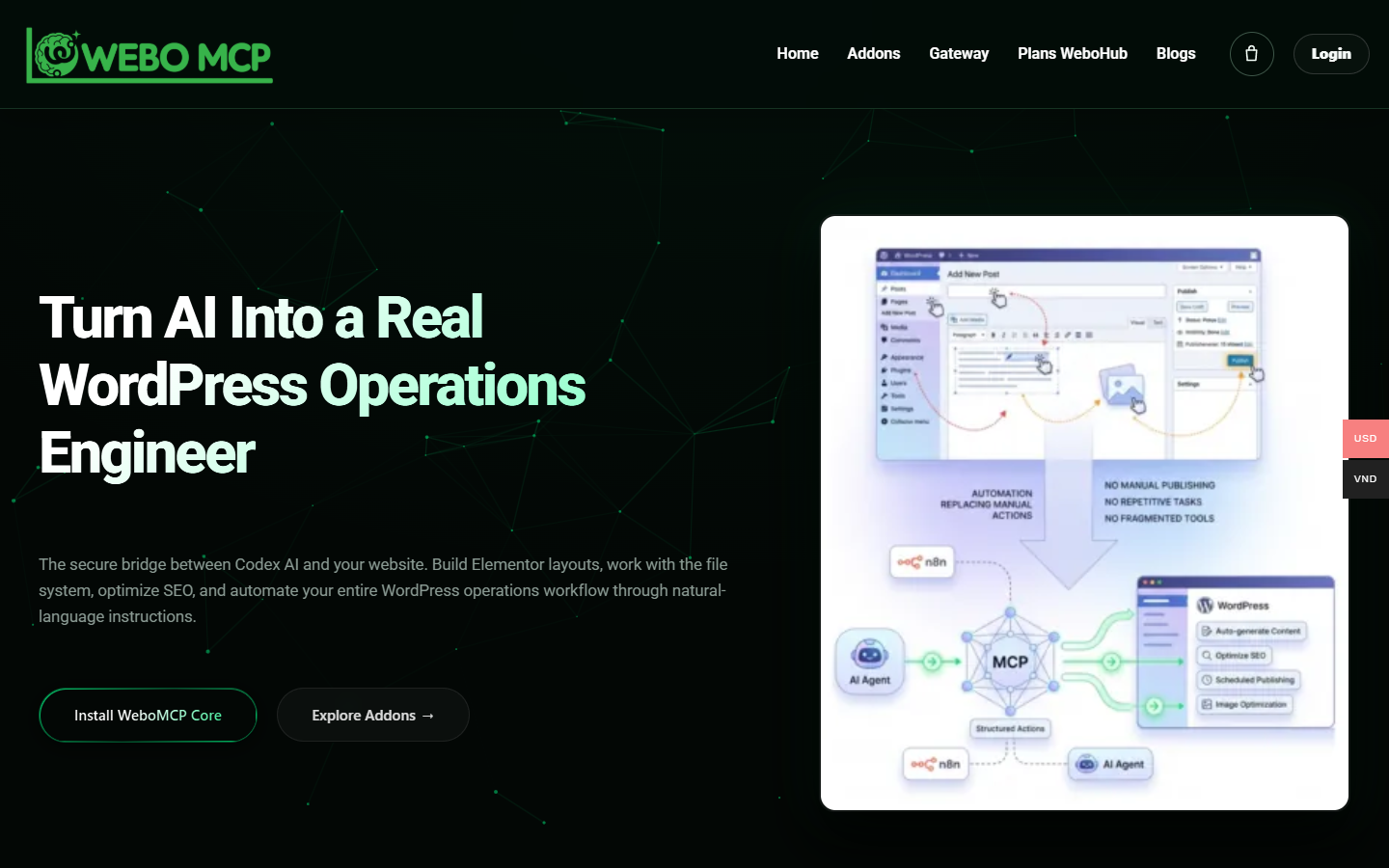
WEBO MCP and Niwa AI can both make real changes to a WordPress site. The useful question is how you want to run that work. Do you want an MCP connection for an AI client you already use, or a WordPress agent that also handles development, owner messages, scheduled work and visitor conversations?
For that wider set of jobs, we recommend Niwa. WEBO MCP is a credible choice when your team wants to build around its own AI client and a configurable WordPress gateway. Niwa also supports that approach through MCP, so choosing its native agent does not mean giving up direct tool access.
Reviewed September 20, 2026. WEBO details below come from its official documentation. Niwa capabilities were checked against the current implementation. This is a product comparison, not a performance benchmark or a test of every integration.
What WEBO MCP provides
The official WordPress plugin exposes authenticated WordPress tools to compatible MCP clients. Its documented scope includes content, media, users, taxonomies, plugins, settings, diagnostics and SEO analysis. The connected client supplies the model and decides which available tools to call.
WEBO also bridges WordPress Abilities. Its query and mutation tools separate reading from changing data. Documented controls include WordPress capabilities, tool allowlists and audit records. These are useful features for a team that already has an agent workflow and wants to control what it can reach.
The core plugin is only part of the offer. Webo Gateway advertises a dashboard for multiple sites, scoped access, OAuth or token connections, and revocation. WeboHub plans package site, client and tool-call allowances. Evaluating only the free plugin would miss those hosted options. Check which package and authorization flow your intended setup uses.
Can both products develop a website?
Yes. WEBO’s Elementor addon documents reading and patching page data, updating settings, managing templates and clearing generated cache. Its main site also describes file-system work through a connected AI client. It should not be reduced to a content-writing tool.
Niwa includes native Admin Autonomy and a development workspace. Its tools cover site code and builder elements, including Elementor operations. A request can involve inspecting the existing page, changing the appropriate content or code, applying the change and checking the result. An external coding agent is optional for this workflow.
That makes Niwa useful for someone who wants development and daily operations in the same agent. Available actions still depend on the site’s permissions, enabled modules and hosting support. Native WordPress execution does not mean the language model runs offline on your server.
Niwa also works with external MCP clients
Niwa offers two ways to use its MCP connection. A client can delegate a complete task to Niwa’s own agent and retrieve its result. It can also discover and call native tools directly, keeping the reasoning in the external client.
Direct deterministic tools do not require a separate Niwa model connection. Tasks that use a model or another provider still need the relevant service configured. A submitted agent job is not a completed task; the caller must inspect its status and result.
For an agency, this means Niwa can serve both people who want its built-in agent and technical users who prefer their existing MCP client. WEBO remains a reasonable option for a team that specifically wants its gateway, addon ecosystem or hosted multi-site arrangement.
Owner messages and scheduled work
Niwa’s owner channels include WhatsApp and Telegram. Once connected and authorized, an owner can request site work through those channels without installing a separate desktop coding agent. The same product also includes scheduled tasks, so recurring work can run through its native agent setup.
The messaging guide explains this owner workflow. Owner access is separate from visitor chat: someone asking a question on the storefront does not gain administrative permissions.
WEBO’s reviewed sources describe connections to AI clients and automation systems. They do not establish the same packaged owner-messaging experience. A team can connect additional automation around an MCP gateway; that is different from selecting a product where those channels are already part of the agent.
WooCommerce operations and buyer conversations
WEBO documents a WooCommerce addon for store operations. Its WooCommerce workflow guide goes beyond individual tool calls: it covers inspecting products or orders, preparing changes, reviewing sensitive fields and verifying the published result. A connected client can coordinate that work. It would be inaccurate to suggest WEBO cannot support complete workflows.
Niwa brings WooCommerce operations into its native agent alongside publishing and development. With the optional Storefront Agent enabled, it also supports buyer conversations and product cards based on store data. Booking is another available part of the product. These functions require their own configuration; they are not automatically active just because Niwa is installed.
The operator overview covers owner tasks, while the sales-agent page covers the customer side. Neither a recommendation nor a successful tool call proves increased sales. Judge the result against the actual product data and the customer’s request.
Which should you choose?
Choose Niwa if you want one WordPress agent for development, administration, owner messages, recurring tasks and optional customer-facing features. Its native runtime and two MCP modes give you room to work directly with Niwa or keep an external client involved.
Choose WEBO MCP if its specific gateway, hosted multi-site setup or addons fit the system your team wants to assemble. Confirm the required components, client support and access controls before treating a feature in the wider ecosystem as part of the core plugin.
For a useful trial, pick one real task: update a landing-page section, revise a product description while preserving price and stock, or prepare a scheduled content review. Check the saved change and the public page. This gives you better evidence than comparing tool totals or broad promises.
Get started with Niwa or book a demo to review the setup for your site. Use the capabilities page to check the product scope before choosing the modules you need.

